
Start With the Idea, Not the Setup
AI Projects Shouldn't Start With a Scavenger Hunt

Setup Slows You Down
New projects start with the same chores: find the packages, pick a model, untangle dependency conflicts. The time you meant for building goes to assembly.

You Can't Tell What's Safe to Pull

Reviews Show Up After You've Built
Builders Want Speed. Enterprises Want Proof. You Need Both.
For more than a decade, Anaconda has helped developers and data scientists work with open source. Today, 50M+ users and 95% of the Fortune 500 build on Anaconda.





One Trusted Source for the Packages and Models You Build On
Get Python packages built from source, tested, and signed by Anaconda, alongside curated AI models. With dependency, license, and vulnerability details in one place, you spend less time investigating what you’re installing and more time using it.
Start With Packages Built and Tested by Anaconda
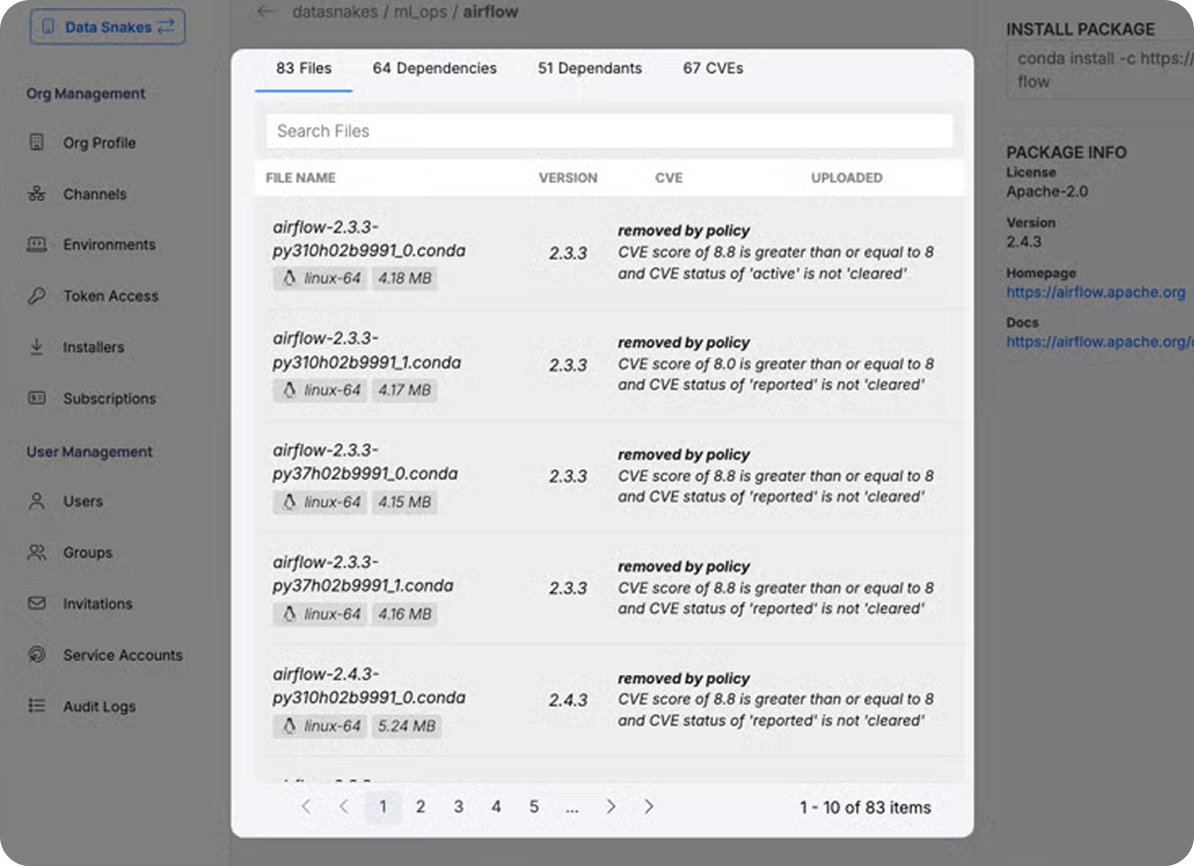
Pull from 19K+ packages built from the source, tested for quality, and signed by Anaconda. Dependency, license, and vulnerability details are available when you need them, so you spend less time researching packages and more time building.
- Packages built from source and tested by Anaconda
- Dependency, license, and vulnerability details
- Installation through conda in your existing workflow
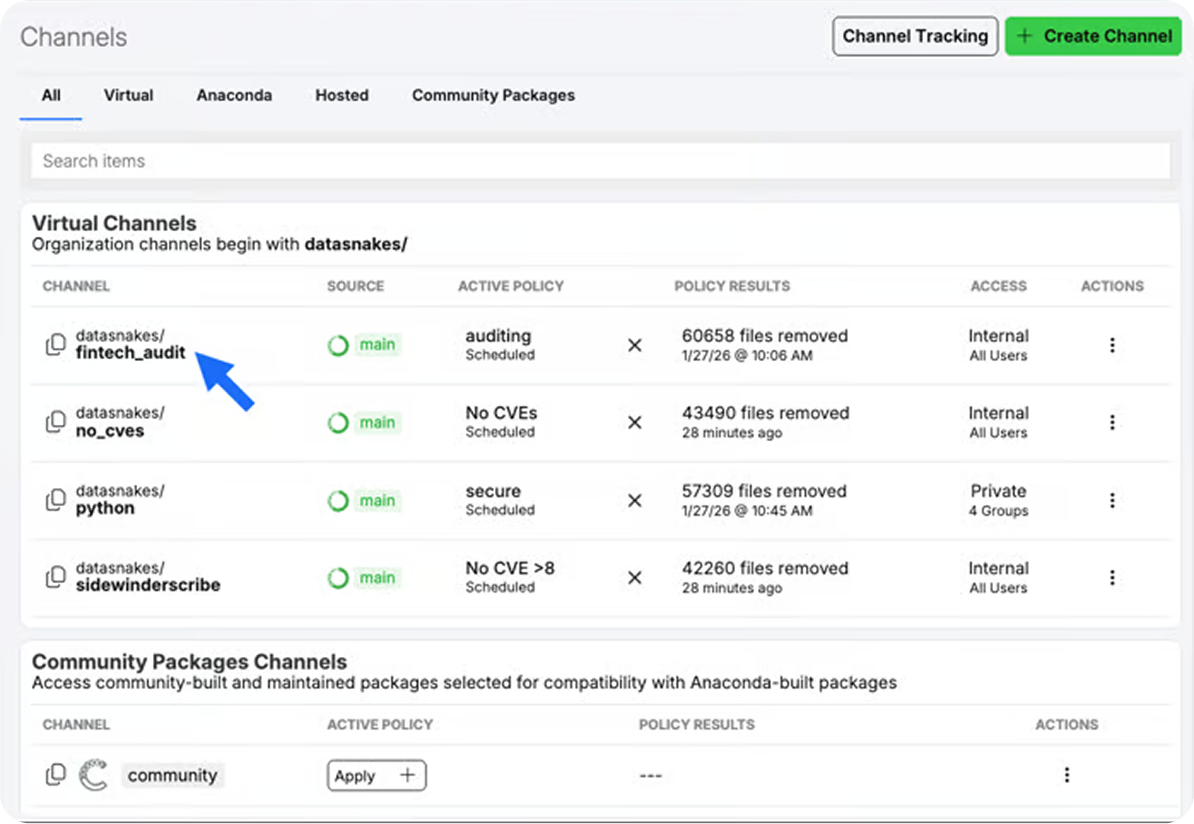
- Custom channels and mirroring
Choose the Right Model With the Facts Up Front
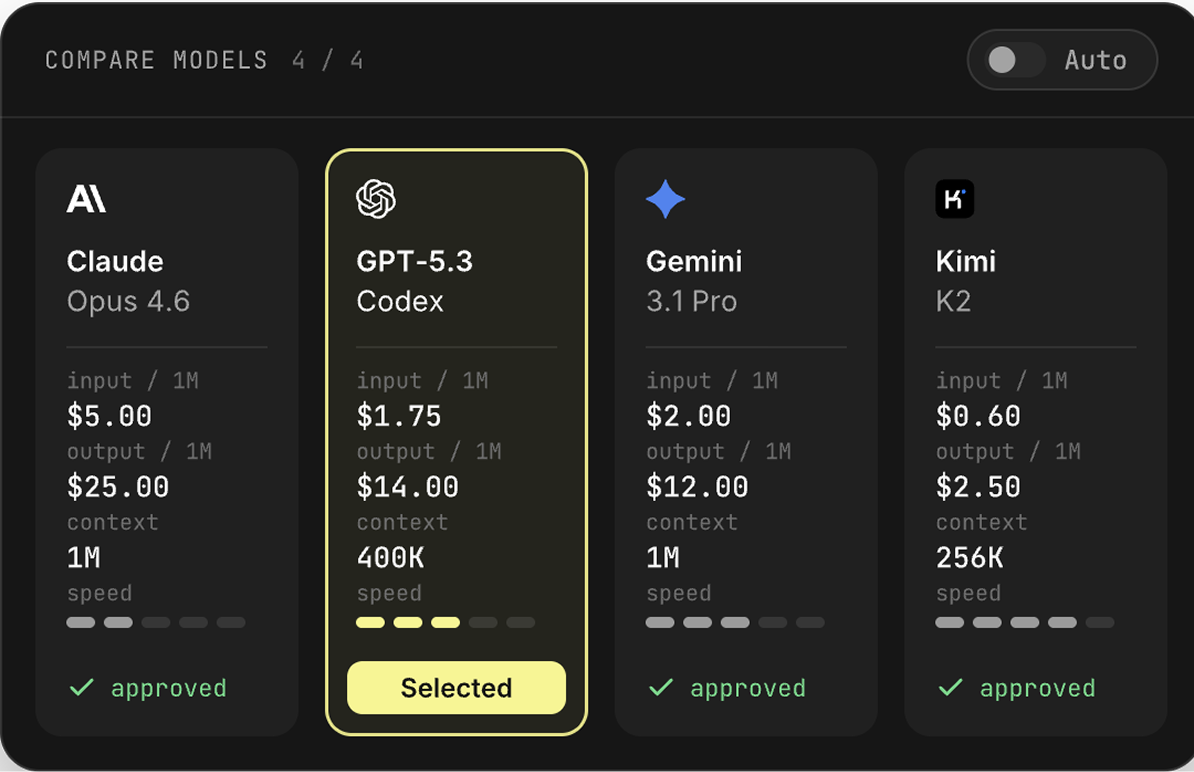
Browse 77+ curated open-source models. Compare benchmark scores, check disk and RAM needs for each quantization, and review the license and AI Bill of Materials, then start a model server or open it in Kilo Desktop.
- Side-by-side benchmark comparison
- Quantizations sized to your hardware
- Downloadable AIBOM (CycloneDX)
- Trusted Publisher badges
Let Policy Follow the Work, Not a Review Queue
Your security team can optionally set policies for which packages and models are available, helping you choose options that meet your organization’s requirements. Spend less time going back and forth on approvals and more time building.
- Packages and models filtered by your organization’s policies
- Automatic re-checks on mirror updates
- Available choices in the tools you already use
- Policy reports and change history
Get From Idea to Build in Three Steps
Step 1
Step 2
Step 3
Spend Your Time on the Idea, Not the Inputs
Builders move faster, security sees what’s in use and stops acting as the gate.
Spend More Time Bringing Ideas to Life
Start With Less Setup
Choose With Confidence
Keep Your Momentum
Get Your Next Idea Building

Frequently Asked Questions
How does Anaconda vet the packages in its repository?
Packages in Anaconda’s repository are built and tested by Anaconda before release, then cryptographically signed so you can confirm they haven’t been tampered with since leaving our pipeline. Anaconda syncs with the National Vulnerability Database (NVD) to track CVEs across packages, and provides Software Bills of Materials (SBOMs) for popular packages in SPDX format.
How are the models in the catalog curated?
The model catalog is a curated set of security-reviewed, open-source models. Each model lists its publisher, license, intended use, benchmark scores, and the disk and RAM needed for each quantization. Models with a Trusted Publisher badge come from organizations Anaconda has verified for legal standing, security practices, documentation standards, and community presence.
What's in a model's AI Bill of Materials (AIBOM)?
You can download each model’s AIBOM as a CycloneDX JSON file. It can include model metadata and license terms, details for each quantization, SHA-256 checksums to verify files, benchmark scores, documented limitations and bias risks, and required software dependencies. Contents vary with what the publisher has disclosed and which benchmarks have been run.
Can administrators control which packages and models teams use?
Yes. Channel policies restrict packages by CVE score, CVE status, license, platform, package age, or conda spec, and reapply automatically as channels update. Model access policies allow or block models by name, publisher, license, purpose, tags, country of origin, parameter count, or expected VRAM. Blocked models are filtered out before they reach users. Policy filters are available on Business and Custom plans.
Can my team keep the tools they already use?
Yes. Developers and data scientists install packages with conda in VS Code, JetBrains, JupyterLab, PyCharm, Spyder, or the CLI. Models can run on a model server that exposes API endpoints for your applications, or open in Kilo Desktop to chat with and run locally.