






Kilo by Anaconda
Build with AI agents across your entire workflow. Plan, debug, review, and ship across your editor, terminal, and desktop. Choose from 500+ models and 19,000 vetted packages. Your editor. Your terminal. Your desktop. Your models.
Coders trust Kilo
Tokens processed / month
Vetted packages to choose from
Agentic coding works right up until you switch tools, switch models, or need something your org hasn’t approved yet.
One agent in your editor, another in the terminal, a third reviewing PRs. Each with its own models, its own context, its own subscription.
Context doesn’t carry between them. You describe the same task three times, to three agents, before anyone writes code.
The model you want is a ticket away, and by the time it clears there’s a better one. Governance shouldn’t be the reason you ship late.
You know what you need to get the job done. You shouldn’t have to file a ticket and wait for security approval, switch workflows, or settle for yesterday’s models.
Pick from hundreds of models, work in the editor you already use, and let your org's policy travel with you instead of blocking you.
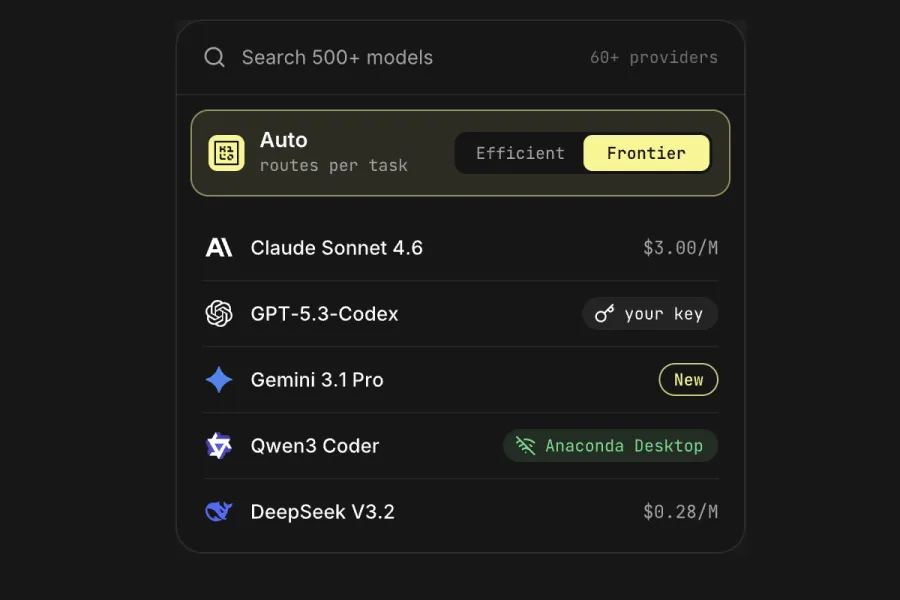
500+ models across 60+ providers , at provider rates or with your own keys. Auto Model routes to the right one for the job and the budget.
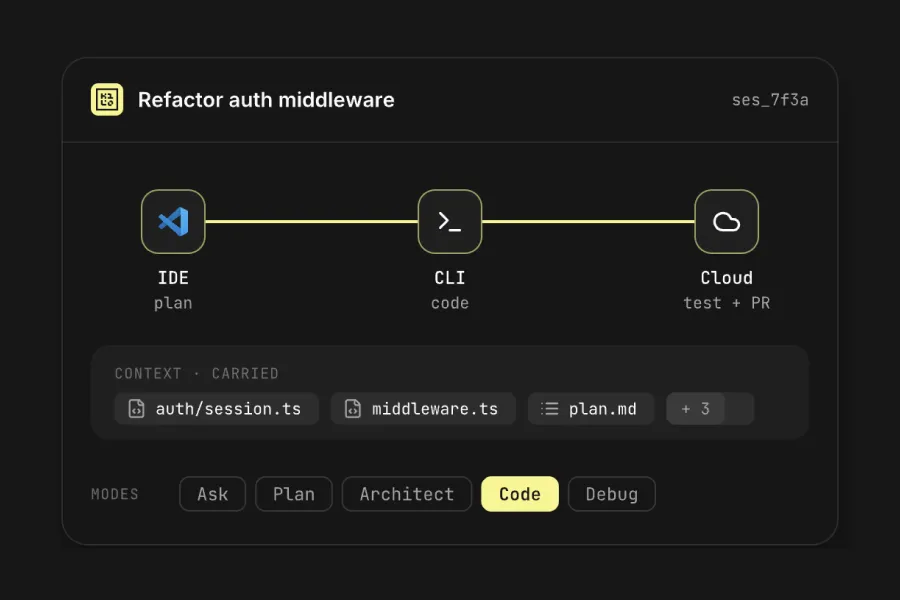
Plan, refactor, debug and review pull requests without switching tools. Sessions, context and active agents move with you across IDE, CLI and Cloud — so you stop re-explaining what you’re working on.
VS Code, JetBrains, CLI, Cloud Agents, Slack, Code Reviewer. Kilo works across all of them, keeping your context in sync.
Your org sets the allowlists, regions and budgets once. You build inside them — without filing a request to use a model that’s already approved.
Start where you already work. No new workflow to learn.
Install Kilo in the editor you already use — VS Code, JetBrains, or the CLI.
Pick a model, or let Auto Model pick for the task and the budget.
Start building. if your org has already set policy, nothing to request.
What changes when Kilo works across your workflow
One agent, the model you picked, and the context already loaded. The approval round-trip stops being part of your day.
One governed agent instead of six ungoverned ones, with allowlists and audit that hold without chasing anyone.
Agentic coding stops being one unattributable line item and becomes a number you can defend, team by team.
Before & After
Switch between disconnected AI tools
Keep working across your editor, terminal, and desktop
Manually choose every model
Pick your model or let Kilo route for you
Wait for new models and tools to be supported
Access approved frontier models and new tools faster
Lose context when you switch tools
Take your context with you everywhere
No answer if asked what touched the code
See what the agent touched and why
Change tools to meet company requirements
Keep using the tools you already use
Cost climbs with no cap
A budget per team, and routing that cuts spend
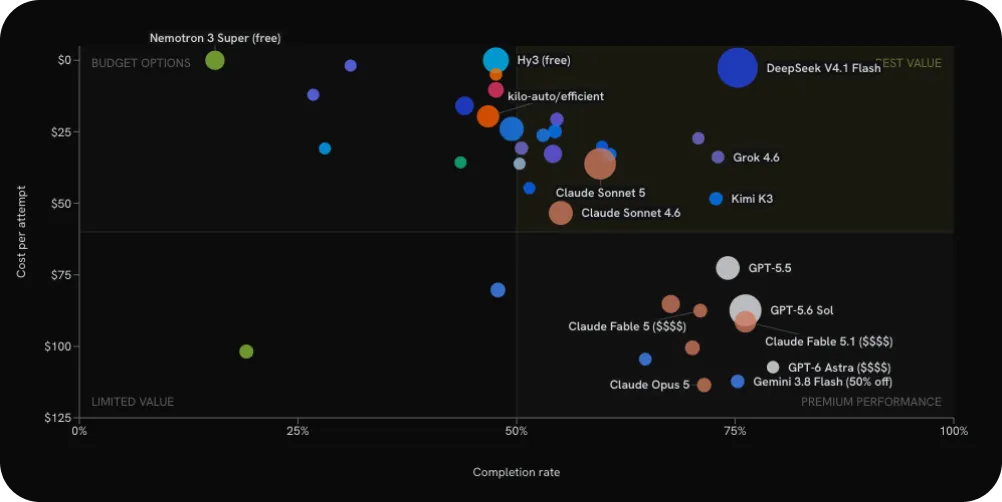
Compare live model rankings based on real Kilo usage and review performance data for the models developers use to code.
No. Kilo works across VS Code, JetBrains, the CLI, Slack, Cloud Agents, and Code Reviewer, with your sessions and context moving with you. Keep working in the tools you already use.
Use new models as soon as they’re available and approved. Kilo gives you access through its Gateway and Auto Model routing, so switching models doesn’t mean switching tools or rebuilding your workflow.
Start free and see how Kilo fits your workflow. Kilo is open source and MIT-licensed, so your team can inspect how it works. When your org is ready, enterprise controls like SSO, model and provider allowlists, regional controls, and audit logs are available.