
What’s new
Teams building with AI models who need to document understanding, analyze visuals, or answer questions about visual content also need a vetted source for multimodal models. Without one, they pull models straight from Hugging Face with no review, or force a text-only model into work it wasn’t built for.
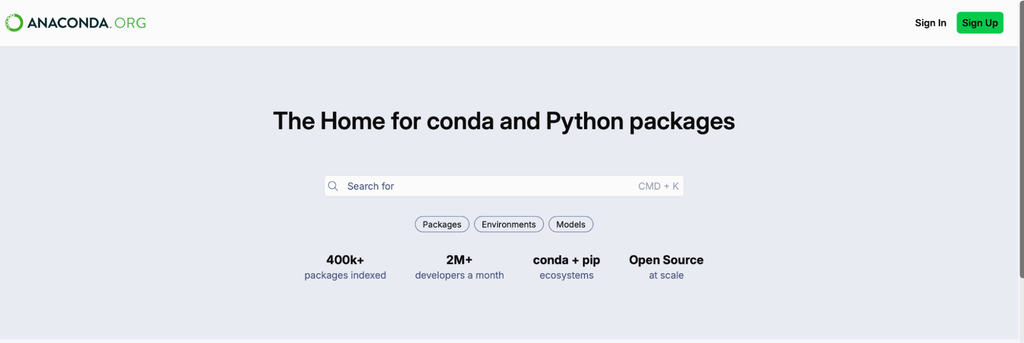
Anaconda is expanding how you access models, and what’s actually in the catalog to access. As of today, Anaconda’s catalog of 77 curated, vetted open-source AI models are listed on anaconda.org, alongside the packages you already search for.
The catalog also grew. Eight models were added recently, including five vision-language models (VLMs) for work like document understanding and image analysis. Each comes with license documentation, so you can check whether a model fits before you bring it into a project.
And now, you’ll be able to go from finding a model to actually using it in one step. Select models on anaconda.org will let you install them directly in Desktop. You get an easier way to find models, more models worth finding, and a faster path to using them once you do.
Let’s dig deeper
From browsing to using, in one click. Finding the right model is only half the job. Now, you can filter by model type, publisher, tags, or even size. Once you choose the model on anaconda.org, you can directly “install it via desktop button”, taking you straight from discovery into a working environment without a separate setup step in between.
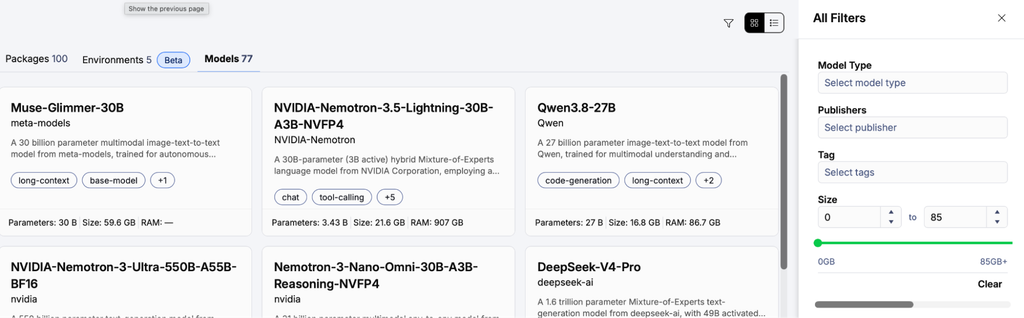
A broader catalog, starting with VLMs. Anaconda’s catalog already covered text generation, and now it’s expanding into new model types too. Eight models were recently added, spanning large language models, embeddings, and multimodal architectures, all browsable today on anaconda.org.
| Llama-4-Scout-17B-16E Instruct (image text to text) | Nomic-embed-text-v1.5 (sentence similarity) |
| Llama-3.1-405B (text generation) | Mimo-v2-flash (text generation) |
| Gemma-4-26B-A4B-it (image text to text) | Qwen3.8-27B (image text to text) |
| Kimi-K2.5 (image text to text) | Muse-Glimmer-30B (image text to text) |
Each VLM in Anaconda’s catalog comes with:
- Performance and provenance metadata
- License documentation, so legal and compliance teams can review terms before anyone adopts the model
- Tags and filters by visual use case, such as document understanding, image analysis, and visual Q&A
- Benchmarks on visual tasks for each model and quantized version
Why this matters
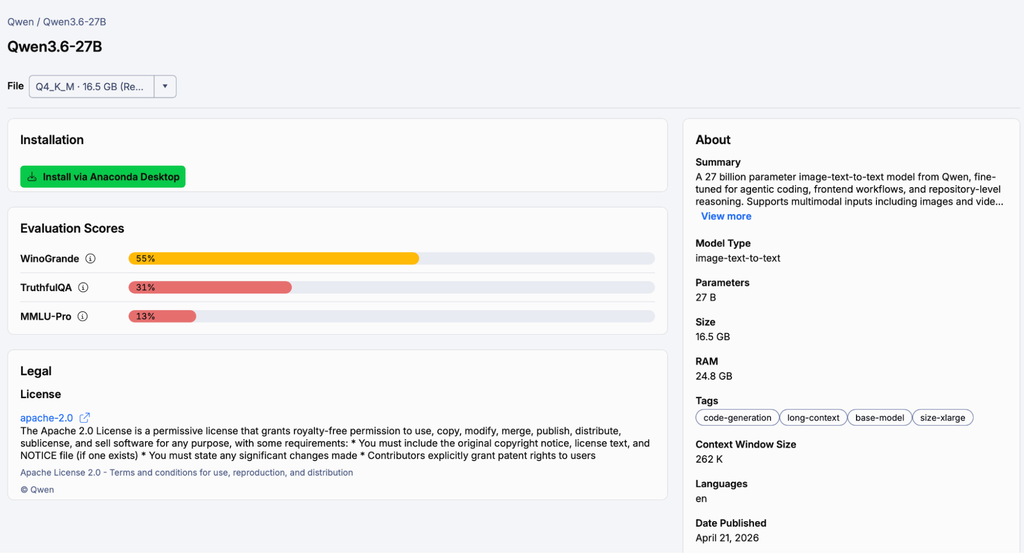
Discovery is the first step toward adoption. You can check whether a model fits before you install anything. Each model page lists license terms, provenance, and performance metadata, answering questions a legal or compliance review might ask. Models also sit in the same catalog your team already uses for open-source packages. Teams working on document, image, and semantic search applications can start from a vetted model instead of an unreviewed download.
Give it a shot
Browse models on anaconda.org. Or filter by model type (ie. image-text-to-text), with full license documentation on every model page. Select the model, that’s also where you’ll find the “Install via Desktop button, taking you straight from the catalog into Desktop.