
When we talk to Python users today, two things come up consistently. First: the fundamentals still matter. Reproducible environments, dependency resolution, package security, and reliable tooling are table stakes for serious work. We keep investing there, and that won’t change.
Second: the way Python developers actually work has shifted faster in the last two years than in the decade before. AI coding assistants have moved from novelty to daily habit. Agents are graduating from demos to production workflows. And the tools that serious developers rely on, including Claude Code, Codex, GitHub Copilot, and others, are increasingly capable of doing real work, not just suggesting completions. The gap between “I have a Python environment” and “I can build and run agents against my data and tools to solve problems” has become the friction point that matters.
Packages alone don’t close that gap.
That’s why, alongside our continued investment in core platform capabilities, we’re announcing two experimental features available in Anaconda Desktop Beta. Anaconda MCP brings Anaconda’s environment and package management directly into AI-native workflows, so the tools you’re already using understand your environments, your packages, and your project context. Anaconda Agent Studio lets you build, test, and iterate on agents without leaving the Python workflows you already have.
We introduced these two experimental features publicly at PyCon US 2026. The feedback was clear: agentic tools are here and the need to meet users in their existing workflows is key. The value of running them on the edge is going to have a huge impact on both individuals and enterprises.
Experimental Features
Closing the gap between your environments and your agents
If you have been stitching together notebooks, conda environments, API keys, and half a dozen agent experiments, you already know the problem. The packaging layer and the AI layer rarely feel like one product. Agent Studio is where we start to close that gap so you can go from “I have models and environments” to “I have agents I can actually run” without leaving the Anaconda surface you already trust.
Agent Studio beta is a first step. The fastest way for us to build the right product is to put a real workflow in your hands and learn what actually matters to you.
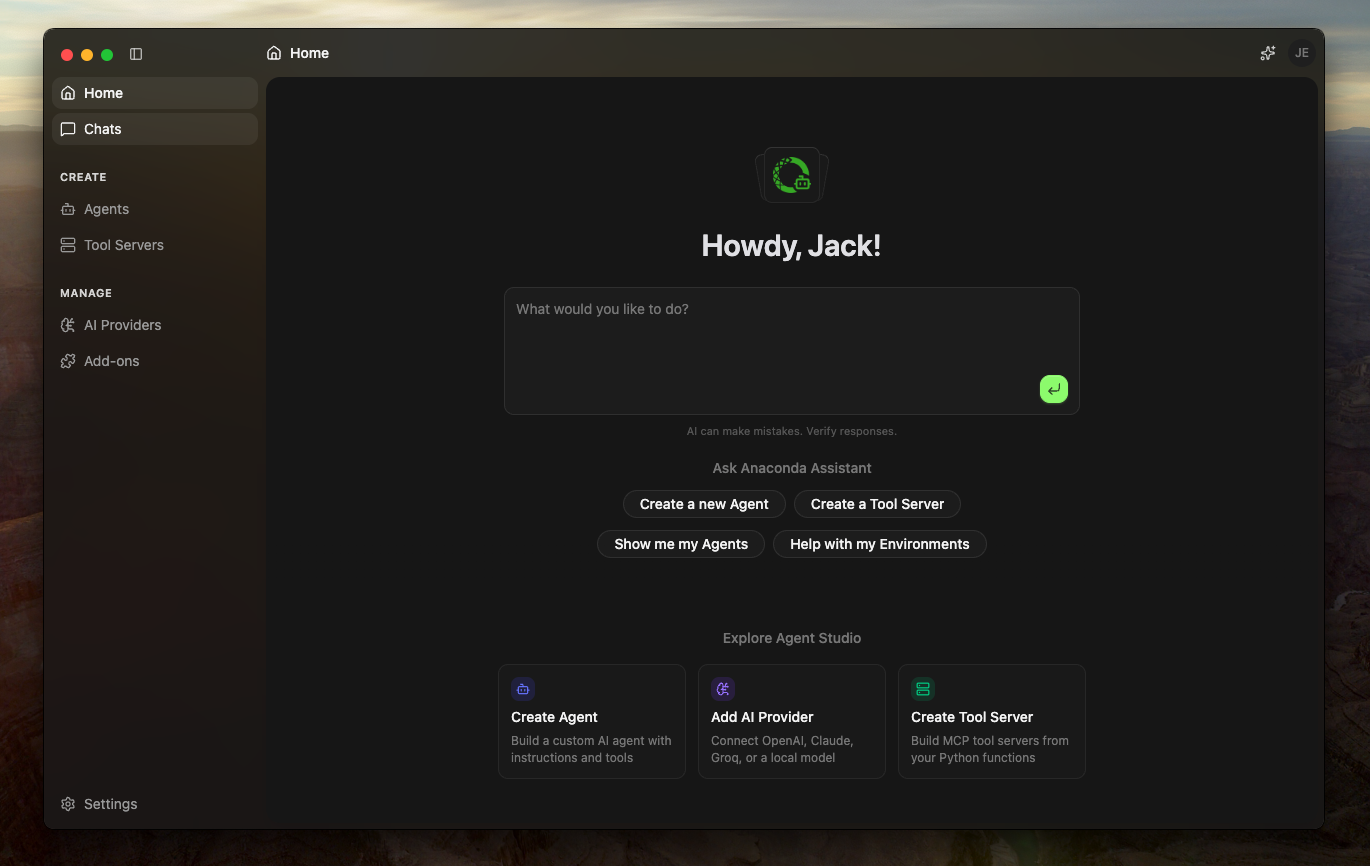
Bring the models you already rely on. Agent Studio lets you configure your own AI provider with the credentials and headers you already use, alongside Anaconda’s curated paths, so each agent runs against your policy and your stack, not a one-size-fits-all demo configuration.
Build agents with real capabilities. Agents are only as useful as what they can touch. In Agent Studio, you create agents with capabilities that do the real work you need to get done: plugins and MCP servers for connections to your business applications and services, skills for reusable playbooks, and small Python modules for the sharp, custom logic that doesn’t deserve a whole new service. Save it as an agent that you can run, inspect, and iterate on like any other piece of software you ship.
Create Tool Servers for capabilities that should outlive a single agent. When a capability needs to be shared across agents and teams, Tool Servers give you a dedicated home: a project-shaped boundary you can open, edit, run, and reason about independently. Your organization’s tools stop living as scattered scripts and start looking like maintainable infrastructure you can standardize on.
Try an end-to-end build—from provider to agent to one MCP integration to one Tool Server—and tell us what still feels too hard. We’re shipping this in conversation with the community, and your friction directly influences the roadmap. Just click the ‘Feedback’ button in the Agent Studio app to share your thoughts.
Your AI tools finally understand your conda environments
Your AI coding assistant is excellent at writing Python, but until now it has had no real understanding of your conda environments. It defaults to pip or venv, guesses at package names, misses version conflicts, and ignores your channel policies entirely. The code it generates looks right until it hits your actual environment.
Anaconda MCP changes that. It’s a unified gateway that gives any MCP-compatible AI tool direct access to the conda ecosystem: your actual environment state, your channel configuration, and the structured package metadata needed for real dependency resolution. The result is an assistant that can see what’s installed, create environments to spec, and enforce your organization’s package policies automatically, without you correcting it after the fact. It works today with Claude Code, OpenCode, VS Code, Windsurf, and Cursor.
We published a full walkthrough of Anaconda MCP last week, including three real-world scenarios and step-by-step setup instructions. Read it here or create a ticket to share your feedback.
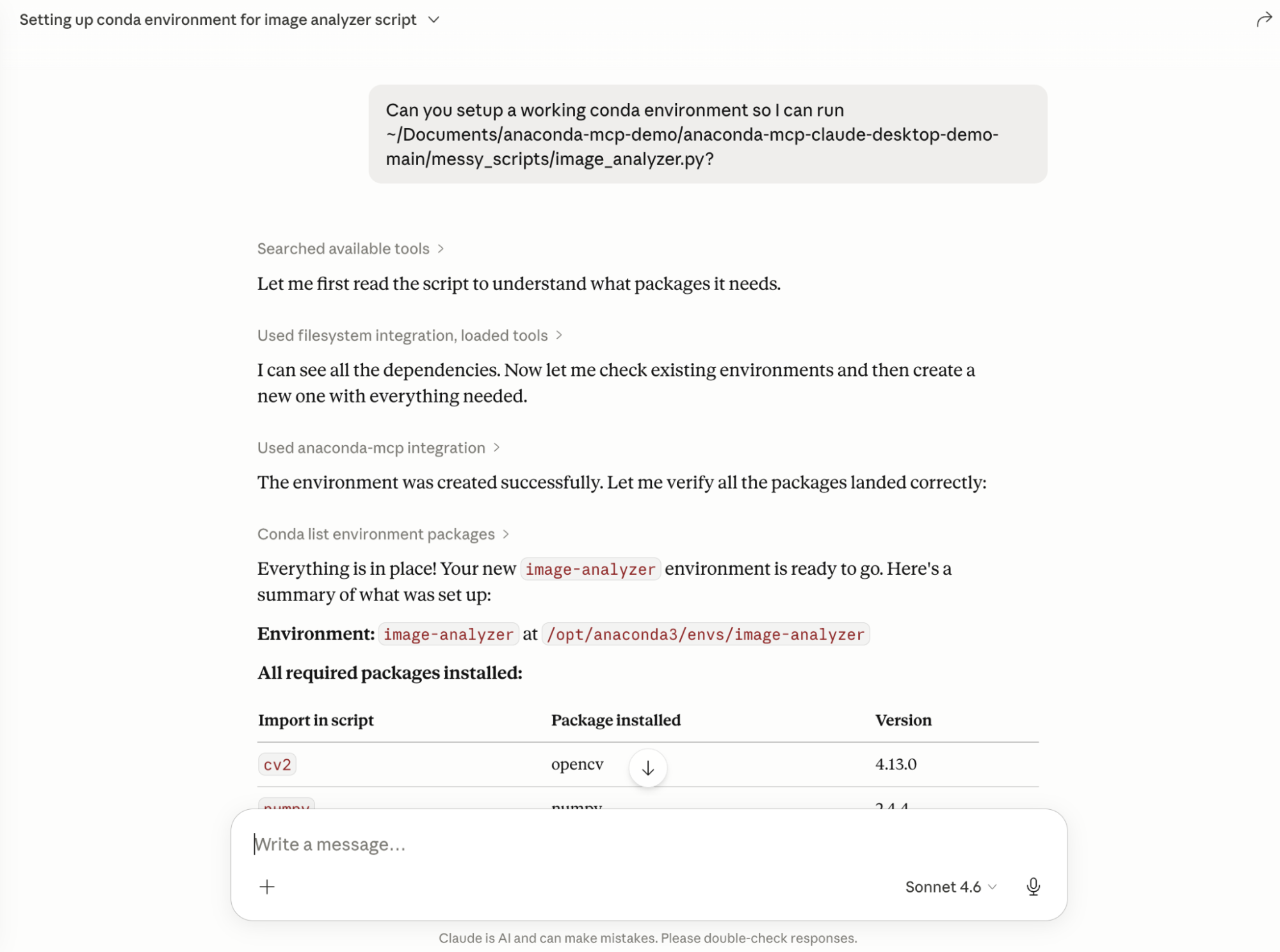
How to Access Experimental Features
All of these features are available through Anaconda Desktop Beta. To get started, download Desktop or update to the latest version.
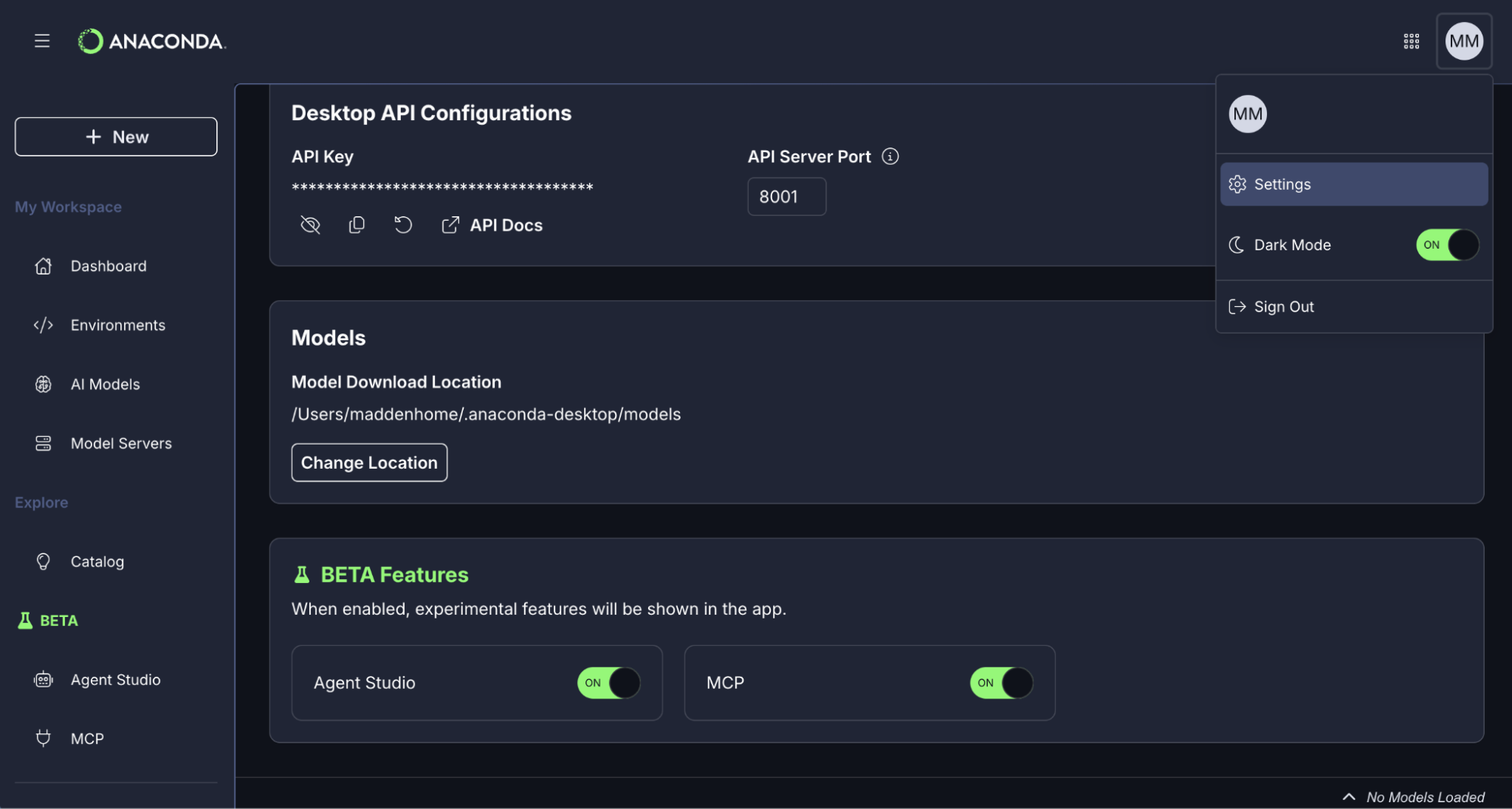
Experimental features are accessible from within the Desktop interface; go to Profile > Settings > Beta Features where you can toggle ON any of the available features.
Anaconda MCP is also available via the Anaconda CLI for users who prefer a command-line workflow.
Because these are experimental, you may encounter rough edges. That’s intentional. Each feature includes a feedback mechanism, and we’re actively monitoring what’s working and what isn’t.
Building Alongside the Community
The feedback you give us when something is real and in your hands is worth more than any amount of internal iteration.
These features will change based on what we hear from you. Tell us what’s working, what’s confusing, and what still feels too hard.
Get started with Anaconda Desktop Beta >