
Part 1: Oh No… Our CEO Is Building Again.
Your laptop is a supercomputer. But it isn’t an AI supercomputer. You don’t have to trade off privacy to run real enterprise AI models. It’s time to embrace 2026 and the move to AI-native. Introducing the power of Anaconda Desktop + NVIDIA DGX Spark and their impact for builders around the world. Get up and running in minutes…
How We Got Here…
It’s not every day a CEO decides to play with new technology. For those who don’t know, I’m an R&D leader by trade and education. From an early age, I was a builder. Building things unlocked both the analytical and imaginative parts of my brain. Today, as the CEO of Anaconda, I continue to build, as it helps unlock understanding and helps keep me as close to the challenges (and possibilities) our customers face.
I learned the power of dogfooding, the act of using your own product as much as possible, while I was at GitLab. We used GitLab to ship GitLab every day. And at Anaconda, we are finding the power of this as well. Our platform operates in a very technical space and is trusted by over 50 million builders all around the world. Not every builder is technical though. This is why we dogfood our product. This is the best way to make sure your product is approachable and usable whether you have a PhD in data science or it’s day one on your journey into AI-native development.
We launched our new Anaconda Desktop experience in public beta last month and it brings together package management and an AI model catalogue as well as new capabilities and use cases important in today’s AI-native development world. Both of these have been the first experience for builders stepping into this new world. We believe they deserve to build faster, with a much better experience. This is what Anaconda Desktop delivers.
In Fall 2025, NVIDIA launched the DGX Spark bringing the world’s smallest AI supercomputer to the world delivering a petaflop of AI performance and 128GB of unified memory in a compact desktop. This gives developers the power to run inference on AI models with up to 200 billion parameters and fine-tune models of up to 70 billion parameters locally. It is a full NVIDIA AI platform including GPUs, CPUs, networking, and everything else to do AI development locally.
And that’s how we got here. Anaconda and NVIDIA are strategic partners delivering everything builders need to successfully build the future of AI-native applications. As Anaconda’s CEO, and a builder at my core, I decided to see how far I can get to creating a fully AI-native application with the tools this partnership provides.
This multi-part blog series will follow my progress from setup to fully working application—a real application, running using local resources, without any tradeoffs. Let’s hope my journey doesn’t let you all down.
Hardware Setup
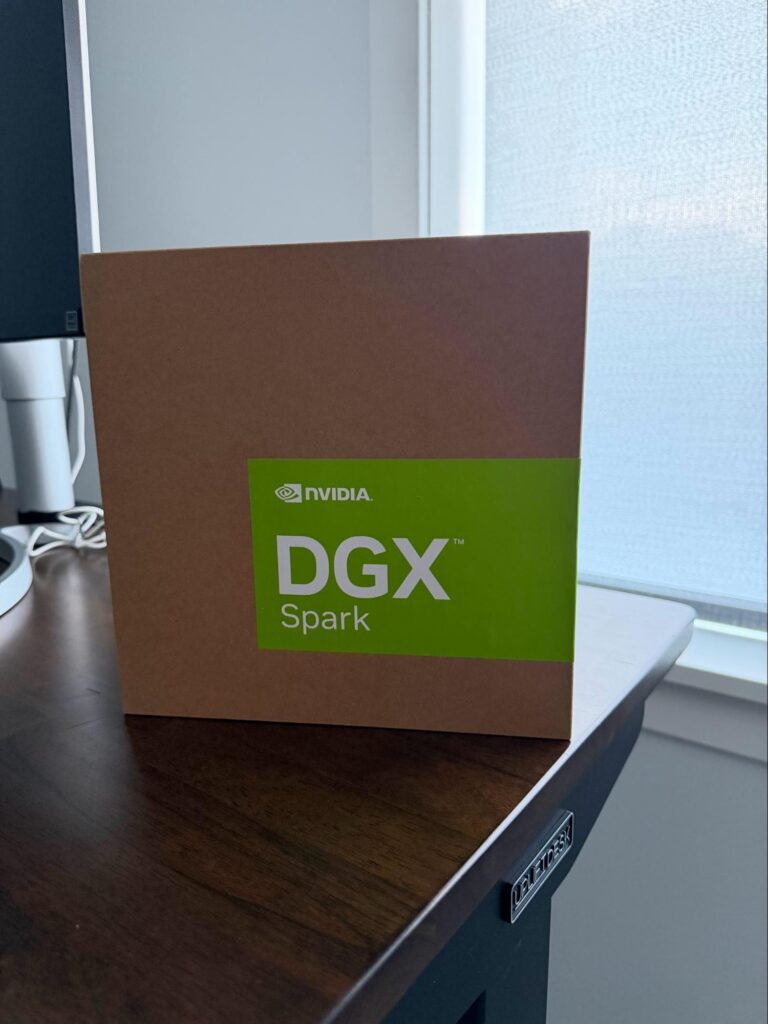
The setup process for the DGX Spark was very easy. The DGX Spark can operate as your AI workstation or as your AI inference engine. While working on the first part of this blog series, I spent my time using the DGX Spark as my AI workstation.
To access the DGX Spark, I used a 27″ monitor connected via HDMI along with a wired keyboard and mouse to keep the initial setup as simple as possible. The DGX Spark runs Ubuntu Linux with all the local tools you need installed and ready to go.
From Zero to Local Agent
Now it’s time to roll up my sleeves and get started. I downloaded the Anaconda Desktop beta from the Anaconda website. Once installed, I signed into my Anaconda account (the UI can help you through registering if you don’t already have a free account). Once signed in, I was presented with the Dashboard and got to work.
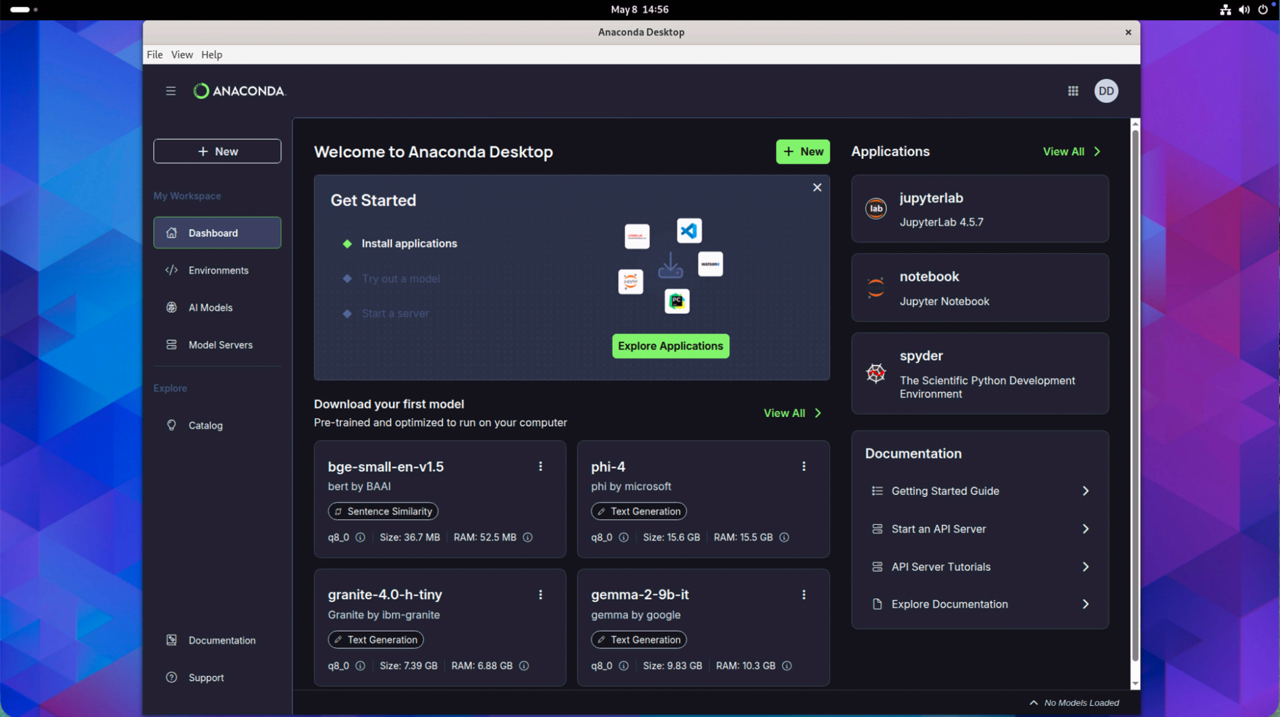
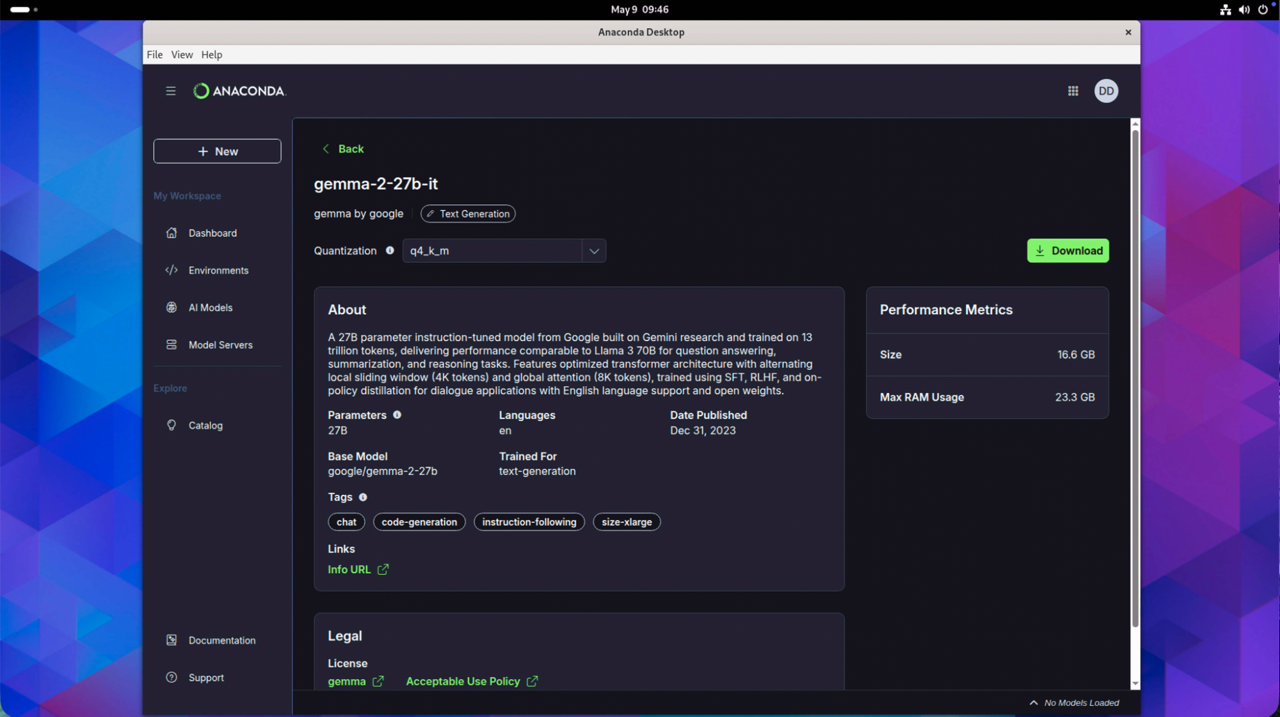
Anaconda Desktop is a complete AI stack providing not only AI models but also inference. To get things up and running, I started by navigating to “AI Models” to select the model I want to use. I chose to work with Gemma, a mid-sized model that supports text generation and code generation. A simple search for “gemma” pulled up multiple models and I chose a model by clicking on its model card. From the model details, I clicked “Download” to host the model within my environment.
Once downloaded, I clicked on “Try Model” to interact with the model I just downloaded. For this, I set the system prompt to “You are a programming tutor who specializes in Python. You will help by not only showing the code, but also why it is built the way it is.” Once entered, I clicked “Apply.”
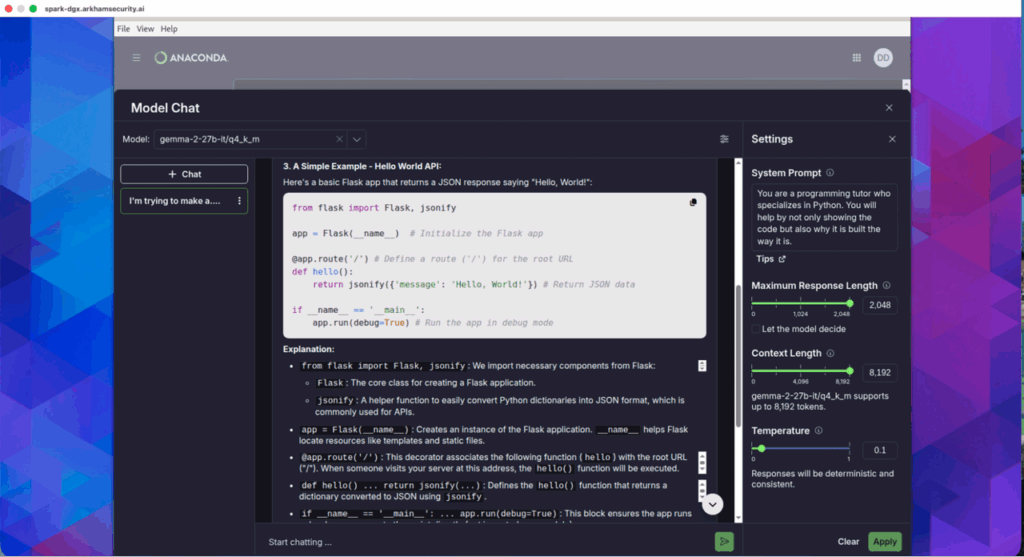
Everything worked and the setup was a breeze. The longest part of this was waiting for the download from Hugging Face. This will be resolved when we connect the Anaconda Desktop to our new integrated platform (Anaconda + Outerbounds), which will provide our entire model catalog (coming soon). The total time from downloading the Anaconda Desktop to interacting with the model was less than 3 minutes.
Less than 3 minutes from setup to interacting with an AI model. Anaconda Desktop + NVIDIA DGX Spark are the dynamic duo delivering enterprise AI in the time it takes to make a cup of coffee.
Also, we can start a Model API Server within Anaconda Desktop so other applications can connect to it. To set this up, I clicked on “Start Server.”
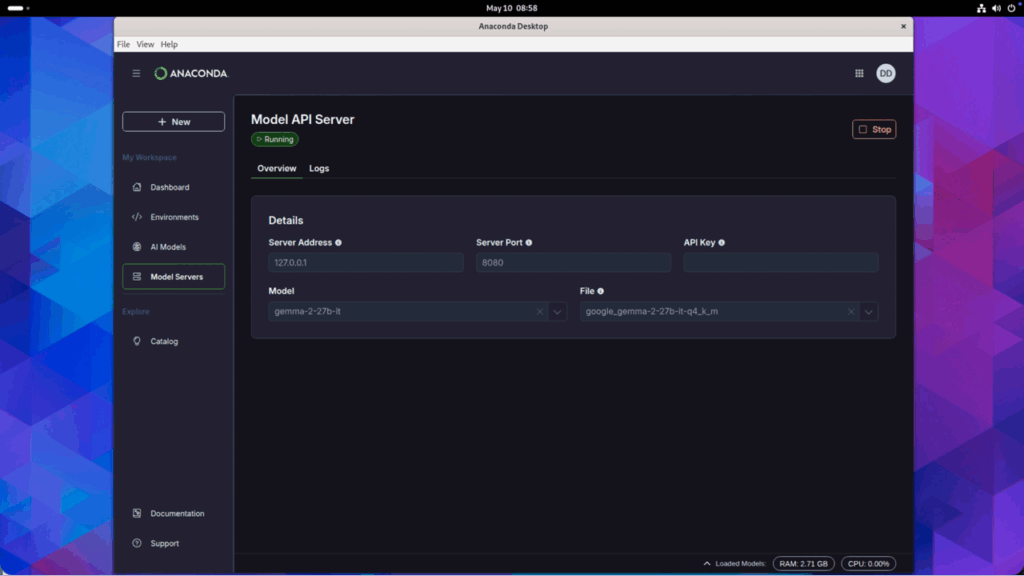
I didn’t make any configuration changes; I clicked “Start.” It only took a few seconds for the server to start. To confirm I can build an agent, I installed Anaconda Agent Studio, now available in public beta within Anaconda Desktop.
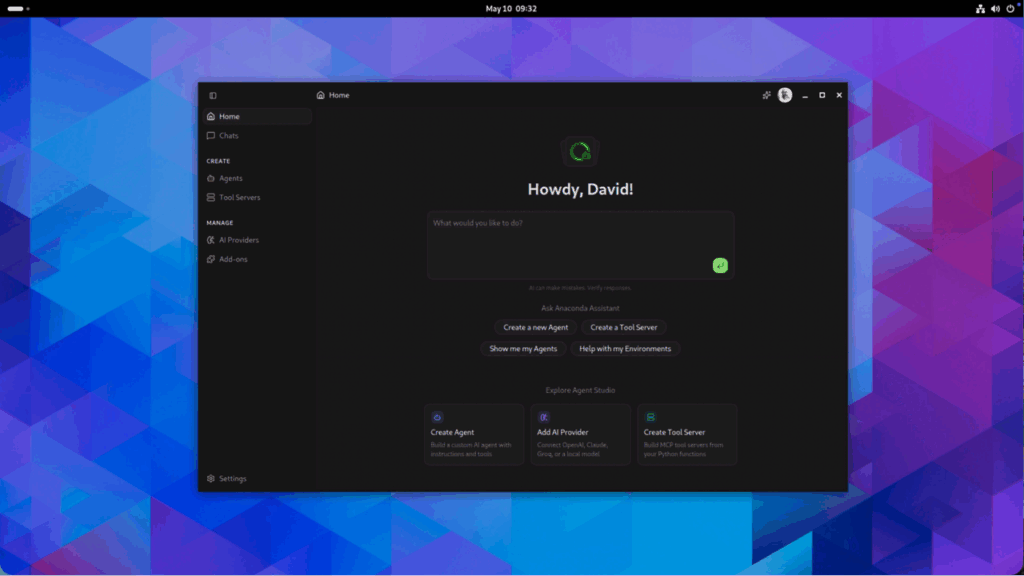
To test that the Model API Server works as expected, I clicked on “AI Provider” under “Manage” within the navigation.
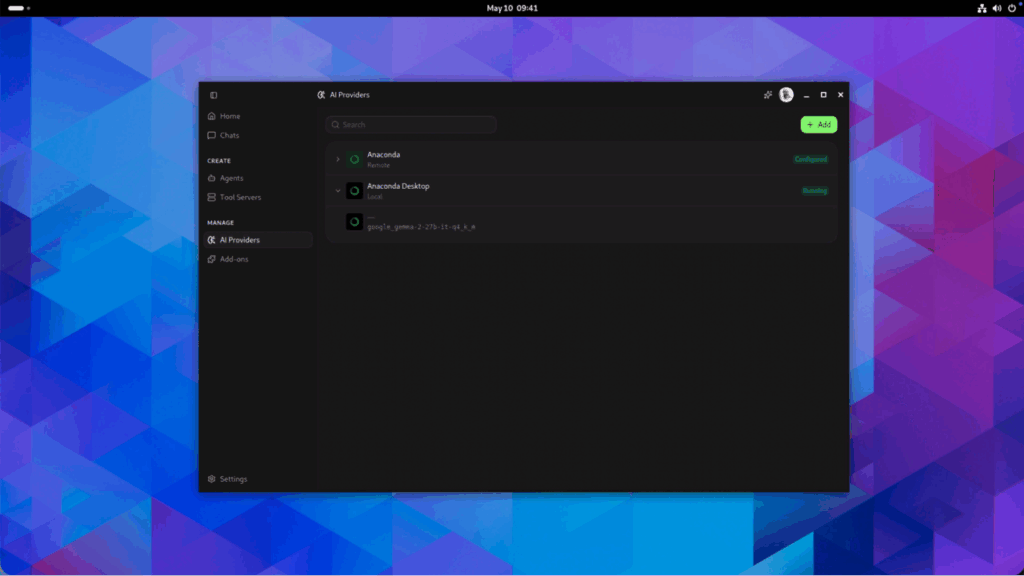
From here, Anaconda Agent Studio automatically detected that there is inference running as part of Anaconda Desktop; no additional setup was needed. Next, I created an agent by selecting “Agents” under “Create.” Once within Agents, I clicked “Create” and followed the creation process.
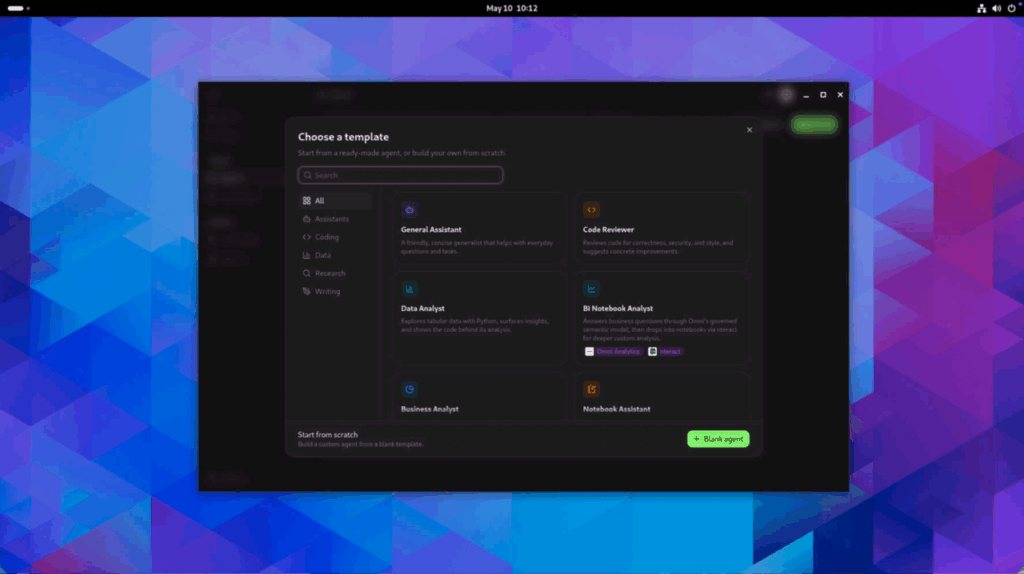
I created from “Blank Agent” so I could select my AI provider and the model I wanted to use. In this case, I selected “Anaconda Desktop” as that is what I used to create my Model API Server and selected the default model I configured within Anaconda Desktop.
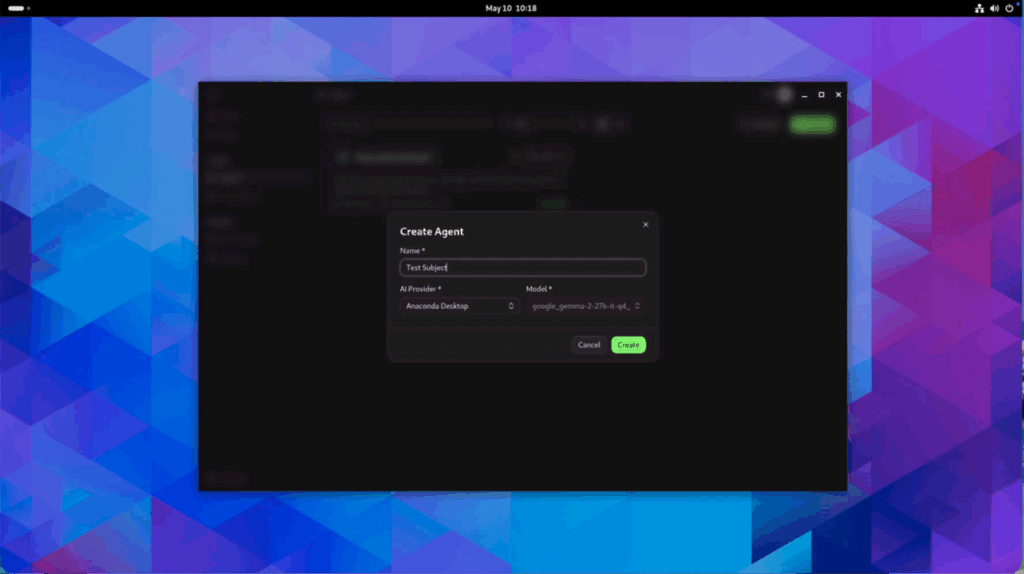
I gave my agent the name of “Test Subject” as it will help me confirm if everything is working. I clicked “Create” to add my new agent. Once created, I reached the configuration for my Test Agent where I could add a system prompt, files, and capabilities. I kept Test Agent at the defaults and clicked “Start” to launch it.
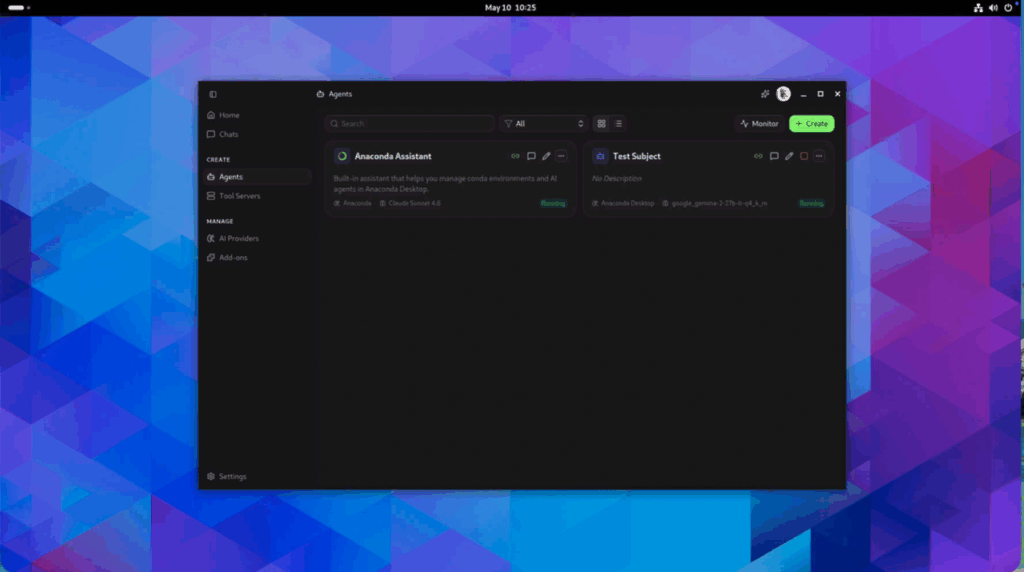
Test Agent was now listed in the Agents list alongside the Anaconda Assistant, which is included by default to help you manage all things Anaconda. On the agent’s model card, it displays a list of ways to connect to it (like OpenAI API v1 spec), chat with it, and edit it as well as stop it.
Instead, I went to the “Chats” option within the navigation and started my chat there. I selected the correct agent from the dropdown in the prompt box and asked “What is the best programming language and why? I assume it is Python but I might be biased.”
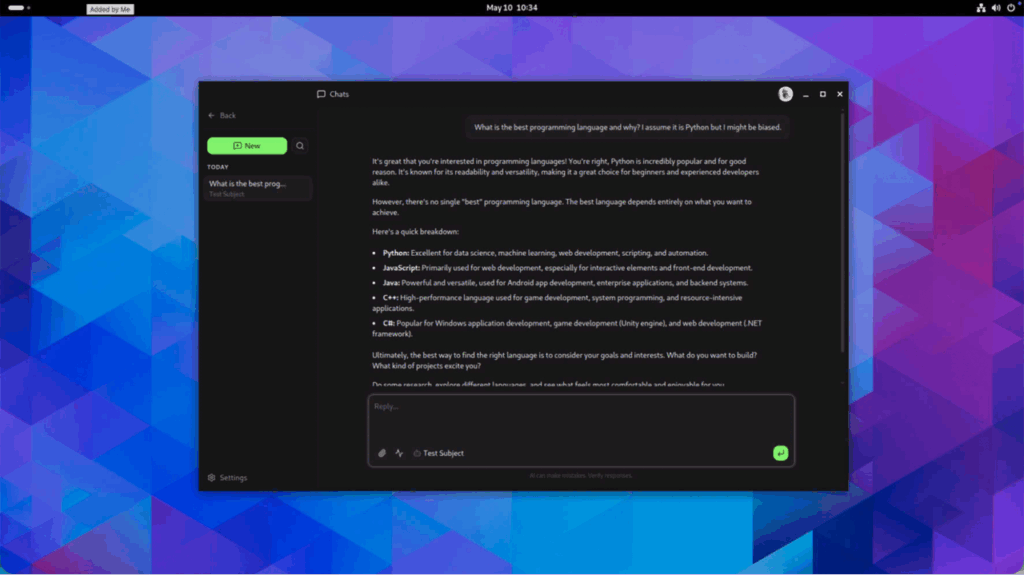
Test Subject responded to my prompt with a well written output. Success! I had accomplished my goal, to confirm everything was working properly.
What Comes Next
It is incredible I was able to do all of this all while staying local on the DGX Spark, with help from Anaconda Desktop, Anaconda Agent Studio, and the Gemma AI model I used with Test Agent. This shows I could do all of my work on the DGX Spark as it is an all-in-one workstation.
Early in my career I preferred a workstation that had a Linux or BSD operating system as the flexibility and configurability was critical as a full-time vulnerability researcher. With different needs as Anaconda CEO, I gravitate towards macOS, as it still provides some flexibility and includes a BSD-adjacent architecture, while providing a high-quality user experience (and all of the other Apple features that are natively available).
So what comes next? It’s time to move from using the DGX Spark as my workstation to using DGX Spark as a dedicated local AI inference engine. I’ll shift to my Mac Studio, where I have spent all of my working life as a developer, engineering leader, product leader, and now as CEO. Let’s see what else we can do.
Stay tuned!