
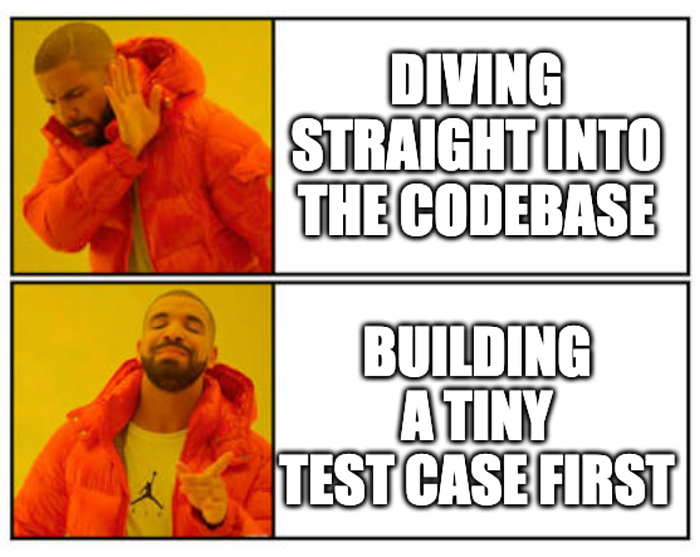
Diving straight in the codebase ❌
Building a tiny test case first ✅
Recently, in an internal meeting, we mentioned we wanted to add disk caching to reports generated so that when users make the same request, they can retrieve it fast, without waiting another 10–15 minutes for it to re-process. Philipp, the lead maintainer of Panel, suggested that we use the --setup option to periodically clean up that cache so as to not exceed disk storage.
So I set forth to accomplish this task! But since I was unfamiliar with this command line option, instead of diving straight into our existing internal codebase, I took a different approach: explore with a minimal, reproducible example (MRE) first.
Why Start Small?
This approach has a few benefits:
- No distractions from the rest of the codebase. I’m not tangled up in the full app, just the specific feature I’m trying to understand, kinda like a clean desk.
- Faster iteration. Without heavy imports and startup overhead, I can experiment rapidly and learn quickly.
- Reusable knowledge. Once it works, I have a shareable example I can reference later or pass along to the team or the community.
- Share and debug together. If something isn’t working, you have an MRE to share with the team or the community, which is especially useful if they do not have permissions or if repo setup is a pain.
Exploring What Works and What Doesn’t
The first thing I did was search the Panel documentation: https://panel.holoviz.org/search.html?q=–setup
I found this: --setup SETUP Path to a setup script to run before server starts
Pretty vague tbh 😅 but that’s okay! It’s an opportunity for improvement, and we can explore with a small script first!
The Core App
I created a main app.py file. At the top, I wrote a comment: # download button that writes a file to disk and serves it to the user using panel FileDownload callback and let Copilot generate a barebones skeleton.
I cleaned and tweaked it, adding:
- A constant file directory to clear after a while
- Print statements for some observability
Here’s what I ended up with:
# download button that writes a file to disk and serves it to the user using panel FileDownload callback

import random
import panel as pn
from pathlib import Path
pn.extension()

BASE_FILE_DIR = Path(__file__).parent / "examples"
BASE_FILE_DIR.mkdir(exist_ok=True)

def create_file():
   file_path = BASE_FILE_DIR / f"example_{random.randint(1, 3)}.txt"
   if file_path.exists():
       print("Reusing existing file:", file_path)
       return file_path
   with open(file_path, "w") as f:
       print("Creating new file:", file_path)
       f.write(
           "This is an example file. Random number: " + str(random.randint(1, 100))
       )
   return file_path

file_download = pn.widgets.FileDownload(
   filename="example.txt",
   button_type="primary",
   callback=create_file,
   label="Download Example File",
)
print("File download widget created:", file_download, flush=True)
pn.Column("# File Download Example", file_download).servable()
When a user clicks the download button, it either generates a new text file with random content or reuses an existing one (chosen semi-randomly from three possible file names) stored in a local examples directory, then provides it for download.
Do Bash Scripts Work?
I wasn’t sure if --setup required a bash script or Python script, so I started with bash:
echo hello
Then I tested it:
panel serve app.py --setup setup.sh
Result: ERROR: invalid syntax (setup.sh, line 1)
Hmm… maybe it’s missing the shebang (the #! declaration)? I tried again with:
#!/bin/bash
echo hello
Same error. Okay, that probably just means it doesn’t support bash scripts!
How Does It Work With Python Scripts?
Moving on to Python…
if __name__ == "__main__":
   print("hello")
Running panel serve app.py --setup setup.py:
2025-10-21 13:26:57,261 Starting Bokeh server version 3.6.2 (running on Tornado 6.3.3)
2025-10-21 13:26:57,262 User authentication hooks NOT provided (default user enabled)
2025-10-21 13:26:57,265 Bokeh app running at: http://localhost:5006/app
2025-10-21 13:26:57,265 Starting Bokeh server with process id: 51370
File download widget created: FileDownload(button_type='primary', callback=
It ran, but… I don’t see “hello”? 🤔
Maybe the print is being redirected elsewhere? Let’s try writing to a file instead:
if __name__ == "__main__":
   with open("test.txt", "w") as f:
       f.write("hello")
Still nothing! Then I remembered, if servable() is wrapped in if __name__ == "__main__", it won’t properly serve either. So I removed that guard:
with open("test.txt", "w") as f:
   print("writing to test.txt")
   f.write("hello")
Running panel serve app.py --setup setup.py yet again:
writing to test.txt
2025-10-21 13:33:07,912 Starting Bokeh server version 3.6.2 (running on Tornado 6.3.3)
2025-10-21 13:33:07,913 User authentication hooks NOT provided (default user enabled)
2025-10-21 13:33:07,915 Bokeh app running at: http://localhost:5006/app
2025-10-21 13:33:07,915 Starting Bokeh server with process id: 52425
File download widget created: FileDownload(button_type='primary', callback=
Tada! 🎉
Now I understood how the setup script executes — time to add the actual functionality!
Forever Stuck in Async
I added a comment to guide Copilot: # Every 5 seconds, clears out and recreates the examples directory and tweaked the generated code:
# Every 5 seconds, clears out and recreates the examples directory

import asyncio
import panel as pn
from pathlib import Path

BASE_FILE_DIR = Path(__file__).parent / "examples"
BASE_FILE_DIR.mkdir(exist_ok=True)

async def setup():
   print("Starting periodic cleanup of example files...")
   while True:
       await asyncio.sleep(5)
       print("Clearing out example files...")
       for file in BASE_FILE_DIR.iterdir():
           if file.is_file():
               print(file)
               file.unlink()

asyncio.run(setup())
I ran panel serve app.py --setup setup.py and… it works, ish.
The cleanup runs, but now I can’t launch app.py because it’s stuck in an infinite loop, even though it’s using async:
Starting periodic cleanup of example files...
Clearing out example files...
Clearing out example files...
Clearing out example files...
[... continues forever ...]
Since it’s async, I incorrectly believed that it would run simultaneously, but the documentation clearly states a setup script to run before server starts and since we have a while loop without a break conditional, the script never truly finishes.
Retry With Periodic Callback
I searched the Panel docs again: https://panel.holoviz.org/search.html?q=periodic#
Found this: https://panel.holoviz.org/how_to/callbacks/periodic.html which looked promising! I tried:
cb = pn.state.add_periodic_callback(setup, period=5000)
But, alas 😕
ERROR: no running event loop
sys:1: RuntimeWarning: coroutine 'PeriodicCallback._async_repeat' was never awaited
I tried removing async from setup, but no dice.
Finally a Solution!
Back to searching—this time for “cron”: https://panel.holoviz.org/search.html?q=cron#
And then I found exactly what I needed! https://panel.holoviz.org/how_to/callbacks/schedule.html
# Every 5 seconds, clears out and recreates the examples directory
import asyncio
import panel as pn
from pathlib import Path

BASE_FILE_DIR = Path(__file__).parent / "examples"
BASE_FILE_DIR.mkdir(exist_ok=True)

async def setup():
   print("Clearing out example files...")
   for file in BASE_FILE_DIR.iterdir():
       if file.is_file():
           print(file)
           file.unlink()

pn.state.schedule_task("setup", setup, period="5s")
Running it:
2025-10-21 14:15:02,431 Starting Bokeh server version 3.6.2 (running on Tornado 6.3.3)
2025-10-21 14:15:02,431 User authentication hooks NOT provided (default user enabled)
2025-10-21 14:15:02,432 Bokeh app running at: http://localhost:5006/app
2025-10-21 14:15:02,432 Starting Bokeh server with process id: 56977
Clearing out example files...
Clearing out example files...
Success! 🚀
The server starts, the app runs, and the cleanup happens periodically in the background, and all I need to do is to move a couple things around in the final app, namely:
- Consolidate
BASE_FILE_DIRinconfig.py - Add the option
--setup clear_cache.py - Add the caching functionality to the download callback
Wrapping Up Thoughts
Through this exploration, I went from complete unfamiliarity with Panel’s --setup option to having a working implementation, and here’s what I learned along the way:
- The
--setupoption requires Python scripts (not bash), and they execute without theif __name__ == "__main__"guard. - For periodic tasks in Panel,
pn.state.schedule_task()is the way to go when you need background jobs that don’t block your main app.
But most importantly, this reinforced why I love MREs. Instead of getting lost in our production codebase’s complexity, I had a clean sandbox to experiment in. I could fail fast, learn quickly, and iterate rapidly to get a working example I can confidently adapt to our real app. As a bonus, I get to share with the team and the community, who might need to understand --setup in the future.
The whole journey took maybe 30 minutes, but it saved me from hours of debugging in a complex codebase. I can always reference it back later: https://discourse.holoviz.org/c/showcase/13 (I do this a loooot, even across jobs 😉). I also went ahead to clarify the docs so others don’t encounter the same confusion: https://github.com/holoviz/panel/pull/8255
Next time you’re tackling an unfamiliar feature, try building an MRE first! It really helps solidify understanding, without all the noise.
This piece was originally published on Medium by Andrew Huang, software engineer at Anaconda, and is republished here with permission.