
ANACONDA CORE

Most AI Projects Stall. Not Yours.​

While 80% of AI projects stall on dependency failures and compliance gaps, yours ships. We built Anaconda Core because AI teams shouldn’t have to choose between moving fast and staying secure.

Trusted by Organizations Building AI at Scale

A Governed Path from Pilot to Production

Secure your packages. Standardize your environments. Ship with the tools you already use.

1
Trusted Packages
→
2
Governed Environments
→
3
Consistent Deployment

Every Package Your Team Uses Is Trusted Before It Runs

4,000+ vetted Python packages and curated AI models with full provenance and traceability. Every package is scanned, signed, and policy-checked before it reaches any developer on any team using any tool. Security is built in from the start.

  • Every environment is reproducible and auditable
  • Proven and traceability across every AI workflow
  • Curated model catalog ready to deploy

What Works Locally Runs the Same in Production

The dev-to-prod gap is a foundation problem. Anaconda eliminates it. Environments, dependencies, and lineage travel with your code across hybrid, multi-cloud, and on-prem infrastructure. Build once. Deploy anywhere. No rebuilding, no drift. 

  • Reproducible environments across every deployment
  • Full lineage and artifact tracking at every step
  • No vendor lock-in across cloud or infrastructure

Your Developers Ship Faster With the Tools They Already Use

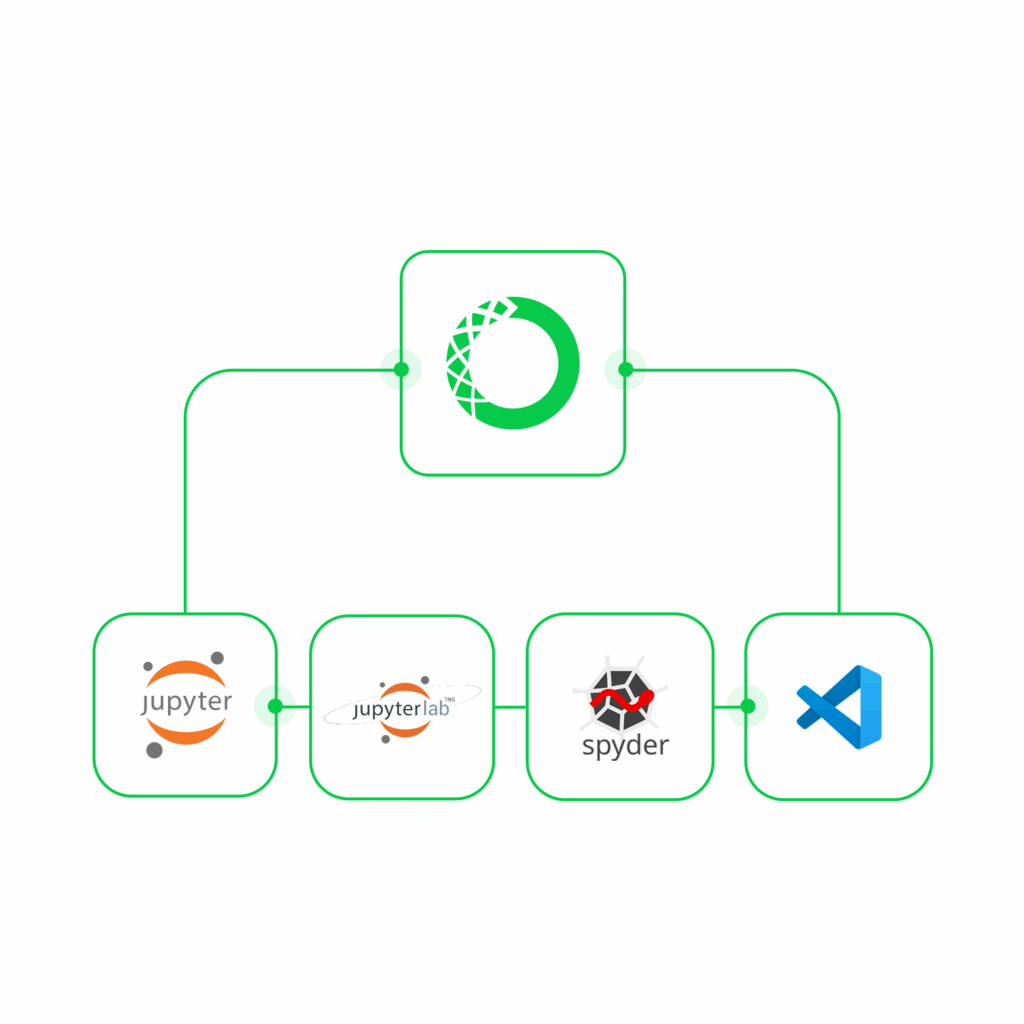
No new execution model. No forced migration. Your developers keep VSCode, Jupyter notebooks, desktop, and CLI. Pre-configured environments eliminate setup conflicts through one-command setup. They start coding in minutes. 

  • Pre-configured environments, ready in minutes
  • Works with your existing stack and workflows
  • One-command setup, no cloud console required

What's Included in Anaconda Core

Everything your team needs to secure packages, standardize environments, and ship fast.

1

Trusted Packages

Anaconda Distribution

Complete installer with 300+ packages: Python, conda, Jupyter, Navigator, AI Assistant. Download once, start coding immediately.

Miniconda

Lightweight installer with conda, Python, and essentials. Build custom environments. Add only the packages your project needs.

Default Channels

Packages built, tested, and security-assessed by Anaconda engineers before every release. Trusted by 50M developers.

Custom Channels

Distribute private packages with team-based access controls. Version and manage internal libraries in the same place as public packages.

2

Governed environments
Vulnerability Tracking

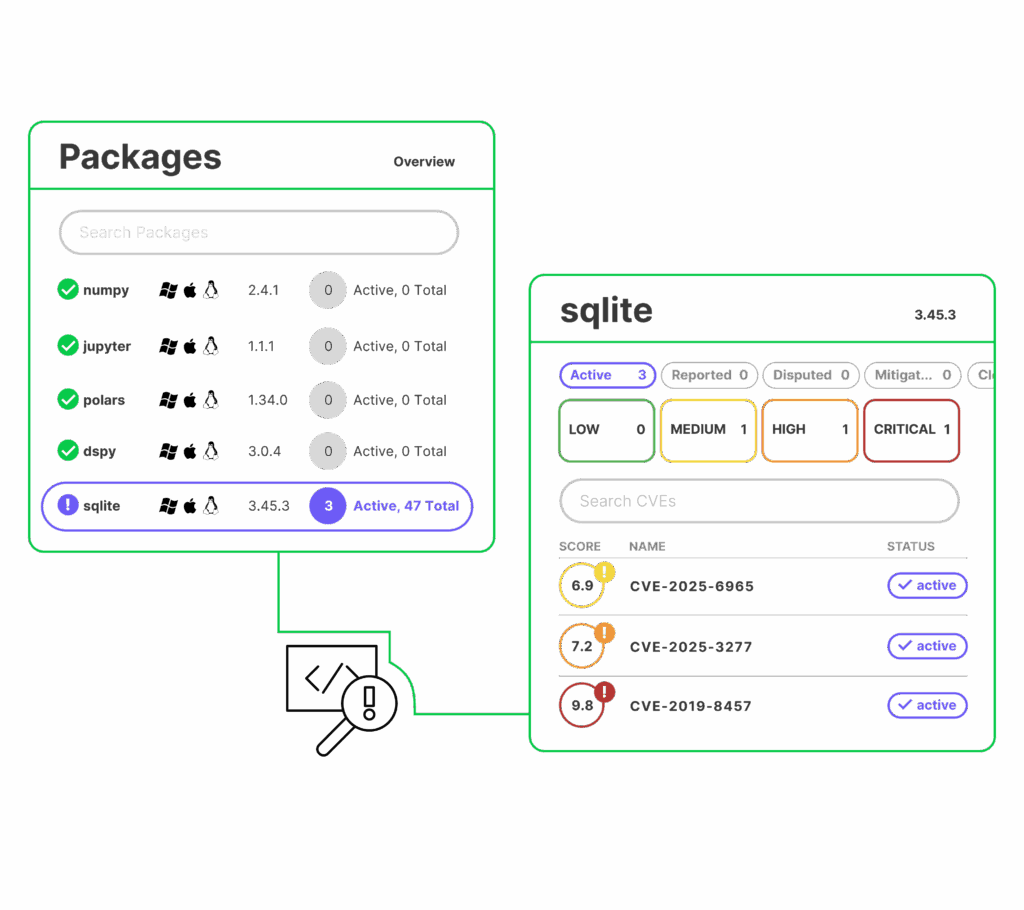
Anaconda syncs with NVD and NIST to track CVEs across every package in your environment. Restrict vulnerable packages automatically before they reach production.

SSO and Usage Insights

One identity. Full visibility. Enterprise SSO with directory sync, plus usage insights on package adoption, vulnerability exposure, and resource utilization — so you act before problems reach production.

3

Consistent Deployment

Quick-Start Environments

Anaconda managed, ready-to-use environments for data analysis, machine learning, web development, and industry-specific workflows.

Environment Import/Export

Export any environment and reproduce it exactly — across teams, machines, or deployment targets. No configuration drift, no surprises.

Cross-Platform Deployment

Same installers and environments across Windows, macOS, Linux. Deploy to cloud, on-premises, or air-gapped infrastructure.

Your Next AI Initiative Should Reach Production.

See how Anaconda Core gives your organization a secure, governed path from the first experiment to a running production model.
Get a Demo

Anaconda Core Frequently Asked Questions

How does Anaconda ensure every package is safe to use?

Every package in the Defaults Channel is built and tested by Anaconda engineers before release. Anaconda continuously syncs with the National Vulnerability Database (NVD) and NIST to track CVEs across every package in your environment — so your team knows about exposure before it becomes a problem. Packages can be automatically restricted based on vulnerability status, and each one is scanned, signed, and policy-checked before it reaches any developer. Security is built into the foundation, not bolted on after the fact.

CVE tracking docs  |  Package SBOMs

Policy filters let administrators automatically restrict which packages are available in a channel based on CVE score, CVE status, license type, platform architecture, and package name — without requiring manual review every time a new vulnerability is reported. Once a policy is applied to a channel, it runs automatically on every mirror update, ensuring only compliant packages ever reach your developers. For example, you can block all packages with an active CVE score above 7, or exclude packages with restrictive license types like AGPL. Policy filters are available to customers on Business or Custom plans.

Policy management docs

Yes — Anaconda Core is designed to meet your developers where they already work. There’s no new execution model and no forced migration. Your team keeps VSCode, JupyterLab, PyCharm, and Spyder. Anaconda Navigator lets you launch these applications and manage environments without touching the command line. Each IDE simply needs to point to the Python interpreter path inside your conda environment, and all your packages and dependencies follow. Pre-configured Quick-Start Environments eliminate setup conflicts through a single command, so developers are coding in minutes.

IDE integration guides  |  Getting started with Navigator

Every package in Anaconda’s repository goes through a curation process that includes scanning, security assessment, and cryptographic signing. The signature associated with each package proves it hasn’t been tampered with since leaving Anaconda’s pipeline. For organizations that need deeper supply chain visibility, Anaconda also provides Software Bills of Materials (SBOMs) for popular packages — structured JSON files built to SPDX 2.2.1 specifications, detailing checksum hash values down to the individual file level.

Package signatures  |  Viewing SBOMs

Yes. Anaconda Distribution and Miniconda both support installation on air-gapped machines with no internet connectivity. You download the installer once on a networked machine and transfer it via USB or portable drive to the isolated environment. For enterprise deployments, Package Security Manager also supports full air-gapped installation, including all Docker, Kubernetes, system dependencies, and components needed to run on-premises without any external network access.

Air-gapped installation guide