

This guide assumes you have read Connect and run your first flow.
Creating the integration
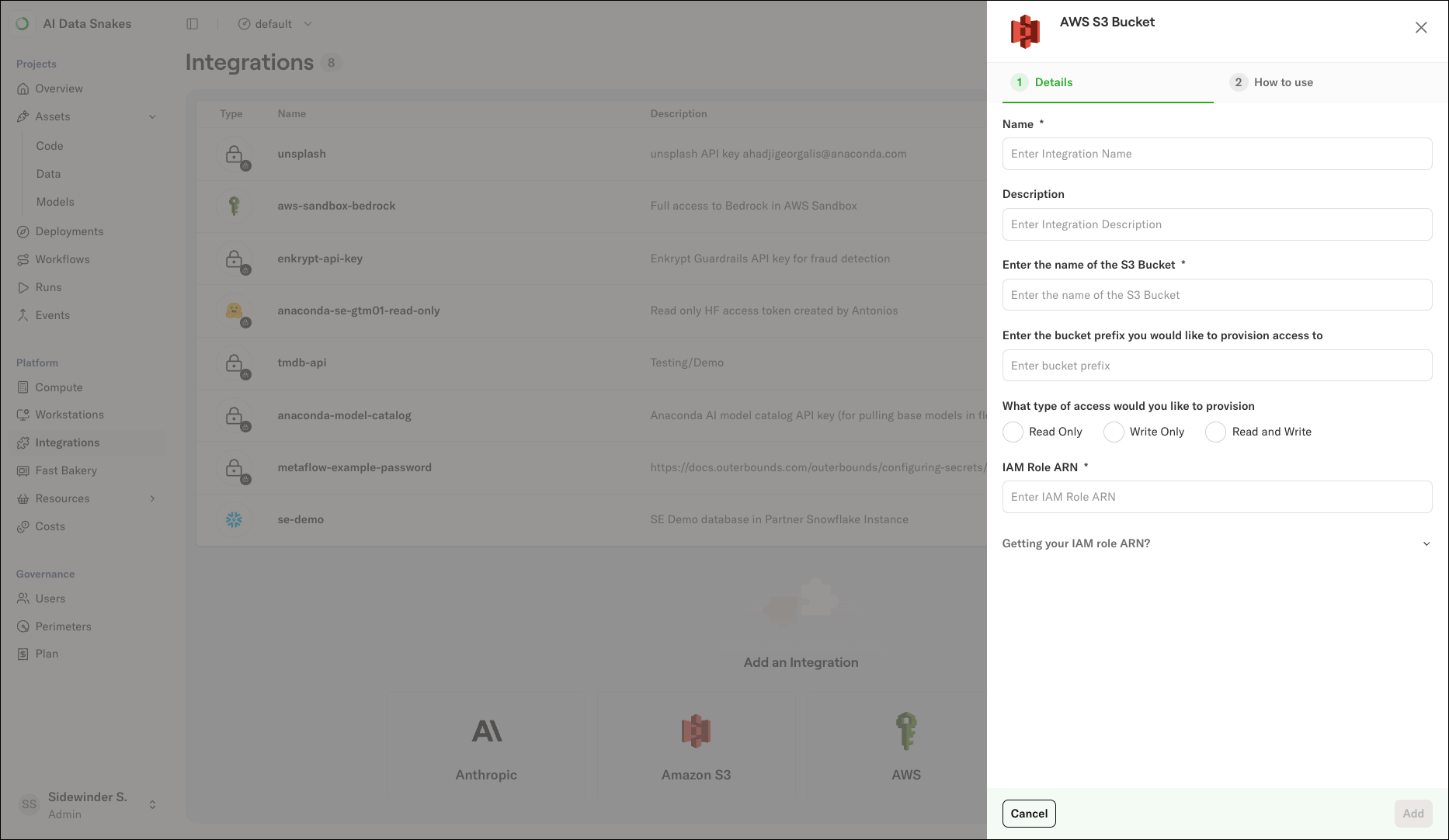
Admin only You must be an administrator of the deployment to create integrations. To create an Amazon S3 integration:- Select Integrations in the left-hand navigation.
- Click the Amazon S3 card.
- Enter a Name and Description for the integration.
- Under Enter the name of the S3 Bucket, enter the bucket name. To limit access to a path within the bucket, enter a prefix under Enter the bucket prefix you would like to provision access to.
- Under What type of access would you like to provision, select the access level your tasks need: Read Only, Write Only, or Read and Write.
-
Expand Getting your IAM role ARN? and follow the instructions to create an IAM role in the account that hosts the bucket. The form provides:
- A trust policy that allows the task execution role to assume the role, with the task execution role’s ARN pre-filled as the principal.
- The tag key
outerbounds.com/accessible-by-deploymentand value to attach to the role. The tag allows the platform to discover the role. - An inline IAM policy scoped to your bucket, prefix, and access level. Attach the policy to the role in the AWS Console.
- Under IAM Role ARN, enter the ARN of the role you created.
- Click Add.
Using the role
Pass the role ARN to therole parameter of the metaflow.S3 client to access the bucket in your flows:
get_aws_client for direct S3 access, as described in Configuring secrets.