

Default channels
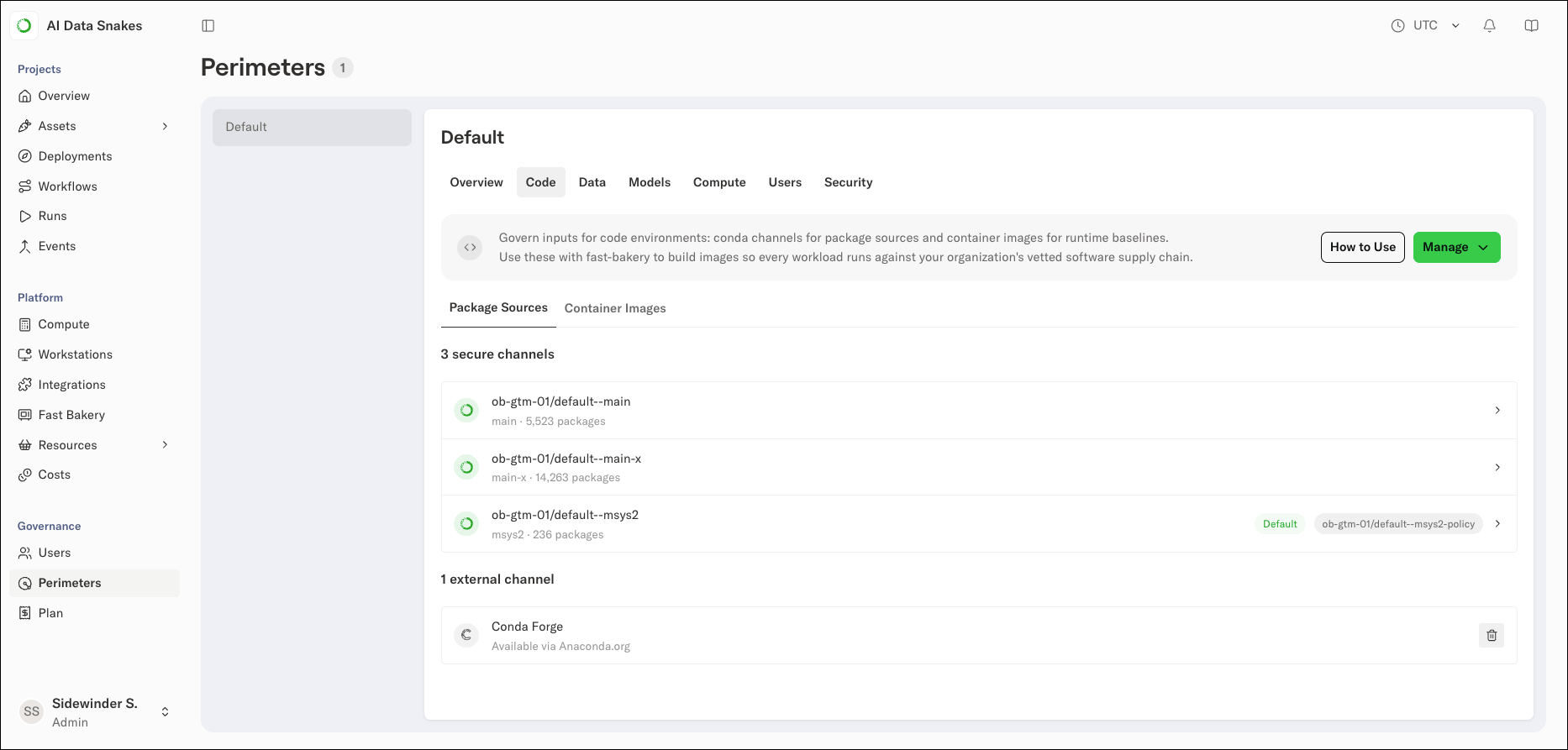
When a perimeter is created, the platform automatically provisions the following channels, sourced from Anaconda’s curated repository:mainmain-xmsys2
<ORG>/<PERIMETER>--<CHANNEL>. For example, the main channel in the default perimeter of an organization named acme appears as acme/default--main.
Each perimeter has its own channels, so a policy change in one perimeter won’t affect package access in another.
How channel policies work
A channel policy defines exclusion criteria for a channel’s packages as a set of rules. A package must meet all of the rules defined in the channel policy to be excluded from the channel. When a rule includes multiple values, a package matching any of those values satisfies that rule. Policies rely on Anaconda’s package security metadata, such as CVE scores, CVE status, and license information. That metadata only exists for Anaconda-curated channels, so you can apply policies to the secure channels provisioned with the perimeter, but not to external channels. Saving a policy rebuilds the channel’s package index:- The platform takes the source channel’s package index (
repodata.json), which lists every package file in the channel. - It evaluates the policy’s rules against each package and drops any package that matches the exclude list.
- It serves the new filtered index as the channel’s package contents.
Setting a channel policy
To set a policy on a channel:- Select Perimeters in the left-hand navigation.
- Select the perimeter where you want to set the policy.
- Select the Code tab.
- Select a channel to open its details.
- Click Manage Policy.
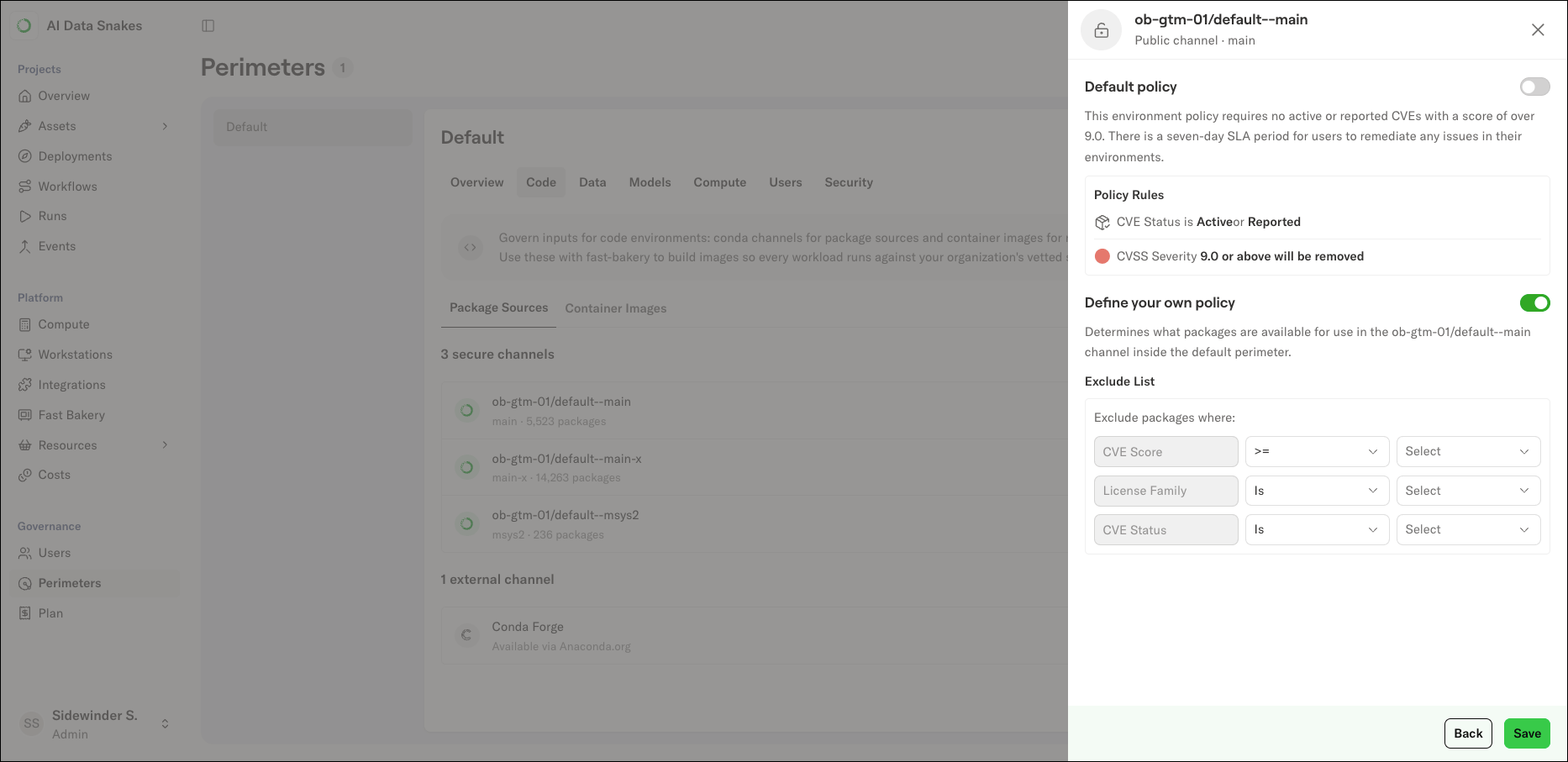
- Choose your policy approach:
- Turn on the Default policy toggle to apply Anaconda’s recommended exclusions.
- Turn on the Define your own policy toggle to build a custom exclude list. For each rule, select a field, an operator, and value(s). Available fields include CVE Score, License Family, and CVE Status.
- Once you are satisfied with the channel policy, click Save.
The default channel policy
The default policy excludes packages with critical known vulnerabilities:Removing a channel policy
To remove a channel policy, turn off the policy toggle, then click Save.Registering an external channel
External channels are any package source that doesn’t come from Anaconda. External channels currently support conda-forge, registered through Anaconda.org.Support for Artifactory and PyPI external channels is coming soon.
- Navigate to the perimeter where you want to add the channel.
- Open the Code tab.
- Click Manage and select Package Sources.
- In the Register a new source modal, enter the external source’s details to make it available in this perimeter.