

A brute force attack is a method used by cybercriminals to guess your password by trial and error and gain access to your account. Protect your organization against such attacks by following these steps in Keycloak:Documentation Index
Fetch the complete documentation index at: https://anaconda.com/docs/llms.txt
Use this file to discover all available pages before exploring further.
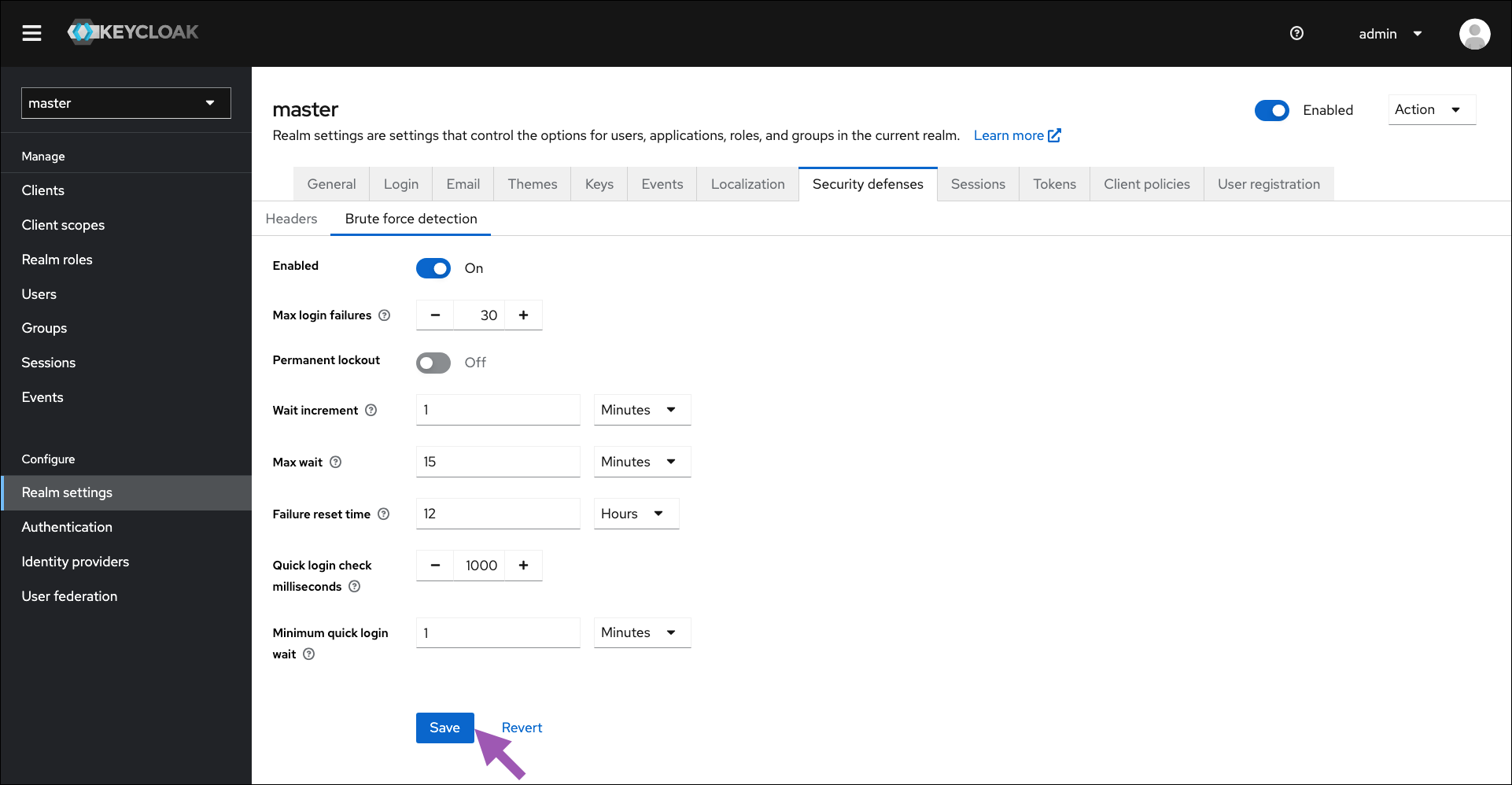
- Log in to the Keycloak administrative console.
- Select Realm Settings from the left-hand navigation menu.
- Select the Security Defenses tab.
- Select the Brute Force Detection tab.
- Toggle Enabled to
ON. - Set the parameters for your organization’s brute force defenses. Hover your mouse over the question icon to see what each parameter manages.
- Click Save.
OFF.