

Viewing your groups
To view your groups at any time, select Groups from the left-hand navigation.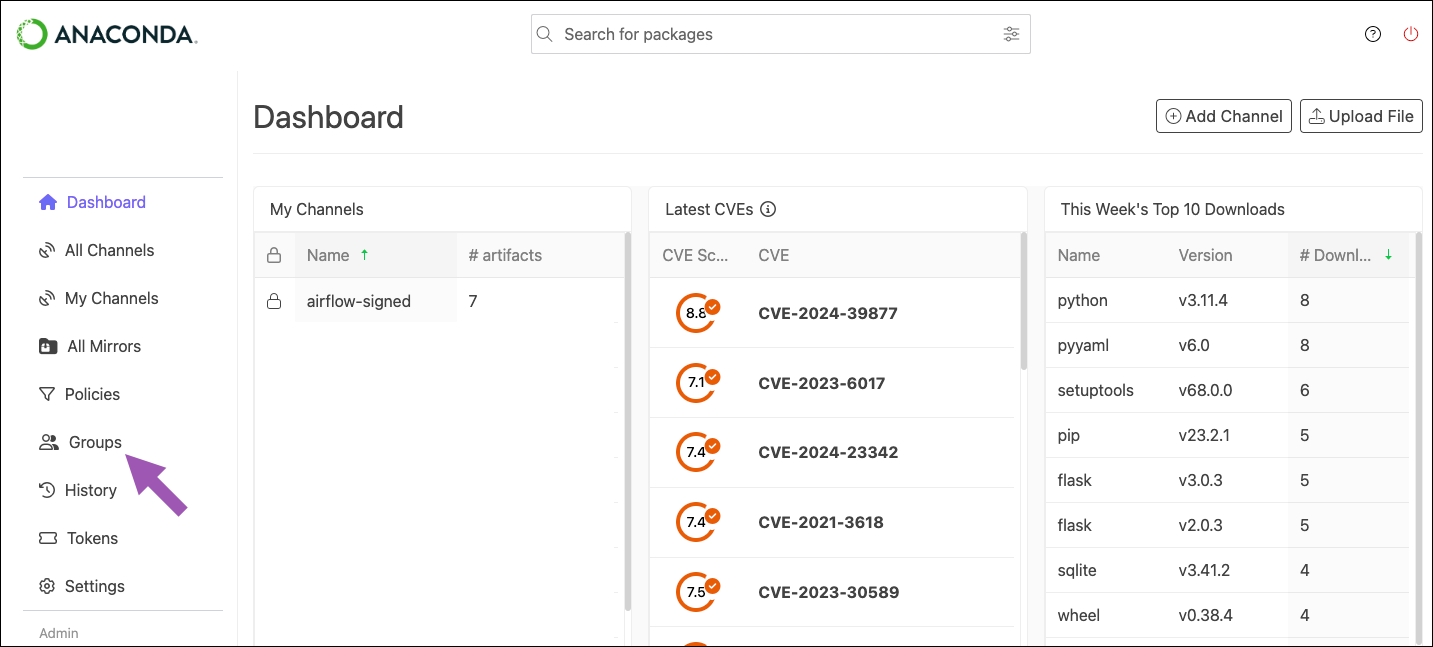
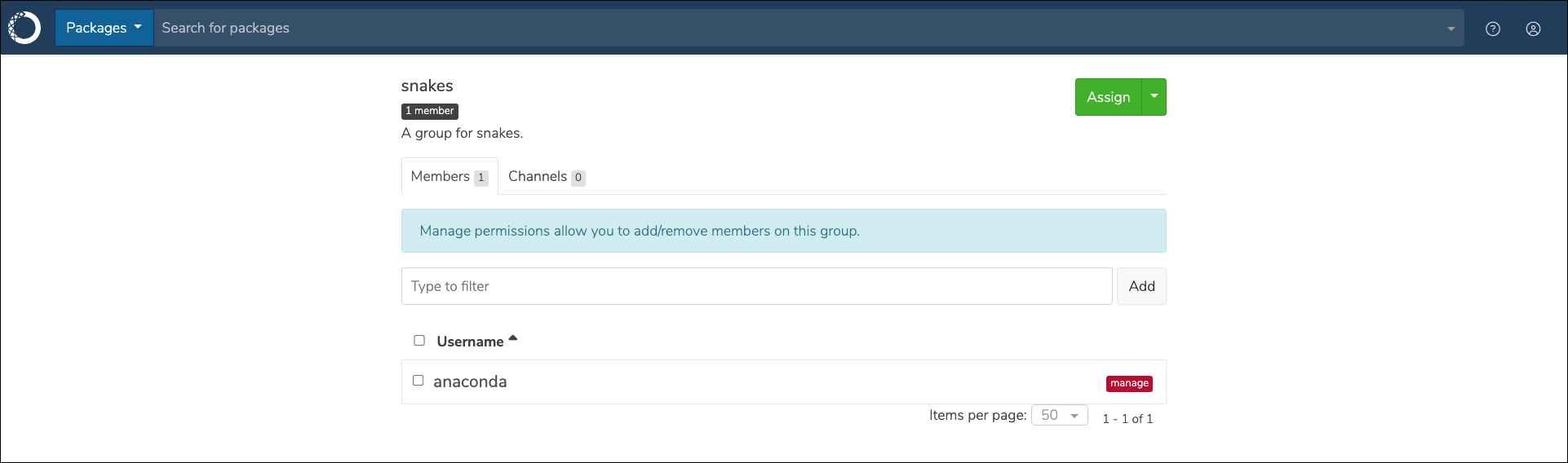
Creating a group
To create a new group, complete the following steps:- Log in to Package Security Manager.
-
Select Groups from the left-hand navigation and click Create Group.
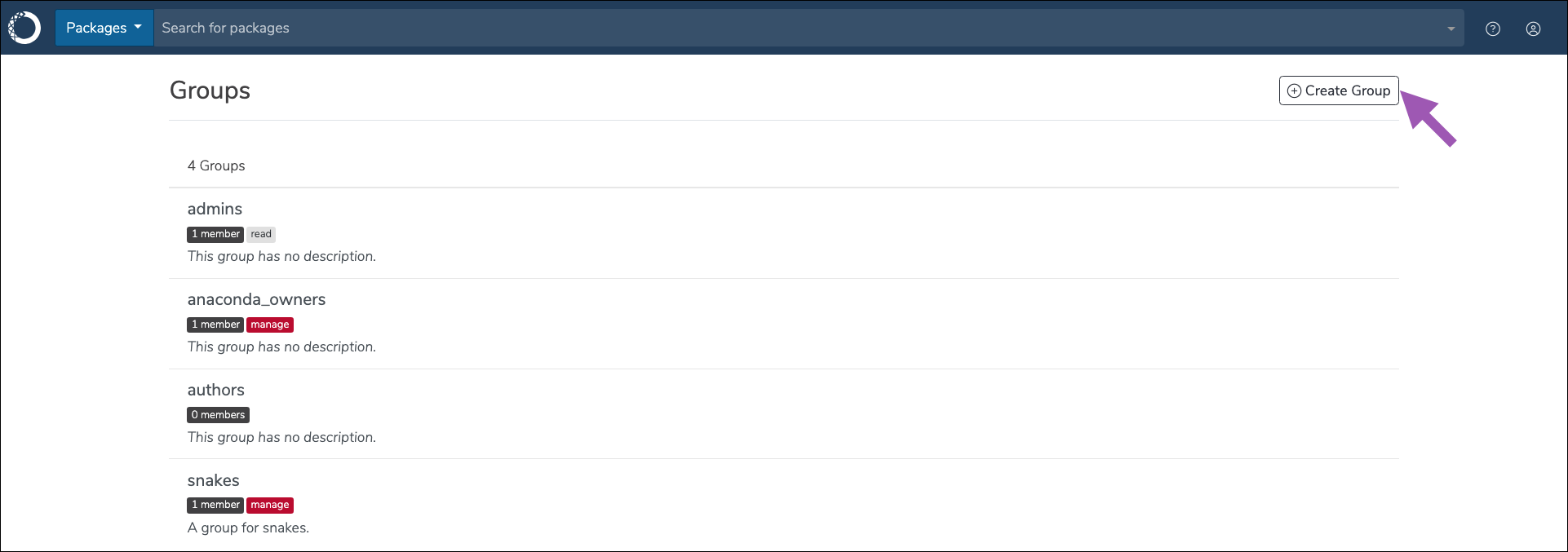
- Enter a unique name and provide a brief description for your group, then click Create.
Adding members to a group
To add members to a group, complete the following steps:- Log in to Package Security Manager.
- Select Groups from the left-hand navigation.
- Select your group.
-
Open the Manage dropdown menu and select Add Members.
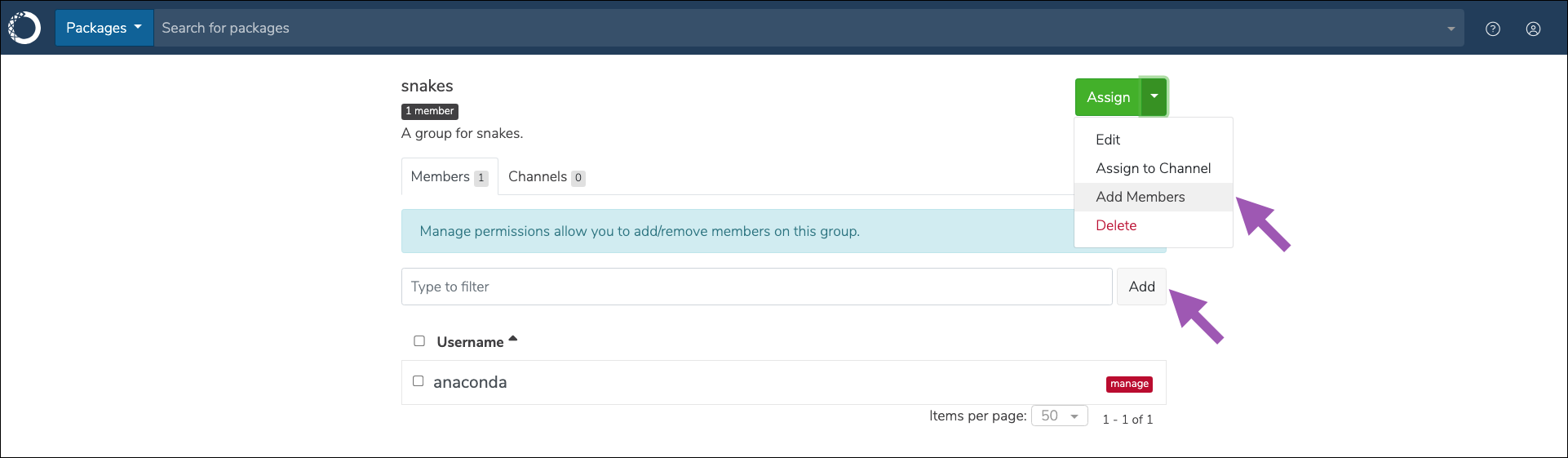
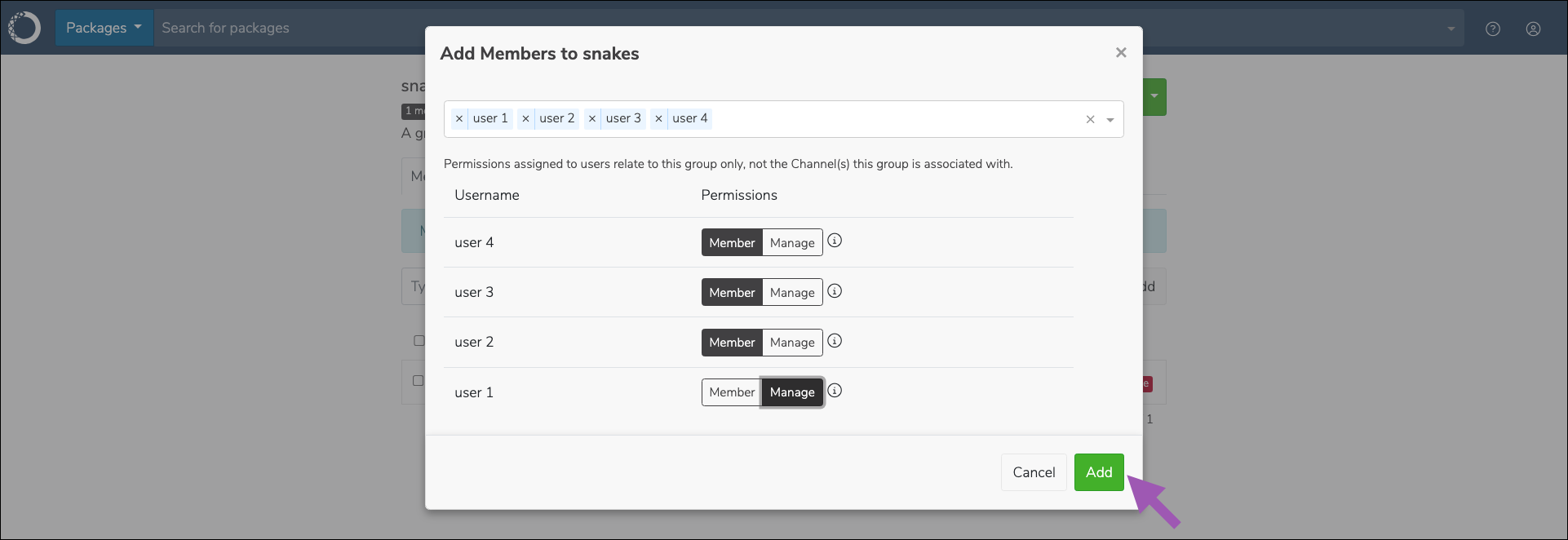
- Enter a username in the search field to find a member, then click on the user to add them to the group. Repeat this process until all members have been added to the group, then click Save.
-
Assign permission levels for each member you’ve added to the group, then click Save.
Removing members from a group
To remove members from a group, complete the following steps:- Log in to Package Security Manager.
- Select Groups from the left-hand navigation.
- Select your group.
-
Click Remove beside the username you want removed from the group.
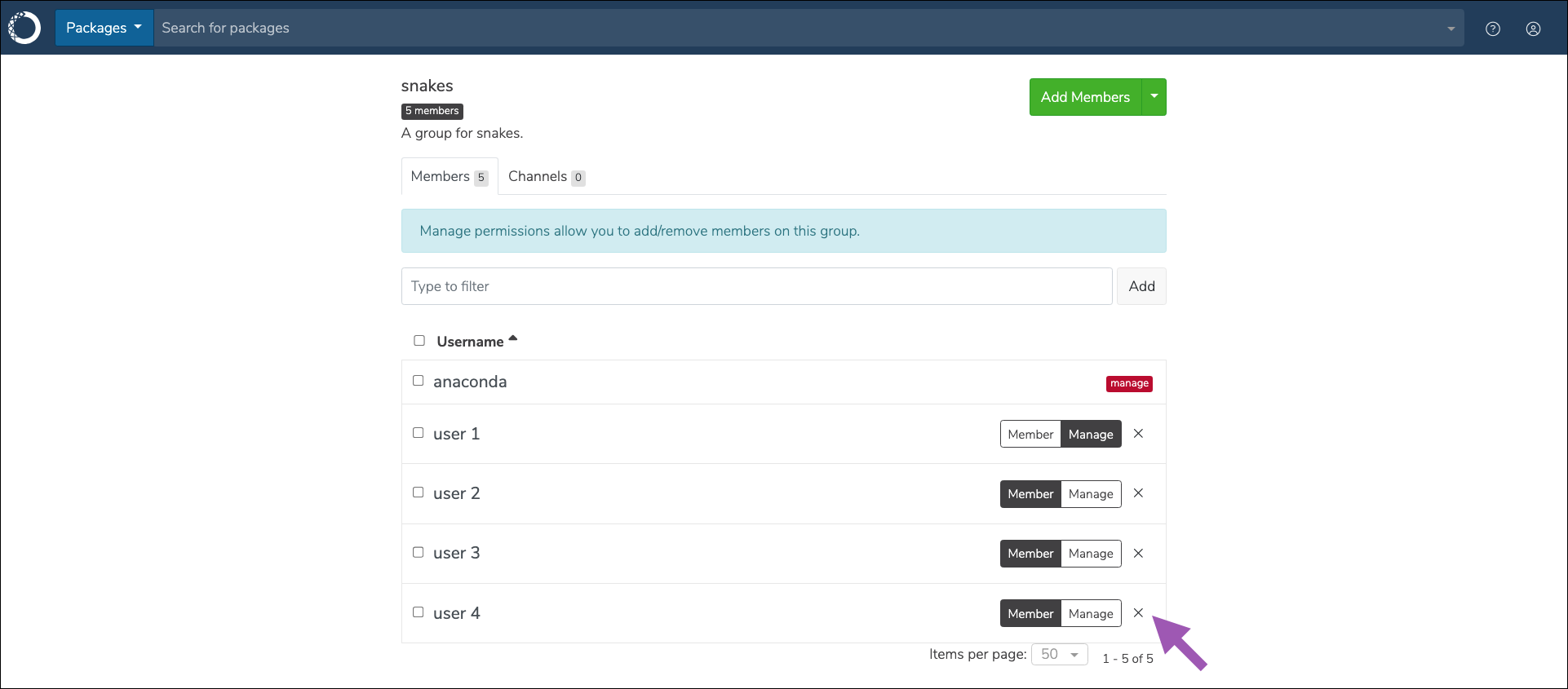
- Click Remove to confirm that you want to remove the member from the group.
Adding channels to a group
To add channels to a group, complete the following steps:- Log in to Package Security Manager.
- Select Groups from the left-hand navigation.
- Select your group.
-
Open the Manage dropdown menu and select Assign to Channel.
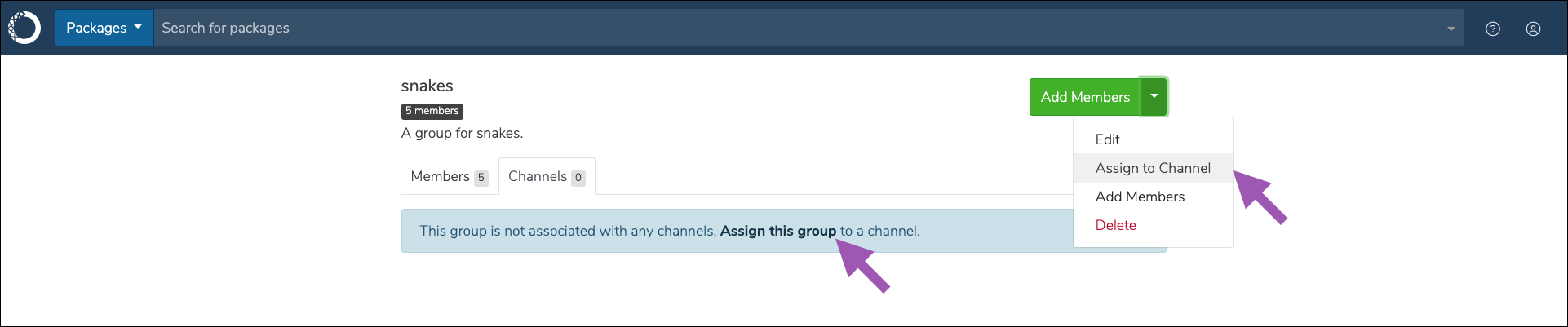
- Open the dropdown menu and select a channel to assign to the group.
-
Set the permission level for group members to have within the channel, then click Save.
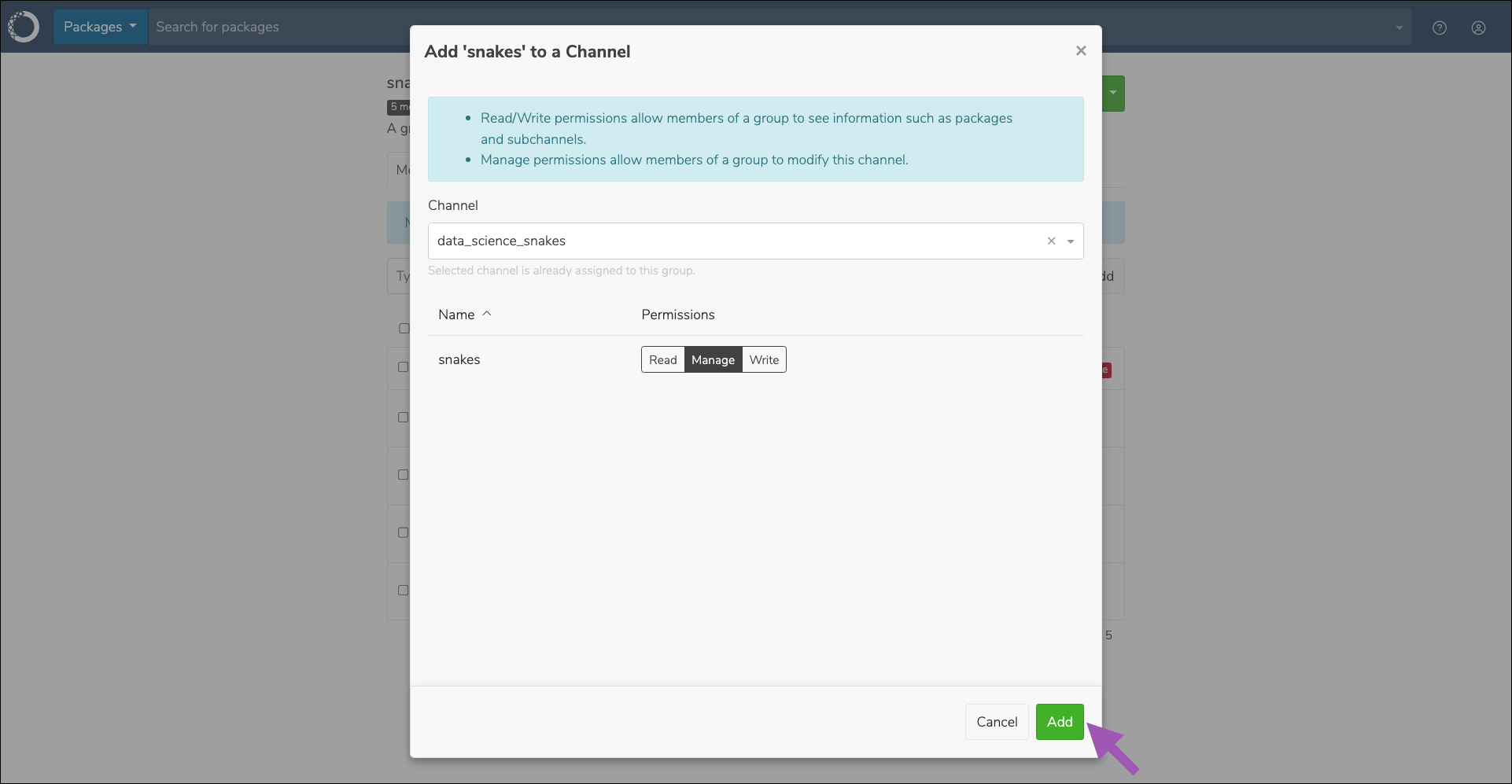
You can assign multiple channels to a group, but you must add them one at a time.
Removing channels from a group
To remove channels from a group, complete the following steps:- Log in to Package Security Manager.
- Select Groups from the left-hand navigation.
- Select your group.
- Click the Channels tab.
-
Click Remove icon beside the channel you want removed.
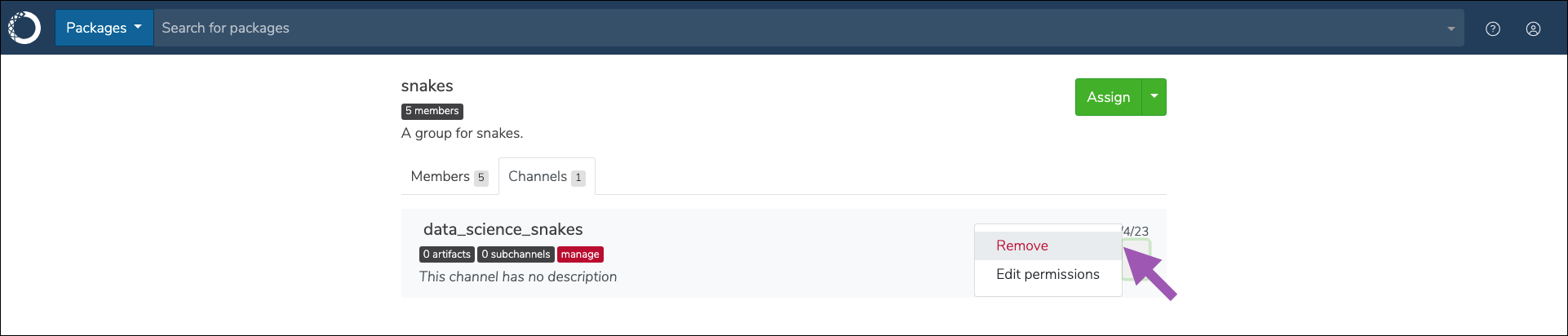
- Click Remove to confirm that you want to remove the channel.
Deleting a group
Only the group owner can delete the group. To delete a group, complete the following steps:- Log in to Package Security Manager.
- Select Groups from the left-hand navigation.
-
Click the Delete Group icon beside the group you want to delete.
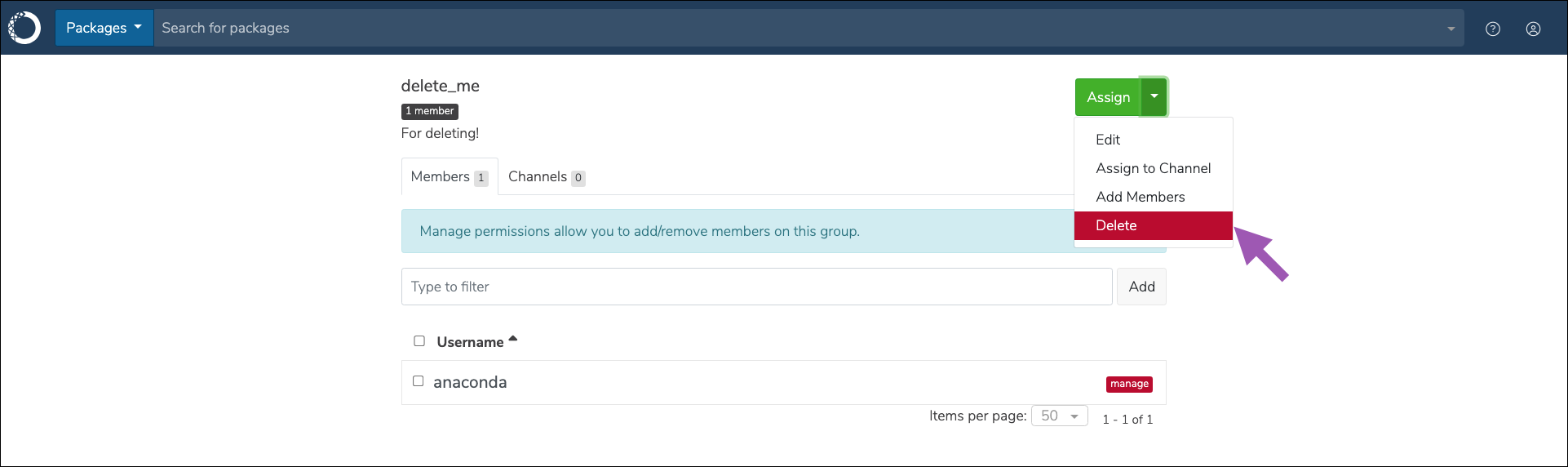
- Click Remove to confirm that you want to delete the group.