

To successfully install Anaconda Server in an air-gapped environment, you must have already prepared your environment according to the Air gap environment preparation topic.
- Installing Anaconda Server
- Installing packages and CVEs in Anaconda Server
- Log in to Anaconda Server as admin
- Administering Anaconda Server in Keycloak
- Using Anaconda Server
- Accessing Anaconda Server hosted installers
Installing Anaconda Server
Obtain the Anaconda Server installer location and your Anaconda Server license from your Anaconda representative before proceeding.-
Download Anaconda Server:
-
Make it executable:
- Run the installation command:
- anaconda: for administration in Anaconda Server UI
- admin: for administration in Keycloak
install.sh), and the docker-compose.yml file, which define how the Anaconda Server services are run.
Installing with External Postgres and Redis
Before you begin installation, make sure you are using Postgres version 9.6 or later and Redis version 6.0 or later, then perform the following steps:-
Install postgresql.
-
Download the installer.
-
Modify the downloaded file to make it executable, then run the installation command:
Installing packages and CVEs in Anaconda Server
In a standard installation, Anaconda Server would be pointed to a web URL that contains artifacts for your users to view or download. However, on an air-gapped network, you’ll need to provide network directory folder locations for Anaconda Server to look in when searching for artifacts, and populate those folders with artifacts. The.zip files you downloaded during environment preparation will be the source of your packages for Anaconda Server. Move these files to the correct folders by running the following commands:
cve.zip file as a source of data. Open your installer file directory, where the docker-compose.yml file is located.
.env file using your preferred file editor and add the following:
Log in to Anaconda Server as admin
Navigate to your instance of Anaconda server in a web browser by visitinghttps://<FQDN>.
Use the following credentials when logging in:
Username: anaconda
Password: Use the password generated during installation of Anaconda Server.
On your very first login, you will be redirected to Keycloak to authenticate your access.
Administering Anaconda Server in Keycloak
Once you’ve been redirected to Keycloak, log in using the following credentials: Username: admin Password: Use the password generated during installation of Anaconda Server. Once you have logged in to Keycloak, you will see the main page, as shown below. On the left-hand side, navigate to Users. Click on the blue hyperlink in the ID column to take you to the admin profile.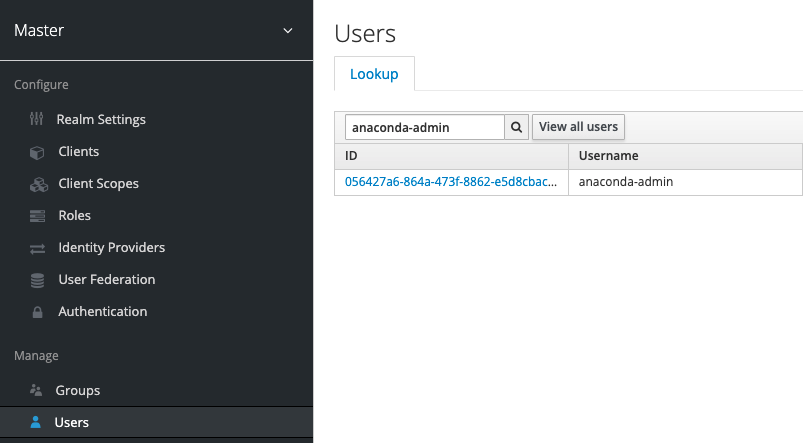
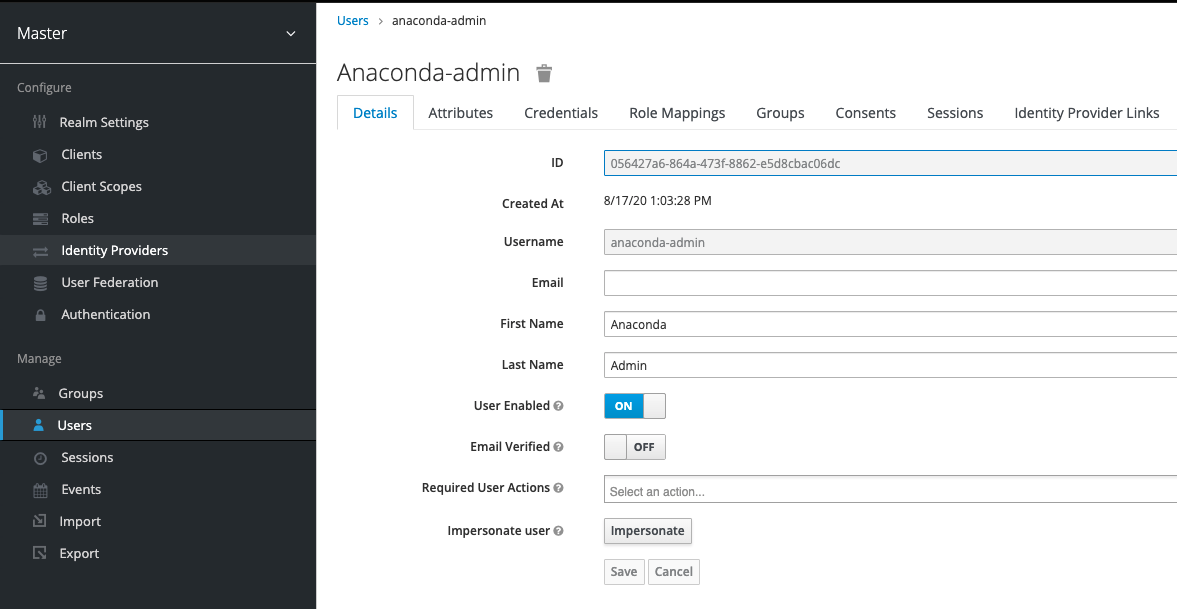
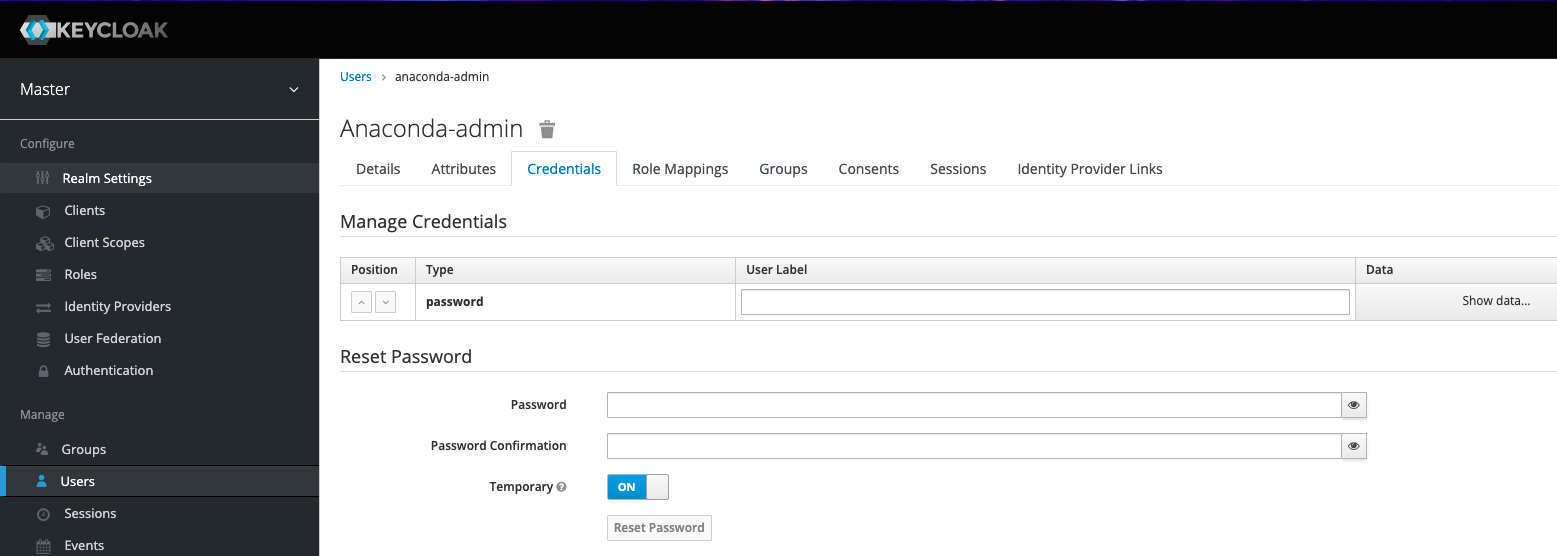
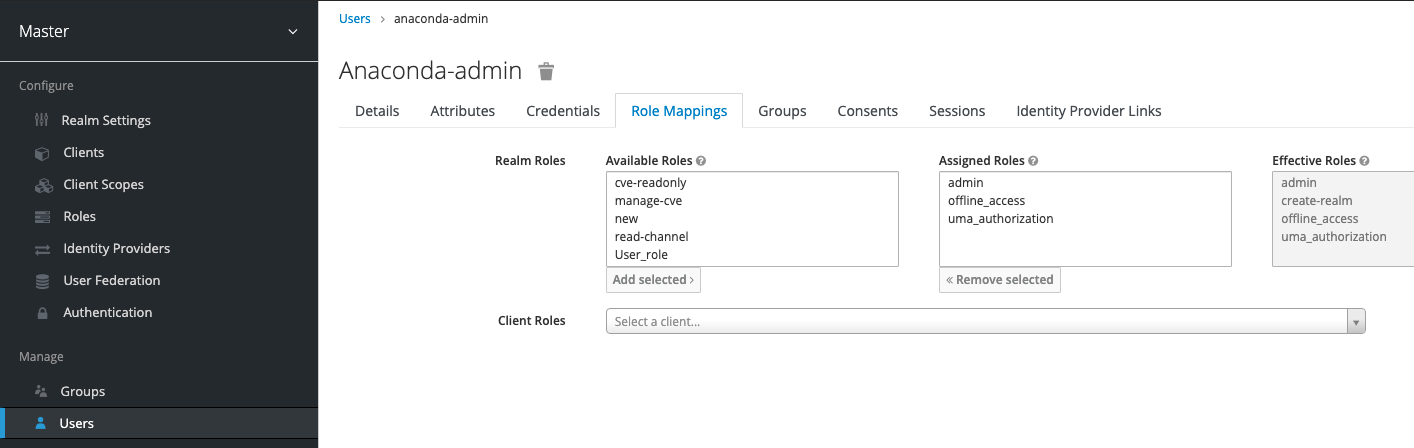
Using Anaconda Server
Log in to your Anaconda Server instance as administrator with the generated ID and password.Creating a channel
There are a few key things to note when creating a channel:- If a channel name is already in use, create a new channel with a different name. That channel can then be set as the default channel on the Settings page under My Account.
- If an email is used as a username, the portion of the email before the “@” symbol (also known as the “local-part”) will be used as the username. Because channel names are restricted to a limited set of characters (a-z 0-9 - _), some characters may be replaced with
_. For example, if the email addressannie.anaconda@website.comis used as a username, the channelannie_anacondawill be created. - If you don’t see any way of creating a channel (as shown in the following section), you might be lacking the permission to do so. Ask your administrator about modifying your permissions to allow you to create channels.
-
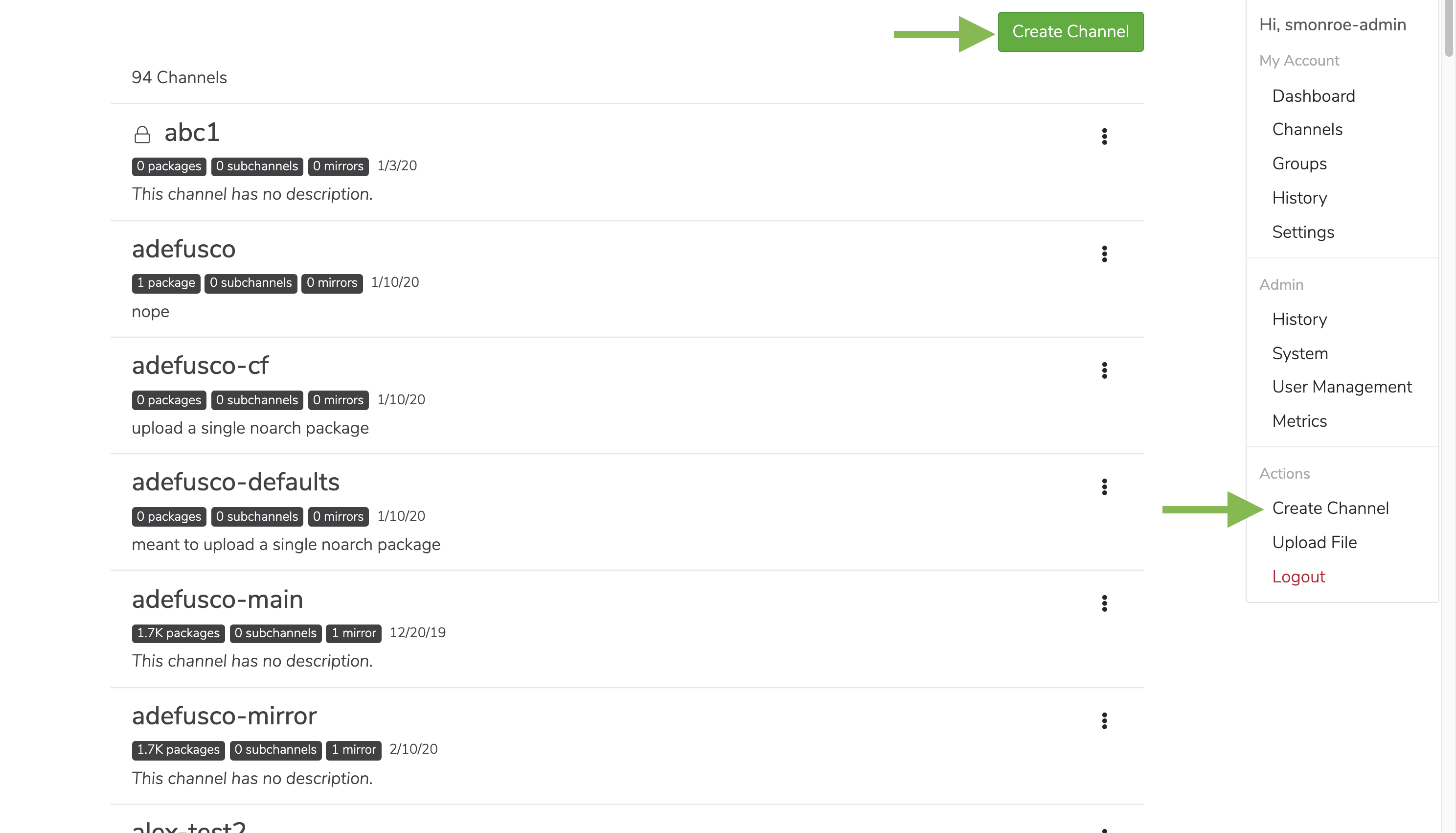
Click on the My account button in the top right, and then click Create a Channel. You can also create a channel by clicking the green Create Channel button from your channel page.
-
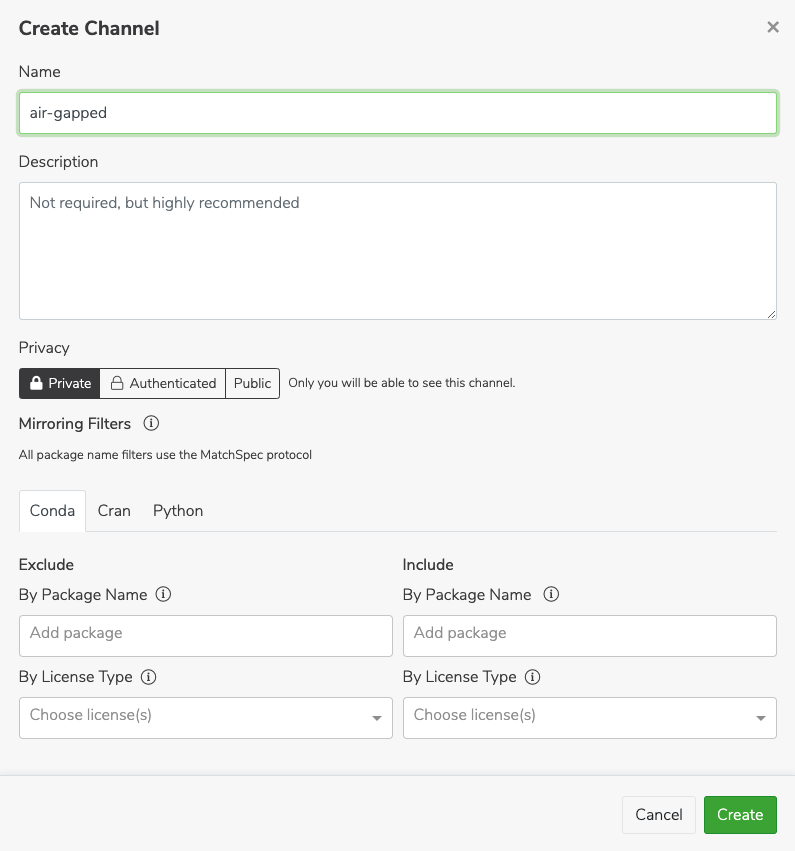
Fill in a name and description when prompted.
Creating a mirror
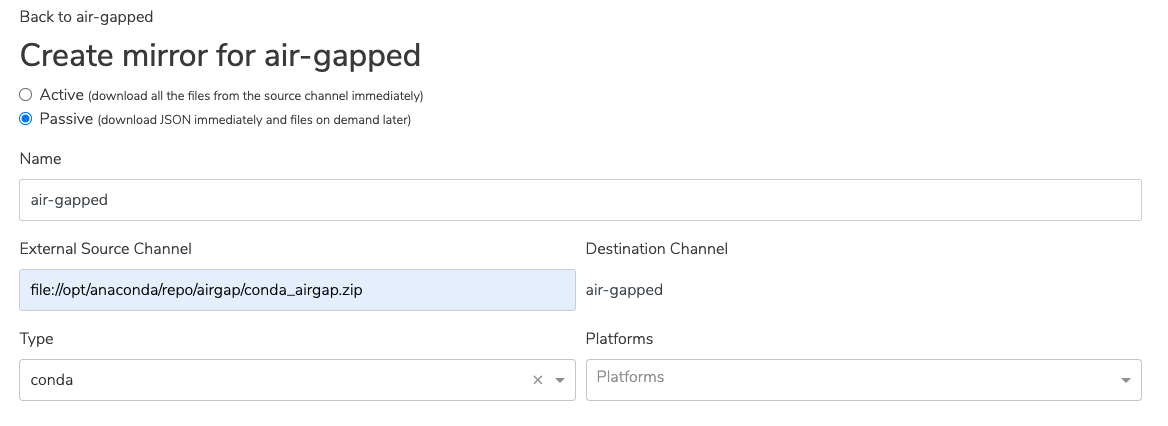
In the new channel, create a new mirror by clicking the green Mirror button in the channel. Ensure Passive is selected at the top.Mirroring passively reduces the storage space used. You will still get the packages you need, as they are already stored in the Anaconda Server instance.
conda_main_airgap.zip file.
Once you have created the mirror, you are all set to use Anaconda Server!
Accessing Anaconda Server hosted installers
Access installers for your company’s use through Anaconda Server.You must log in to the VPN provided by Anaconda to access the hosted installer files.
installers.zip file from the s3 bucket:
installers.zip file to the airgap folder of Anaconda Server repository. The default path to this folder is /opt/anaconda/repo/airgap:
docker-compose.yml file in the Anaconda Server installation directory.
Verify that the docker has access to the airgap folder contained in the volumes section.
For example:
environments section of the .yml file: