

sudo access for yum is enabled on the Anaconda Enterprise platform. You can easily disable it, however, if your organization requires it.
- Log in to Anaconda Enterprise, select the Menu icon in the top right corner and click the Administrative Console link displayed at the bottom of the slide out window.
- Click Manage Resources.
- Log in to the Operations Center using the Administrator credentials configured after installation.
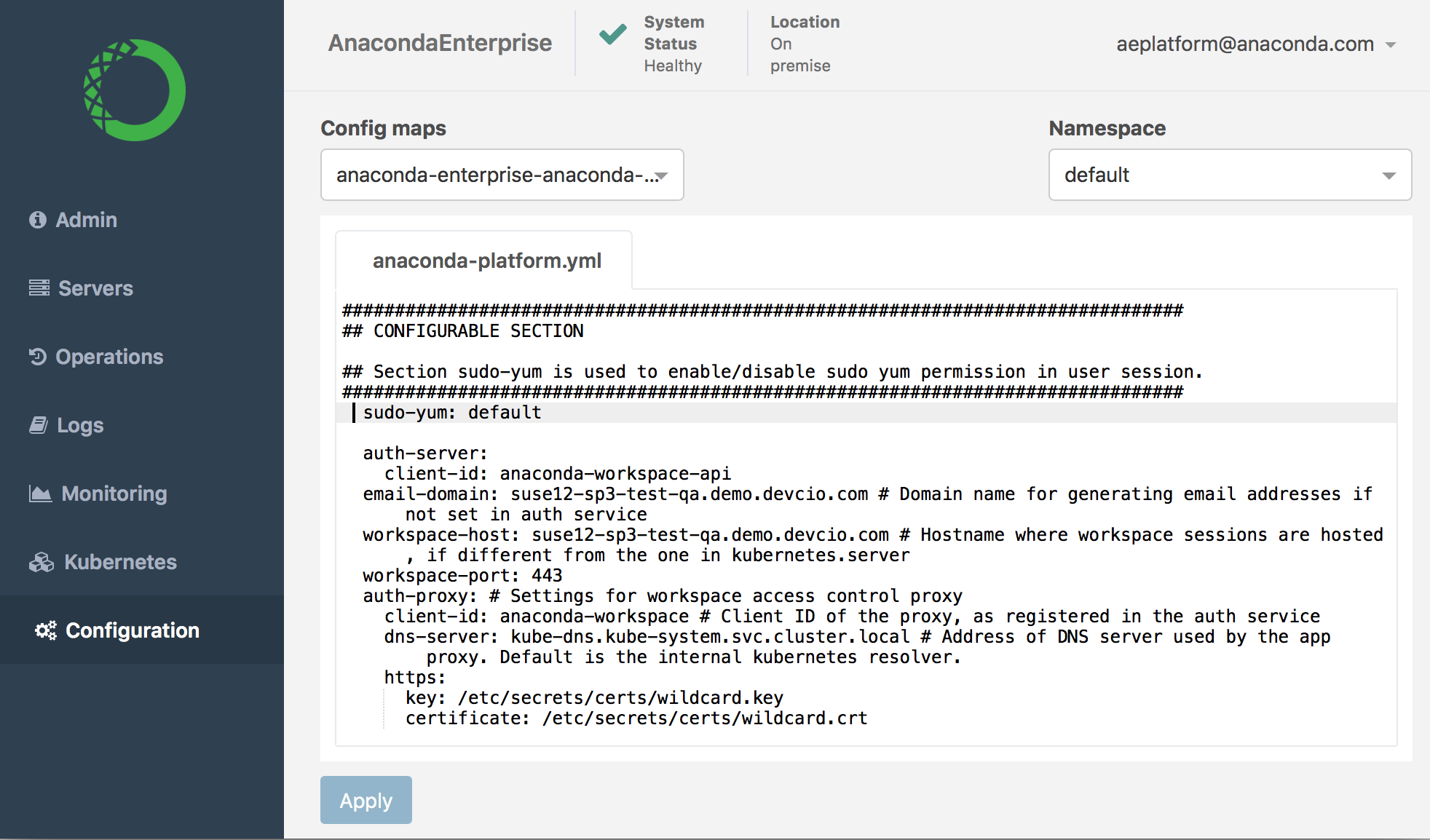
- Select Configuration from the menu on the left.
-
Verify that the
anaconda-enterprise-anaconda-platform.ymlconfiguration file is selected in the Config map drop-down menu.
Anaconda recommends that you make a backup copy of this file since you will be editing it directly.
- Scroll down to the
sudo-yumsection of the Config map:
-
Change the setting from
defaulttodisable: - Click Apply to save your changes.
-
To update the Anaconda Enterprise server with your changes, restart services by running these commands on the master node:
default, save your changes, and restart services.