

- Log in as the admin user.
- Select DEV realm.
-
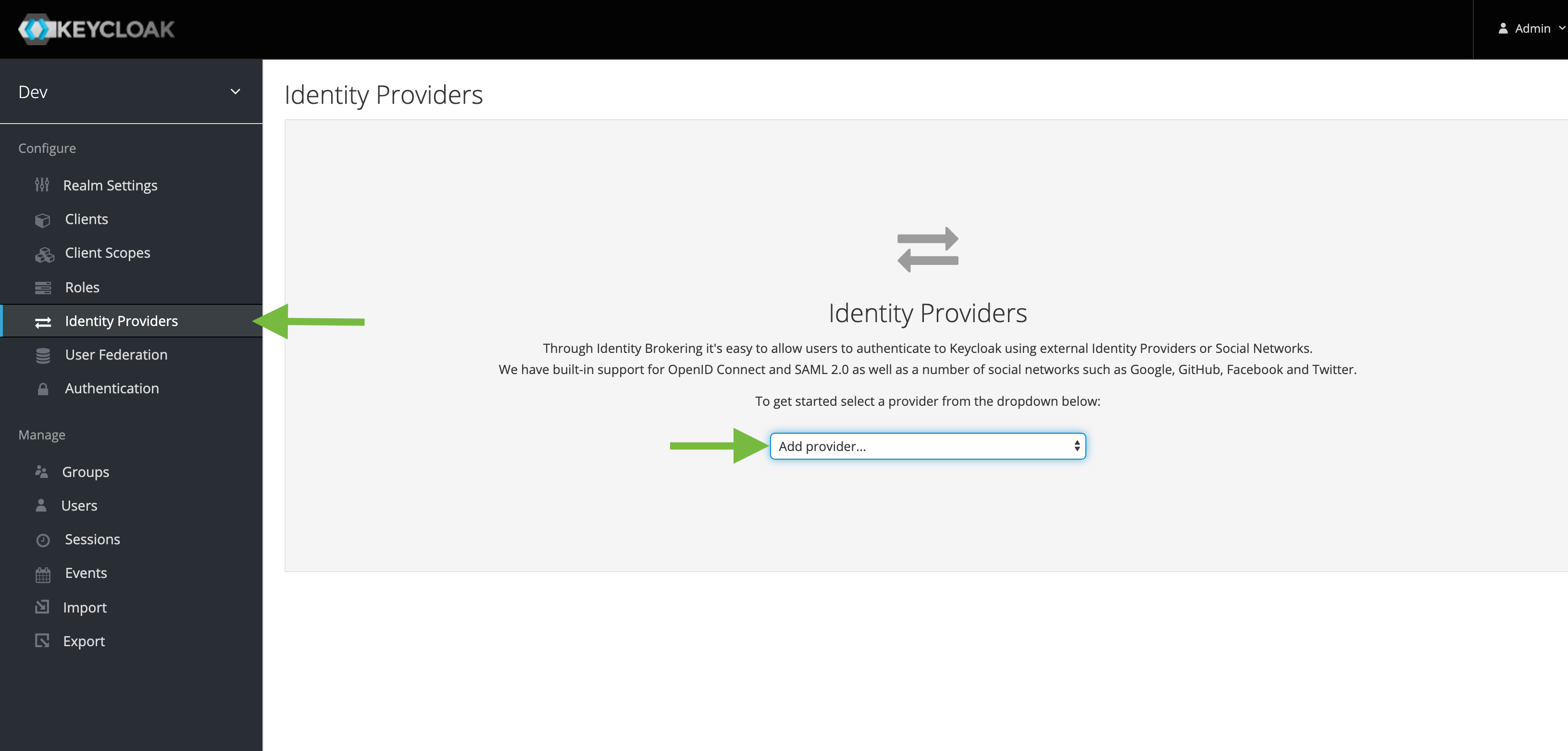
Navigate to Identity Providers and click Add provider….
-
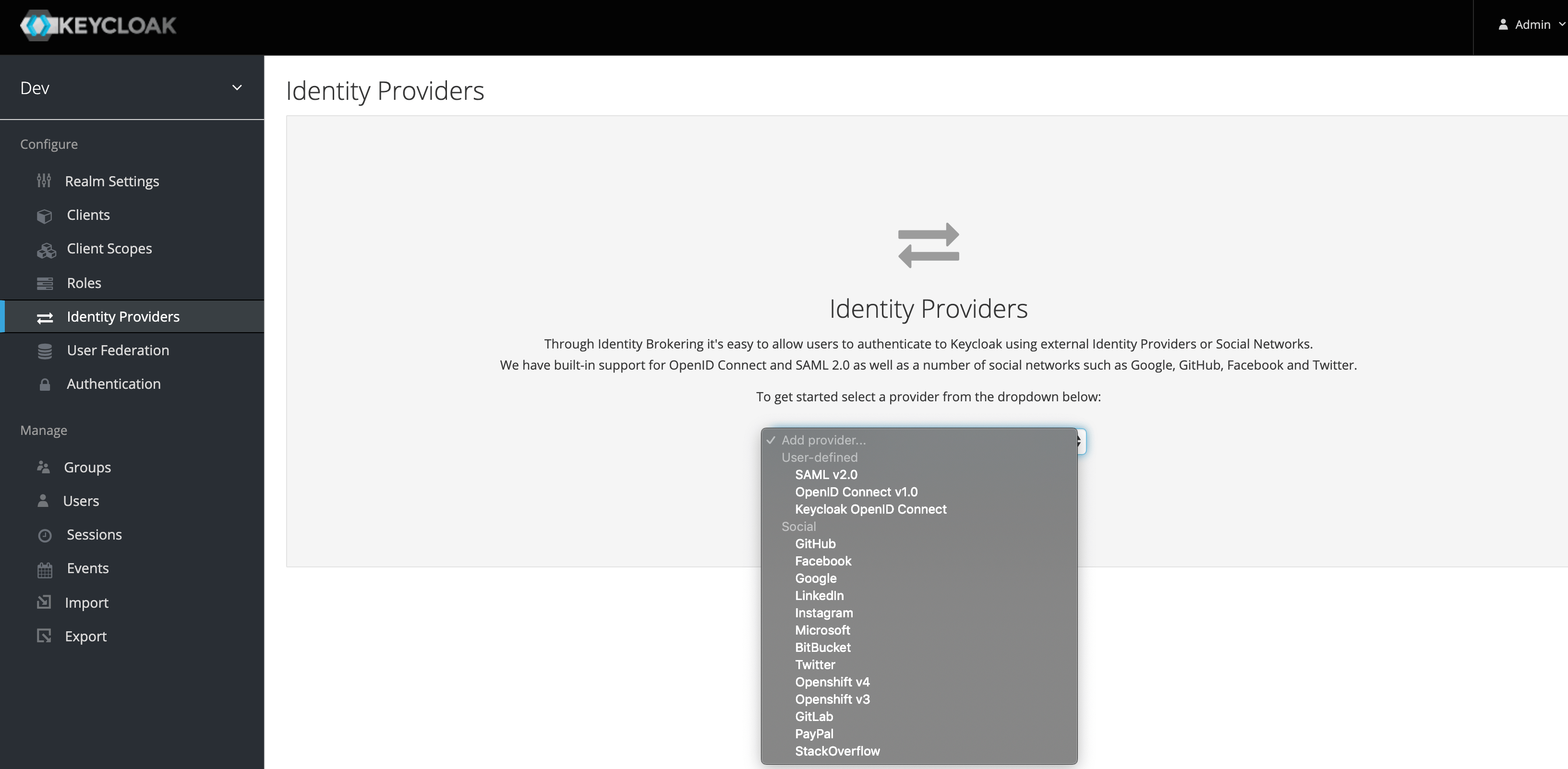
From the dropdown, select GitHub.
-
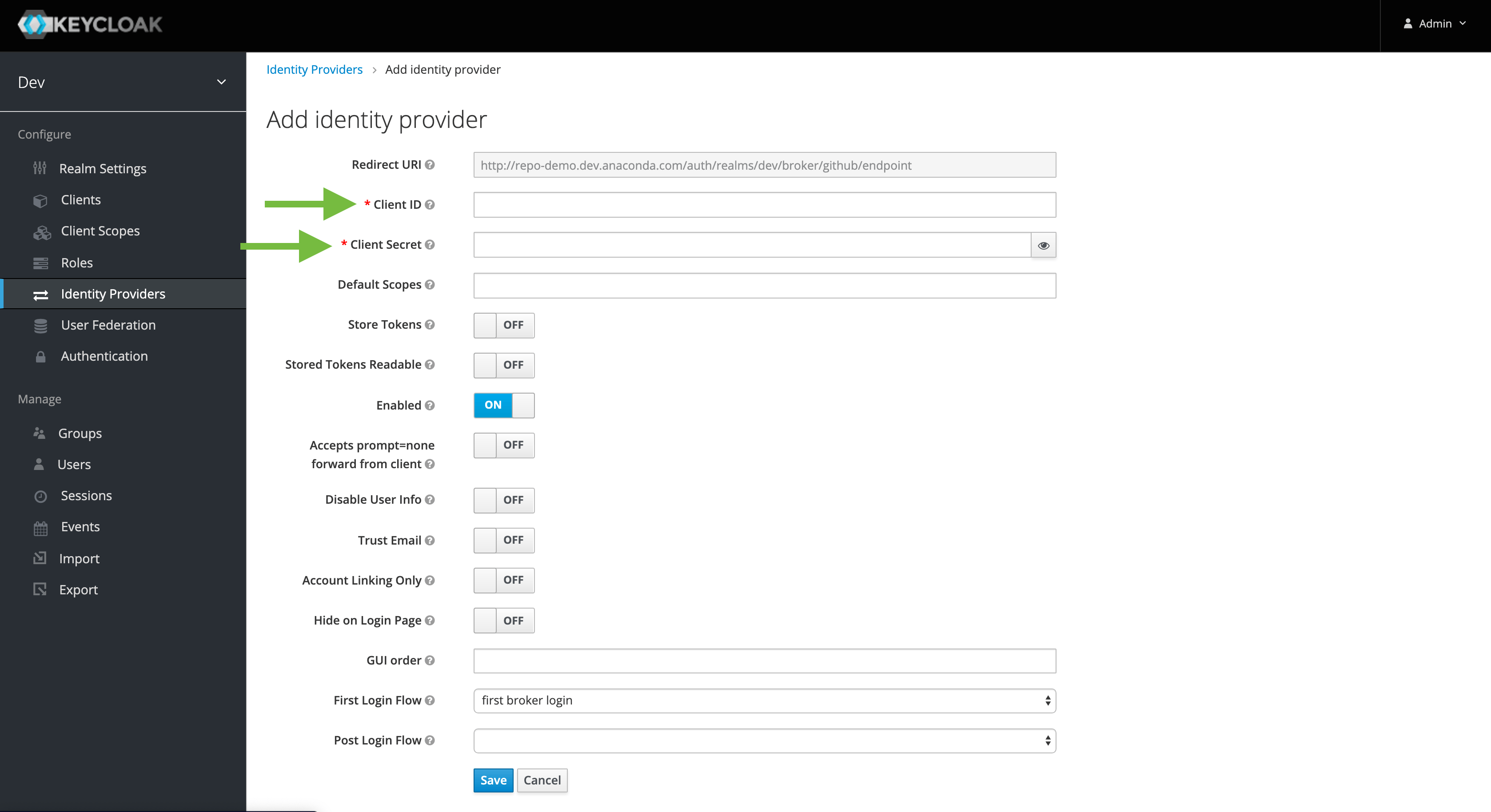
Enter the ClientID/Secret from the corresponding GitHub OAuth application settings.
Social login integration (GitHub)
For each Keycloak installation, you must create corresponding integrations for the relevant identity provider:
Was this page helpful?