> ## Documentation Index
> Fetch the complete documentation index at: https://anaconda.com/docs/llms.txt
> Use this file to discover all available pages before exploring further.
# Packages
Anaconda Team Edition enables you to upload packages (conda, cran, wheel, egg, sdist, and so on) to the repository and store them in several different channel structures. Each package contains specific metadata for that package along with the dependencies and dependents for the package.
This topic provides guidance on the following actions:
* [Uploading a package](#uploading-a-package)
* [Downloading a package](#downloading-a-package)
* [Viewing package details](#viewing-package-details)
* [Viewing package metadata](./project#viewing-project-metadata)
* [Managing a package](#managing-a-package)
* [Deleting a package](#deleting-a-package)
## Uploading a package
Preparation for uploading packages differs depending on your package type. Please follow the relevant guide for your respective packages:
* [sdist and wheels](https://packaging.python.org/tutorials/packaging-projects/#generating-distribution-archives)
* [cran](https://r-pkgs.org/structure.html)
* [conda-build](https://docs.conda.io/projects/conda-build/en/latest/)
**Via the UI**
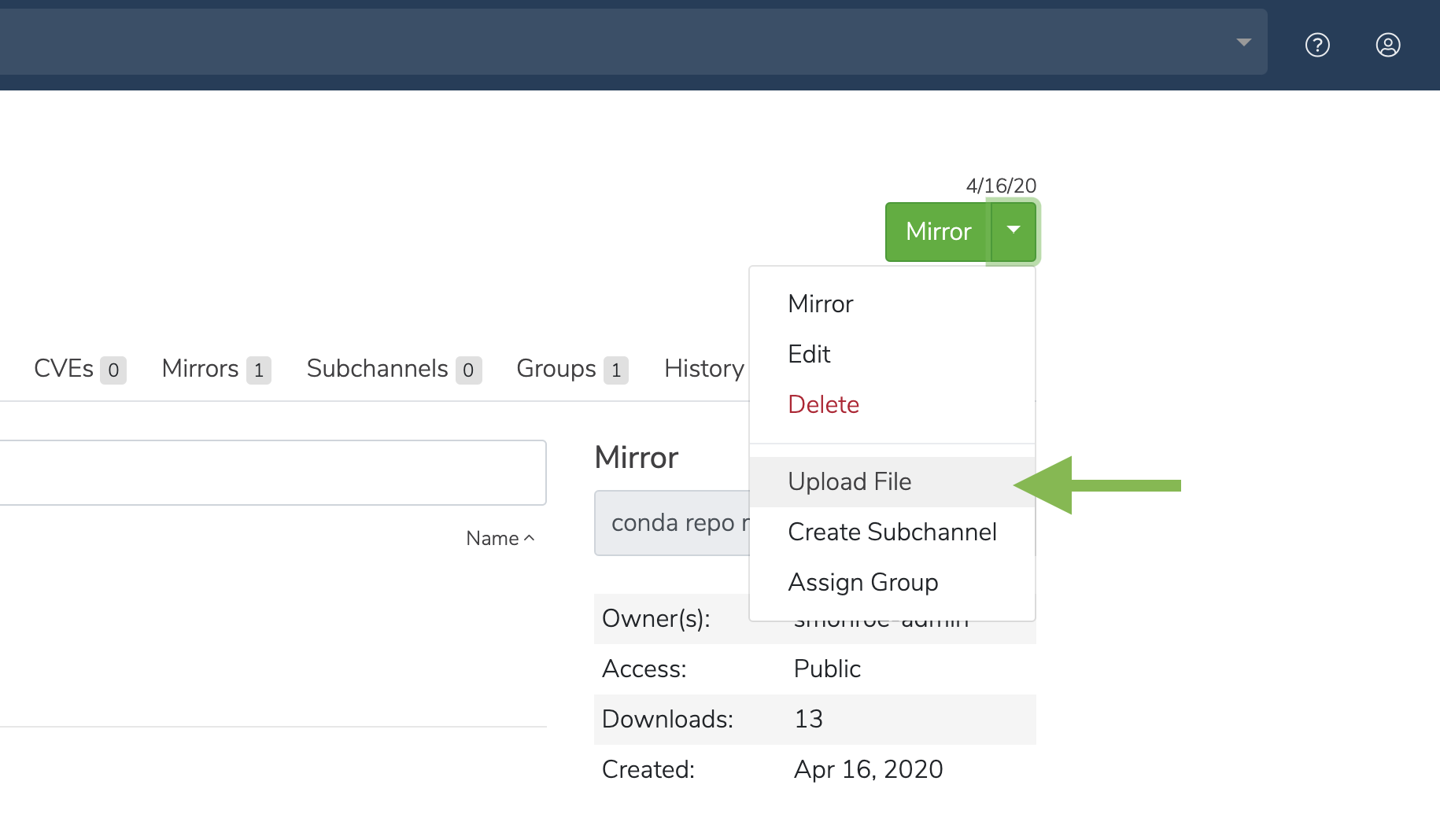 1. Click the green dropdown button in the top right corner, and then click **Upload File**.
2. On the **Upload a File** screen, select the type of file you’d like to upload from the dropdown.
3. Click the **Browse** button to find your file and add it to the page.
4. Click **Upload**.
**Via the CLI**
To upload into the default user channel:
```sh theme={null}
# Replace with the package name
conda repo upload
```
To upload multiple packages:
```sh theme={null}
# Replace with the package names
conda repo upload
```
To upload into a specific channel:
```sh theme={null}
# Replace with the package name and with the channel name
conda repo upload -
```
By default, the system will try to identify the package type automatically. However, you can also provide the file type yourself:
```sh theme={null}
# Replace with the channel name
conda repo upload -t conda -c package.tar.bz2
# Or, to upload a notebook:
# Replace with the channel name
conda repo upload -t ipynb -c notebook.ipynb
```
## Downloading a package
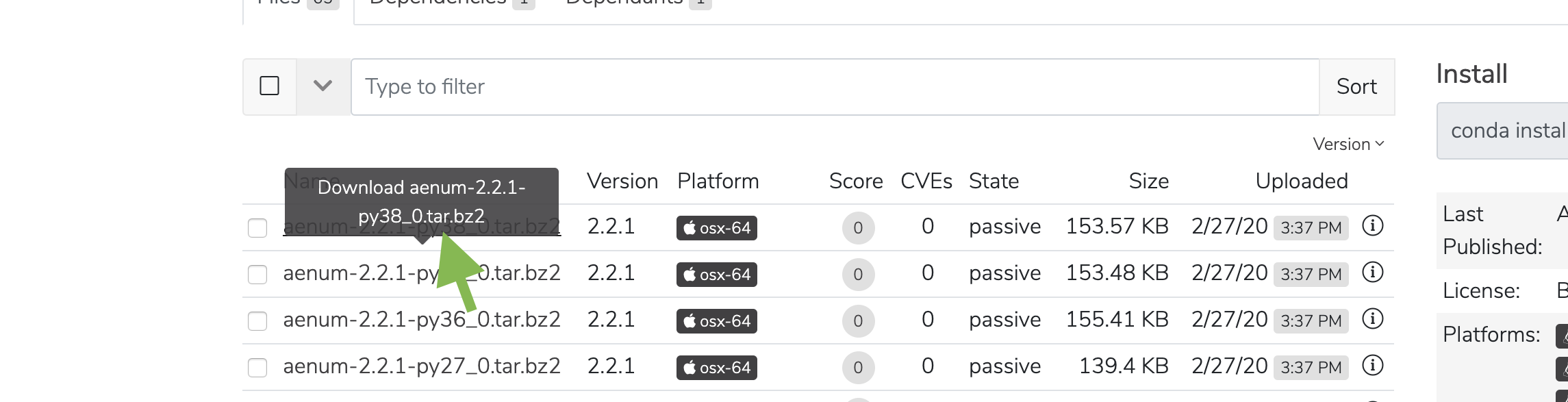
On a package details page, click on a file name to download the file.
1. Click the green dropdown button in the top right corner, and then click **Upload File**.
2. On the **Upload a File** screen, select the type of file you’d like to upload from the dropdown.
3. Click the **Browse** button to find your file and add it to the page.
4. Click **Upload**.
**Via the CLI**
To upload into the default user channel:
```sh theme={null}
# Replace with the package name
conda repo upload
```
To upload multiple packages:
```sh theme={null}
# Replace with the package names
conda repo upload
```
To upload into a specific channel:
```sh theme={null}
# Replace with the package name and with the channel name
conda repo upload -
```
By default, the system will try to identify the package type automatically. However, you can also provide the file type yourself:
```sh theme={null}
# Replace with the channel name
conda repo upload -t conda -c package.tar.bz2
# Or, to upload a notebook:
# Replace with the channel name
conda repo upload -t ipynb -c notebook.ipynb
```
## Downloading a package
On a package details page, click on a file name to download the file.
 ## Viewing package details
**Via the UI**
Click anywhere on a package to view its details.
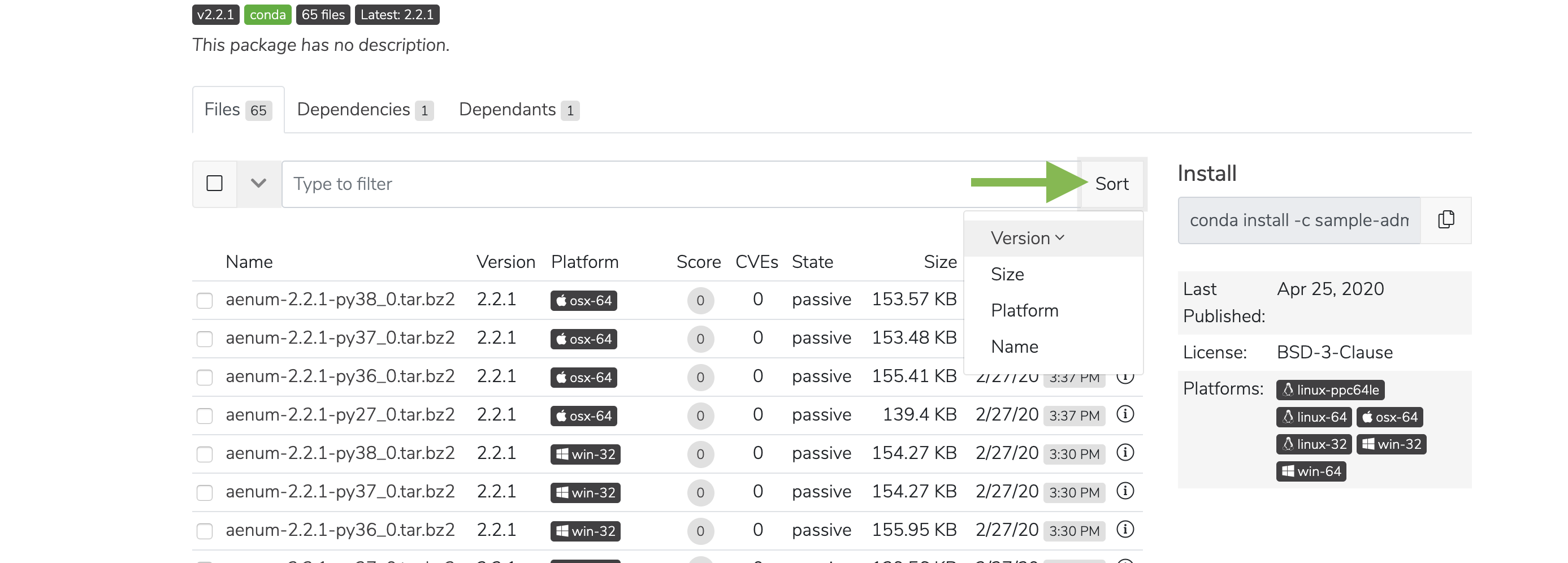
You can then click the **Sort** button to sort files by version, size, platform, and name.
## Viewing package details
**Via the UI**
Click anywhere on a package to view its details.
You can then click the **Sort** button to sort files by version, size, platform, and name.
 **Via the API**
```sh theme={null}
GET /api/channels//artifacts//
GET /api/channels//artifacts///readme
GET /api/channels//artifacts///cves
GET /api/channels//artifacts///files
GET /api/channels//artifacts///dependencies
GET /api/channels//subchannels//artifacts//
GET /api/channels//subchannels//artifacts///readme
GET /api/channels//subchannels//artifacts///cves
GET /api/channels//subchannels//artifacts///files
GET /api/channels//subchannels//artifacts///dependencies
```
**Via the CLI**
```sh theme={null}
# Replace with the channel name
conda repo channel --list-file --full-details
```
## Viewing package metadata
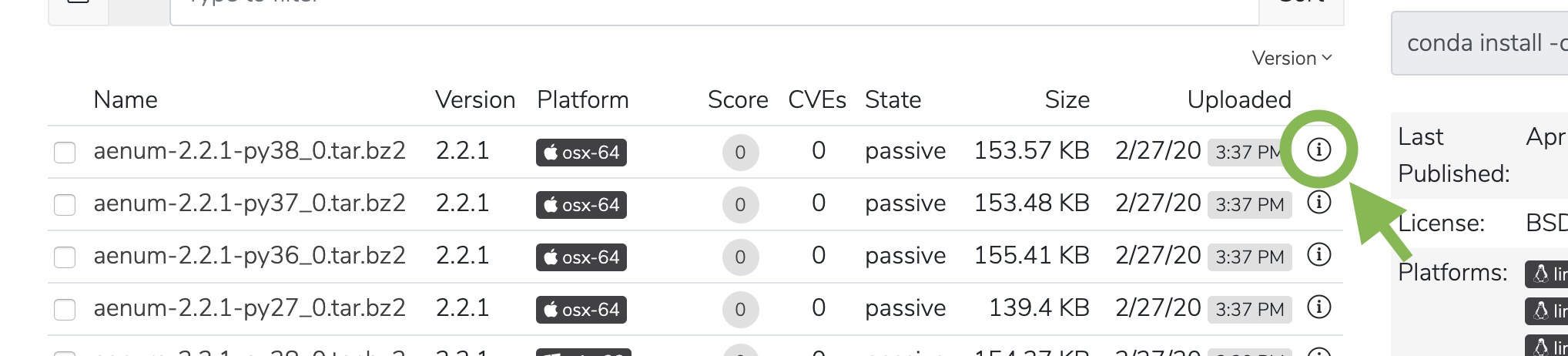
Click the information icon to view a file’s metadata.
**Via the API**
```sh theme={null}
GET /api/channels//artifacts//
GET /api/channels//artifacts///readme
GET /api/channels//artifacts///cves
GET /api/channels//artifacts///files
GET /api/channels//artifacts///dependencies
GET /api/channels//subchannels//artifacts//
GET /api/channels//subchannels//artifacts///readme
GET /api/channels//subchannels//artifacts///cves
GET /api/channels//subchannels//artifacts///files
GET /api/channels//subchannels//artifacts///dependencies
```
**Via the CLI**
```sh theme={null}
# Replace with the channel name
conda repo channel --list-file --full-details
```
## Viewing package metadata
Click the information icon to view a file’s metadata.
 ## Managing a package
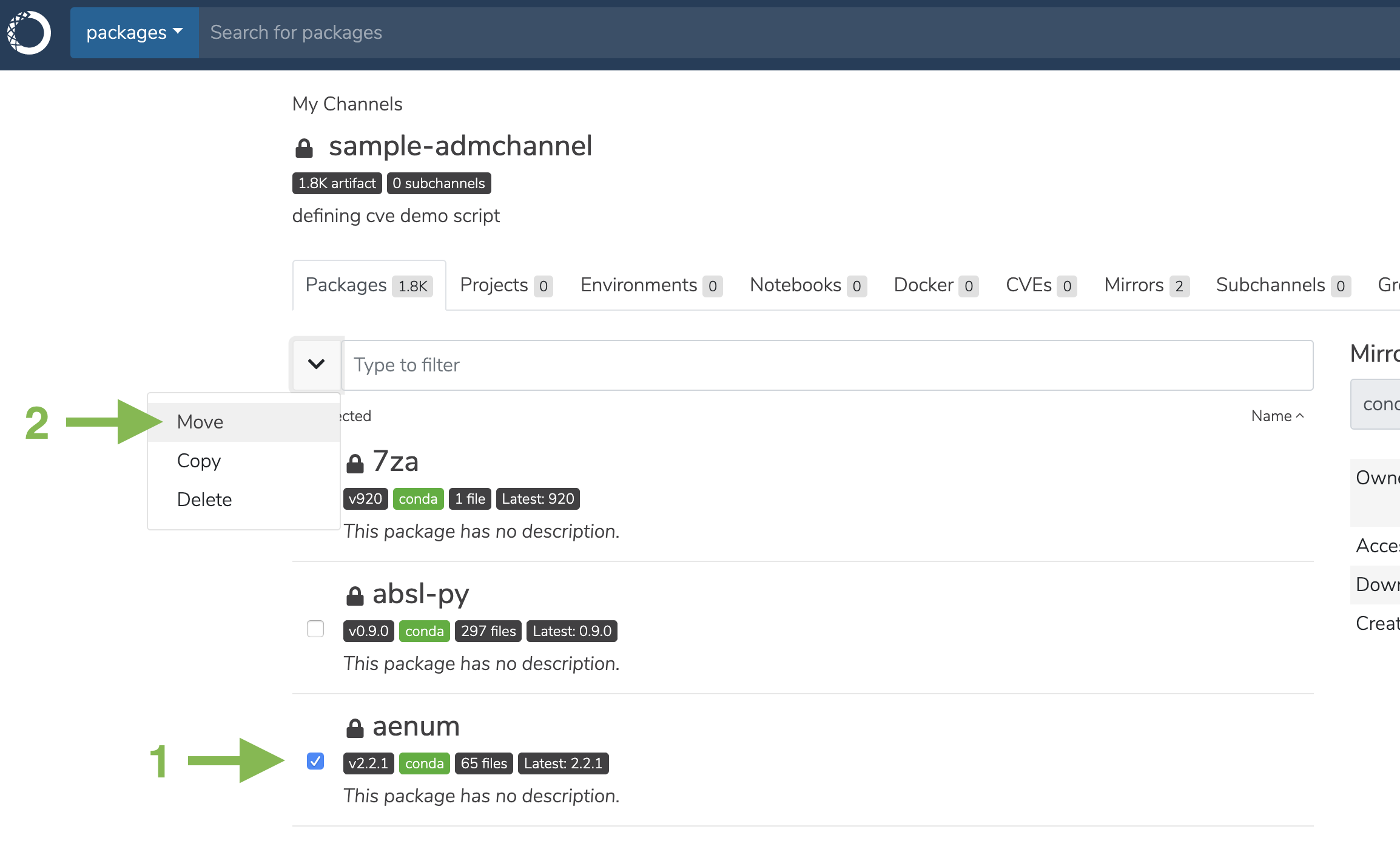
1. Select the checkbox next to a package.
2. Click the dropdown next to the search bar. You may then move, copy, or delete the package.
## Managing a package
1. Select the checkbox next to a package.
2. Click the dropdown next to the search bar. You may then move, copy, or delete the package.
 ## Deleting a package
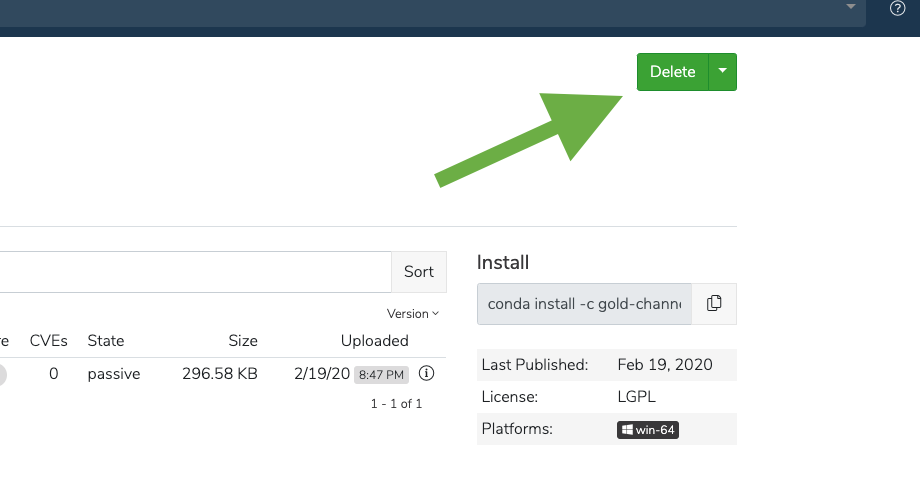
Click the green Delete button to delete a package. You will be prompted to confirm that you want to delete the Package. Click Delete to confirm.
## Deleting a package
Click the green Delete button to delete a package. You will be prompted to confirm that you want to delete the Package. Click Delete to confirm.
 **Via the UI**
1. On a package details page, navigate to the **Files** tab to see all the versions of a given package.
2. Select one or more packages, and then click on the down arrow to the left of the filter field and click **Delete**.
**Via the API**
```sh theme={null}
# Replace placeholders in with the applicable information
DELETE /api/channels//artifacts//
DELETE /api/channels//subchannels//artifacts//
```
**Via the CLI**
```sh theme={null}
# Replace placeholders in with the applicable information
conda-repo remove [--family]/[::[/[/]]]
```
**Via the UI**
1. On a package details page, navigate to the **Files** tab to see all the versions of a given package.
2. Select one or more packages, and then click on the down arrow to the left of the filter field and click **Delete**.
**Via the API**
```sh theme={null}
# Replace placeholders in with the applicable information
DELETE /api/channels//artifacts//
DELETE /api/channels//subchannels//artifacts//
```
**Via the CLI**
```sh theme={null}
# Replace placeholders in with the applicable information
conda-repo remove [--family]/[::[/[/]]]
```