> ## Documentation Index
> Fetch the complete documentation index at: https://anaconda.com/docs/llms.txt
> Use this file to discover all available pages before exploring further.
# Jupyter Notebooks
Notebooks ([Jupyter Notebooks](https://jupyter-notebook.readthedocs.io/en/latest/notebook.html)) are representations of all content visible in the web application, including inputs and outputs of the computations, explanatory text, mathematics, images, and rich media representations of objects.
Anaconda Team Edition enables you to share a notebook .ipynb file to provide visualization and storage of notebook files within the channel.
This topic provides guidance on the following actions:
* [Uploading an existing notebook to a channel](./project#uploading-a-project)
* [Visualizing a notebook](#visualizing-a-notebook)
* [Managing a notebook](./project#managing-a-project)
## Uploading an existing notebook to a channel
1. Preparation for uploading notebooks differs depending on your notebook type. Please follow the relevant guide for your respective notebooks:
* [sdist and wheels](https://packaging.python.org/tutorials/packaging-projects/#generating-distribution-archives)
* [cran](https://r-pkgs.org/structure.html)
* [conda-build](https://docs.conda.io/projects/conda-build/en/latest/)
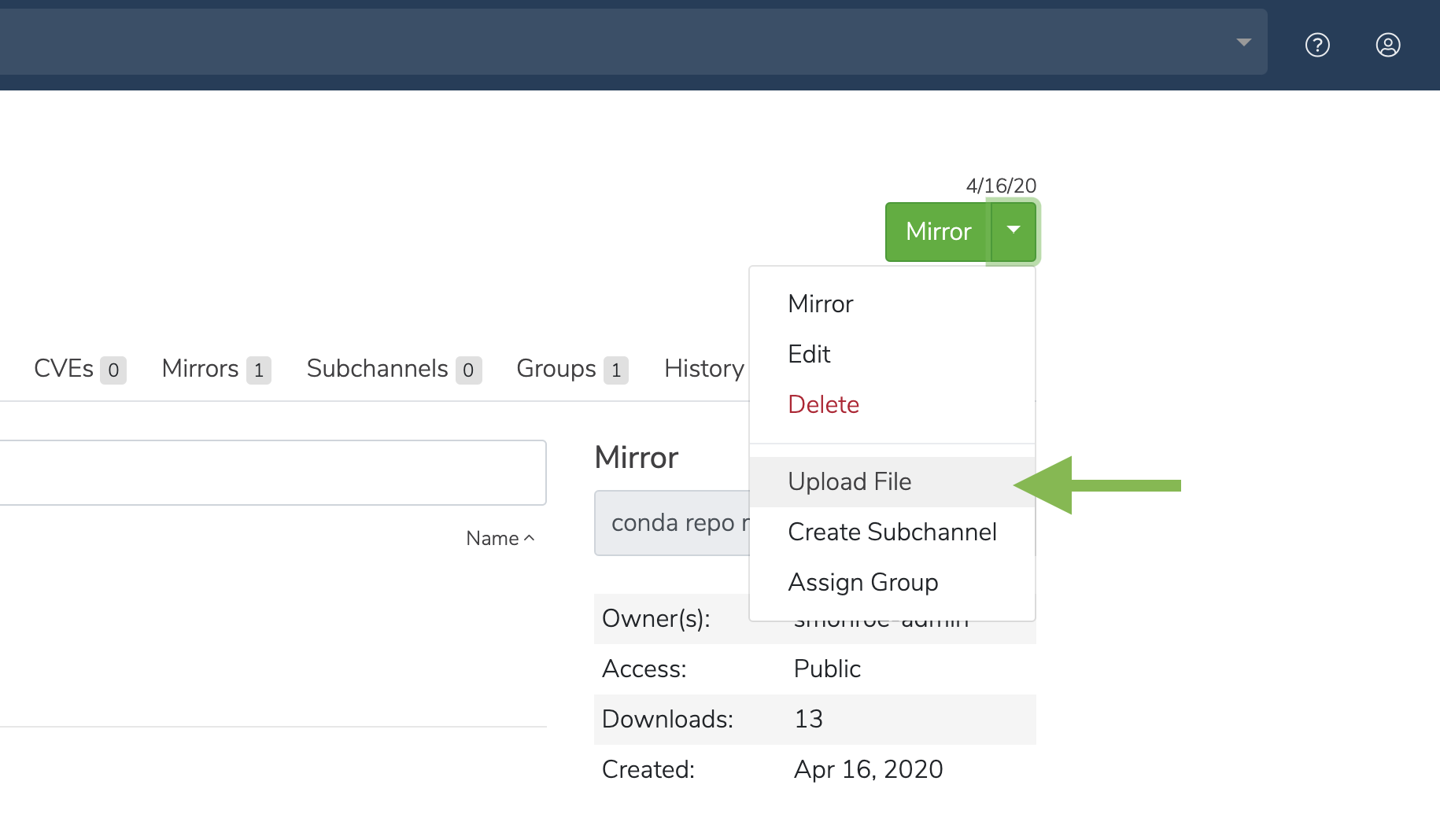 2. Click the green dropdown button in the top right corner, and then click **Upload File**.
3. On the **Upload a File** screen, select the type of file you’d like to upload from the dropdown.
4. Click the **Browse** button to find your file and add it to the page.
5. Click **Upload**.
## Visualizing a notebook
Click on a file to visualize the notebook.
## Managing a notebook
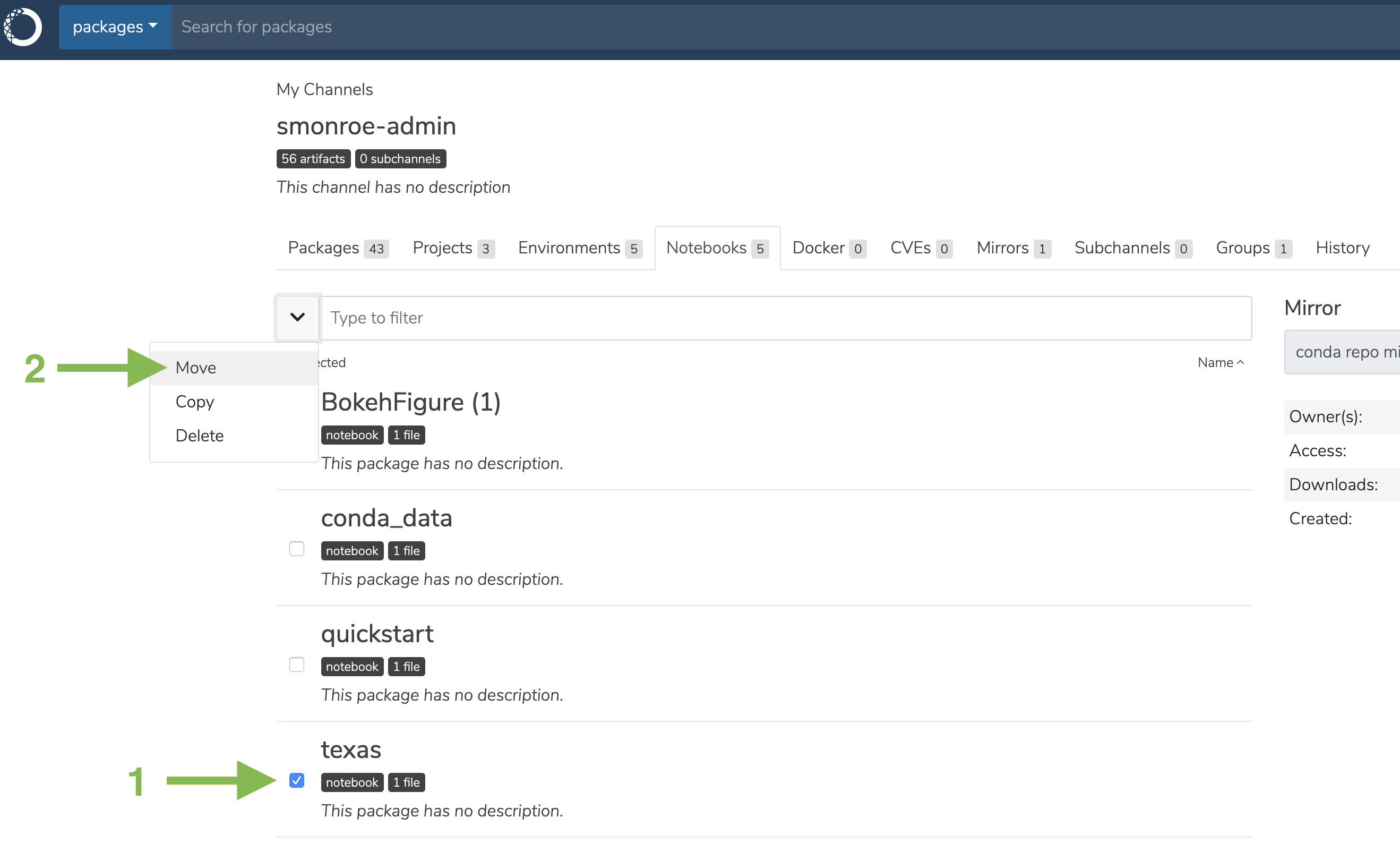
1. Select the checkbox next to a notebook.
2. Click the dropdown next to the search bar. You may then move, copy, or delete the notebook.
2. Click the green dropdown button in the top right corner, and then click **Upload File**.
3. On the **Upload a File** screen, select the type of file you’d like to upload from the dropdown.
4. Click the **Browse** button to find your file and add it to the page.
5. Click **Upload**.
## Visualizing a notebook
Click on a file to visualize the notebook.
## Managing a notebook
1. Select the checkbox next to a notebook.
2. Click the dropdown next to the search bar. You may then move, copy, or delete the notebook.