> ## Documentation Index
> Fetch the complete documentation index at: https://anaconda.com/docs/llms.txt
> Use this file to discover all available pages before exploring further.
# Okta SSO integration
Anaconda Platform supports Okta SSO, so you can control who has access to the platform through your existing Okta organization. To provide finer-grained access control to different parts of the platform, contact [Anaconda support](https://support.anaconda.com/).
## Configuring Okta for Anaconda Platform
Admin only
Configuring platform access with Okta SSO is a two-step process.
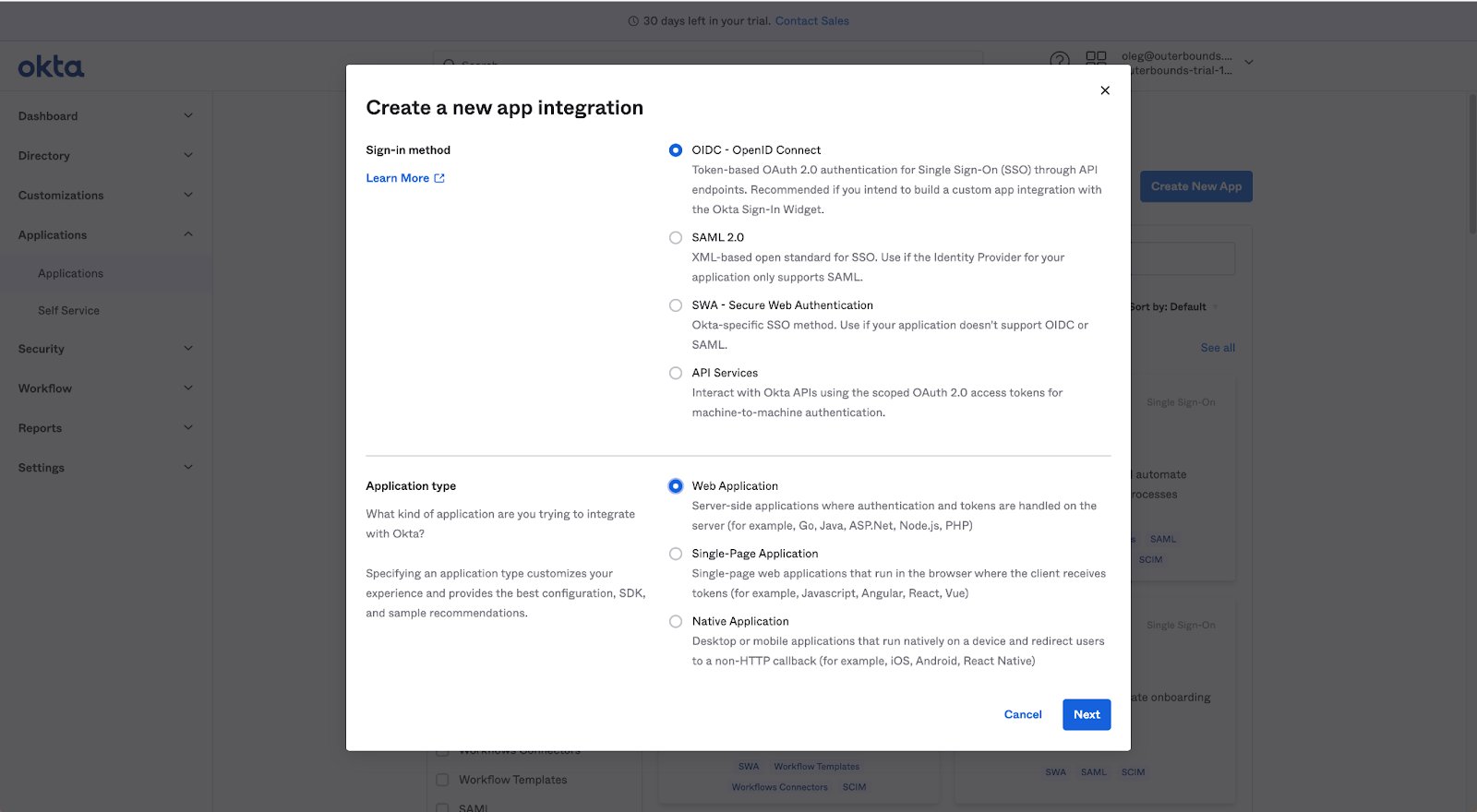
In your Okta console, create a new app integration using OIDC or SAML 2.0.
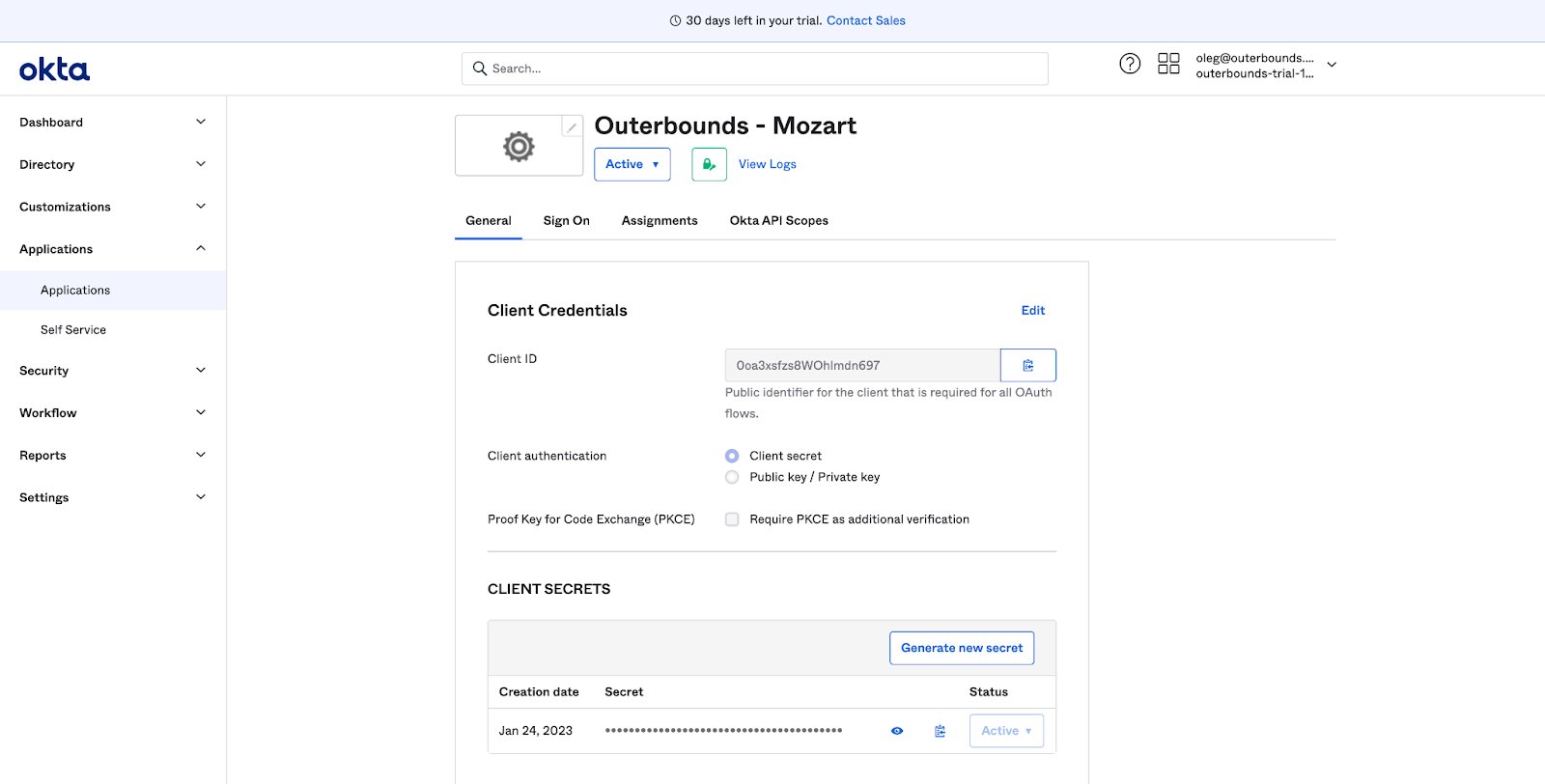
 Provide Anaconda with your **Client ID**, **Client Secret**, and **Okta Domain**.
 Anaconda confirms when the integration is ready for you to test.