> ## Documentation Index
> Fetch the complete documentation index at: https://anaconda.com/docs/llms.txt
> Use this file to discover all available pages before exploring further.
# Model catalog
The model catalog is a curated library of security-reviewed, open-source AI models available to your [perimeter](/docs/platform/concepts/what-is-a-perimeter). Use it to find a model, inspect its metadata, and find code snippets to download it for use in your workloads. The catalog shows only the models your perimeter's [model access policy](/docs/platform/guides/governance/model-governance) allows; models the policy blocks never appear.
## Viewing the model catalog
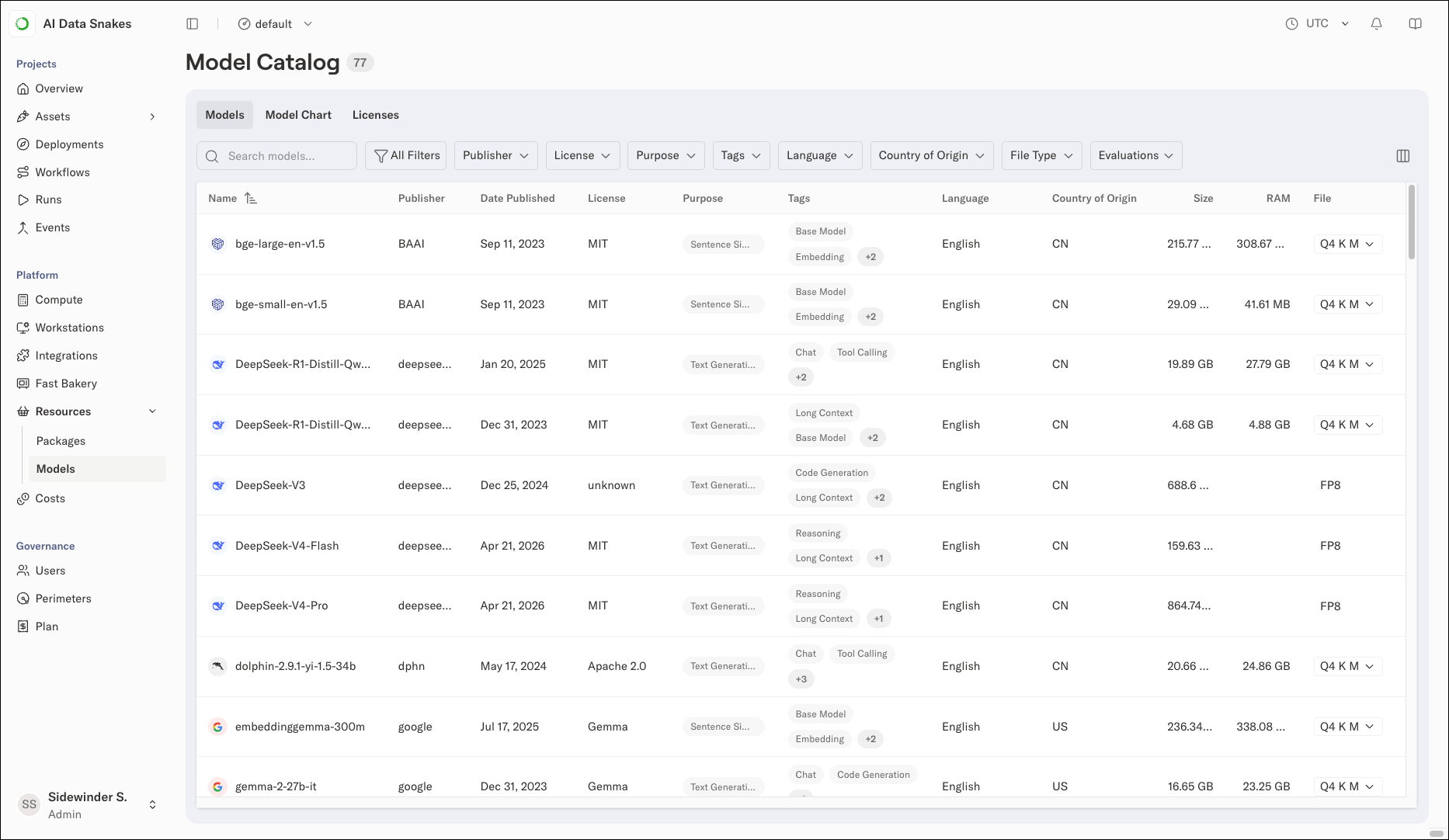
To open the catalog, select **Resources** > **Models** in the left-hand navigation. The number next to the Model Catalog heading shows how many models are available to your perimeter.
 ## Filtering models
Use the filter dropdowns above the table to show only models with the metadata you select, such as models from a specific publisher or with a specific license.
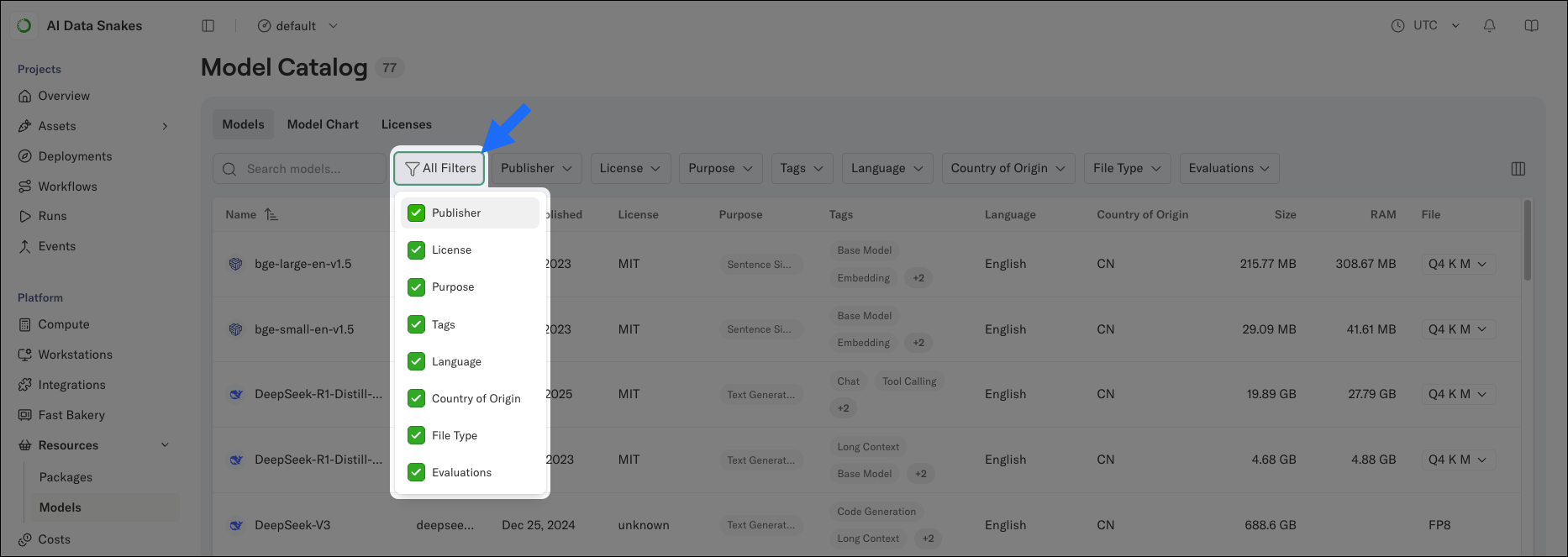
You can control which filters appear above the table by clicking **All Filters** and choosing which available filter fields you want displayed.
## Filtering models
Use the filter dropdowns above the table to show only models with the metadata you select, such as models from a specific publisher or with a specific license.
You can control which filters appear above the table by clicking **All Filters** and choosing which available filter fields you want displayed.
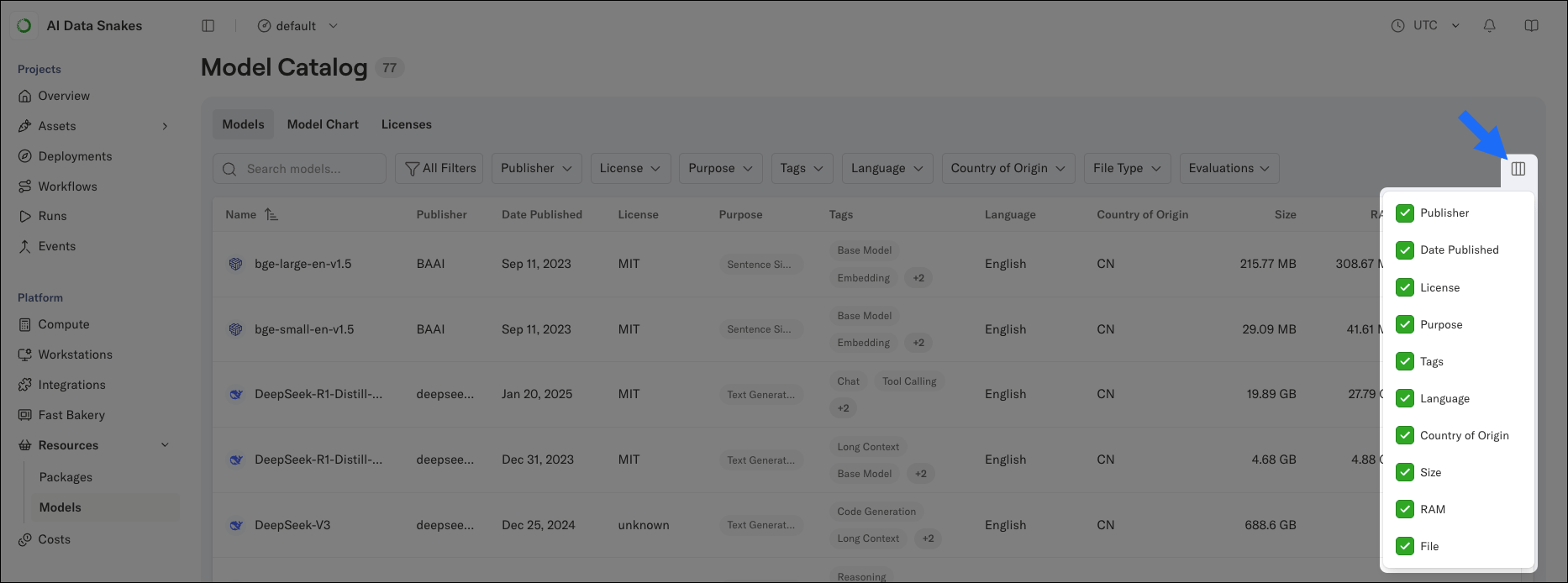
 You can also control which columns the table shows by clicking the columns icon beside the filter controls. For example, clear Language or Country of Origin if you don't need them.
 To find a specific model quickly, use the search box. The search matches your string against every column in the table, and the list and model count update as you type.
## Comparing models with the model chart
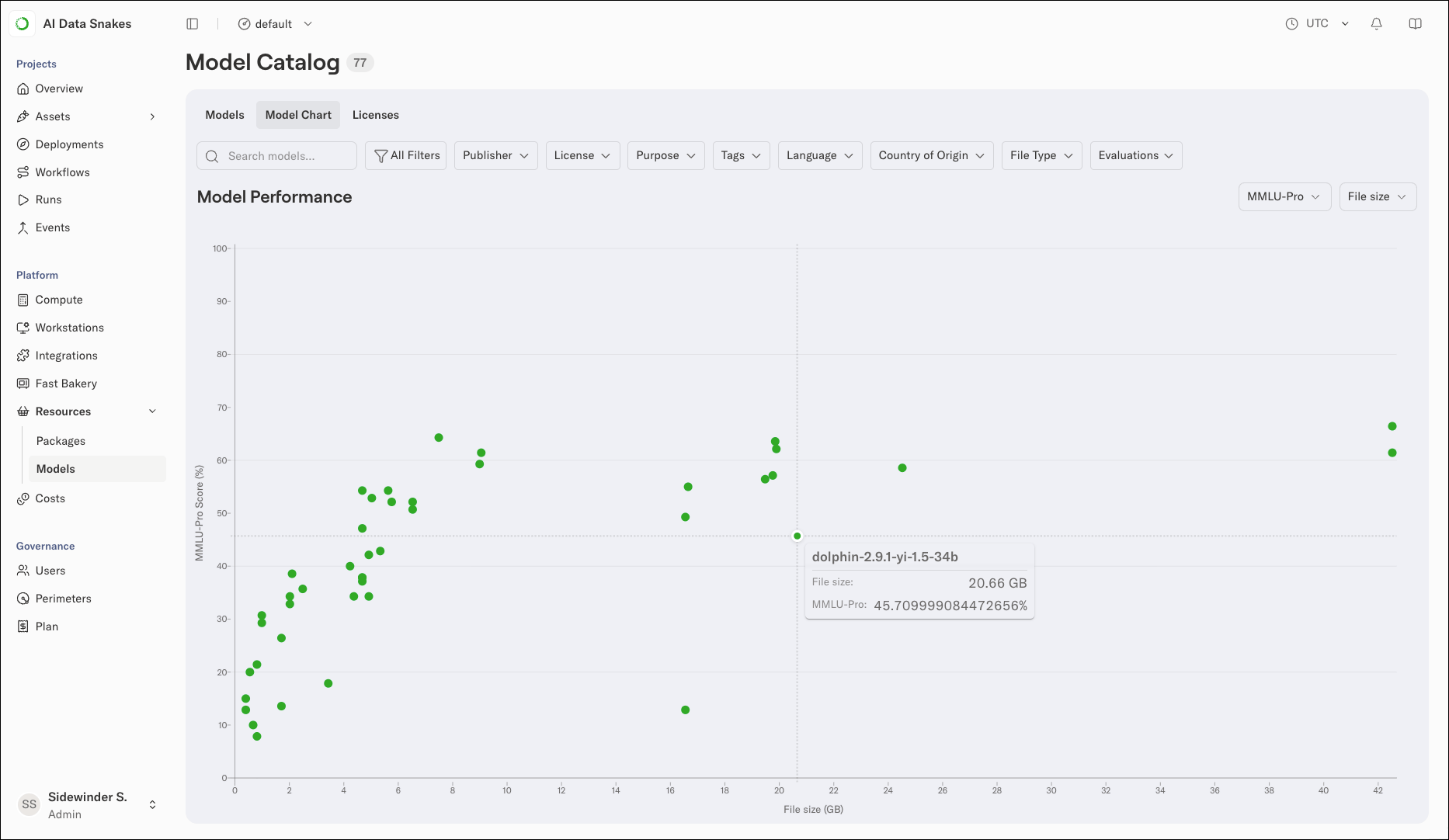
Select the **Model Chart** tab to compare models visually. The Model Performance chart plots each model as a point, with a benchmark score on the vertical axis and the model's size on the horizontal axis, so you can see the tradeoff between performance and resource footprint at a glance.
* Use the first dropdown to choose the benchmark shown on the vertical axis (MMLU-Pro by default).
* Use the second dropdown to choose whether the horizontal axis shows **File size** or **Max RAM**, both in GB.
The chart uses the same search and filters as the Models table, so narrowing the table narrows the chart. Click a point to open that model's details.
To find a specific model quickly, use the search box. The search matches your string against every column in the table, and the list and model count update as you type.
## Comparing models with the model chart
Select the **Model Chart** tab to compare models visually. The Model Performance chart plots each model as a point, with a benchmark score on the vertical axis and the model's size on the horizontal axis, so you can see the tradeoff between performance and resource footprint at a glance.
* Use the first dropdown to choose the benchmark shown on the vertical axis (MMLU-Pro by default).
* Use the second dropdown to choose whether the horizontal axis shows **File size** or **Max RAM**, both in GB.
The chart uses the same search and filters as the Models table, so narrowing the table narrows the chart. Click a point to open that model's details.
 ## Viewing model details
Select a model to open its details. The details page has three tabs:
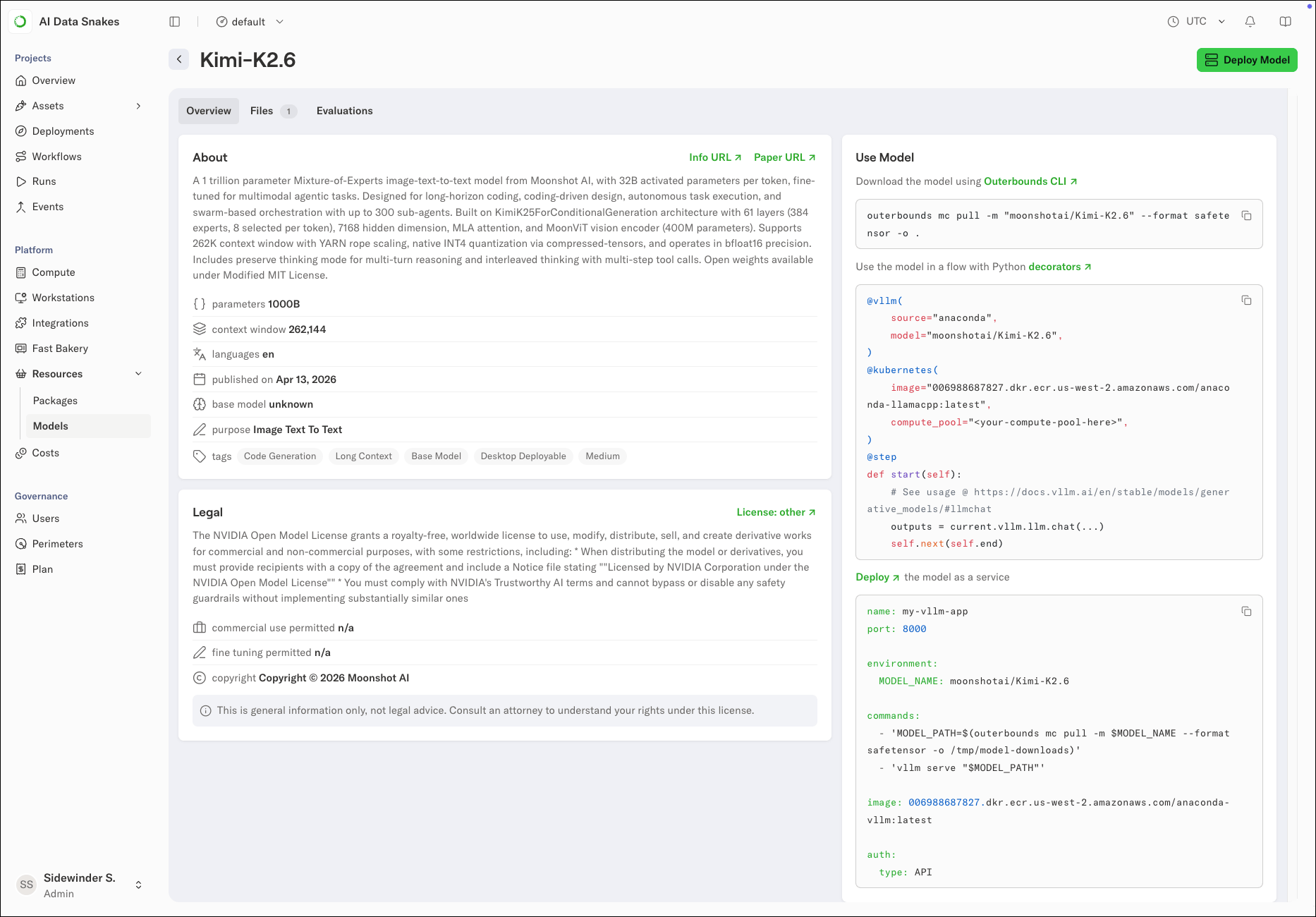
* **Overview**: The About section describes the model and lists its metadata, such as parameter count, context window, languages, and purpose. The Legal section covers the model's license, its commercial use and fine-tuning permissions, and the copyright holder. Links such as Info URL and Paper URL open the publisher's pages for more detail.
## Viewing model details
Select a model to open its details. The details page has three tabs:
* **Overview**: The About section describes the model and lists its metadata, such as parameter count, context window, languages, and purpose. The Legal section covers the model's license, its commercial use and fine-tuning permissions, and the copyright holder. Links such as Info URL and Paper URL open the publisher's pages for more detail.
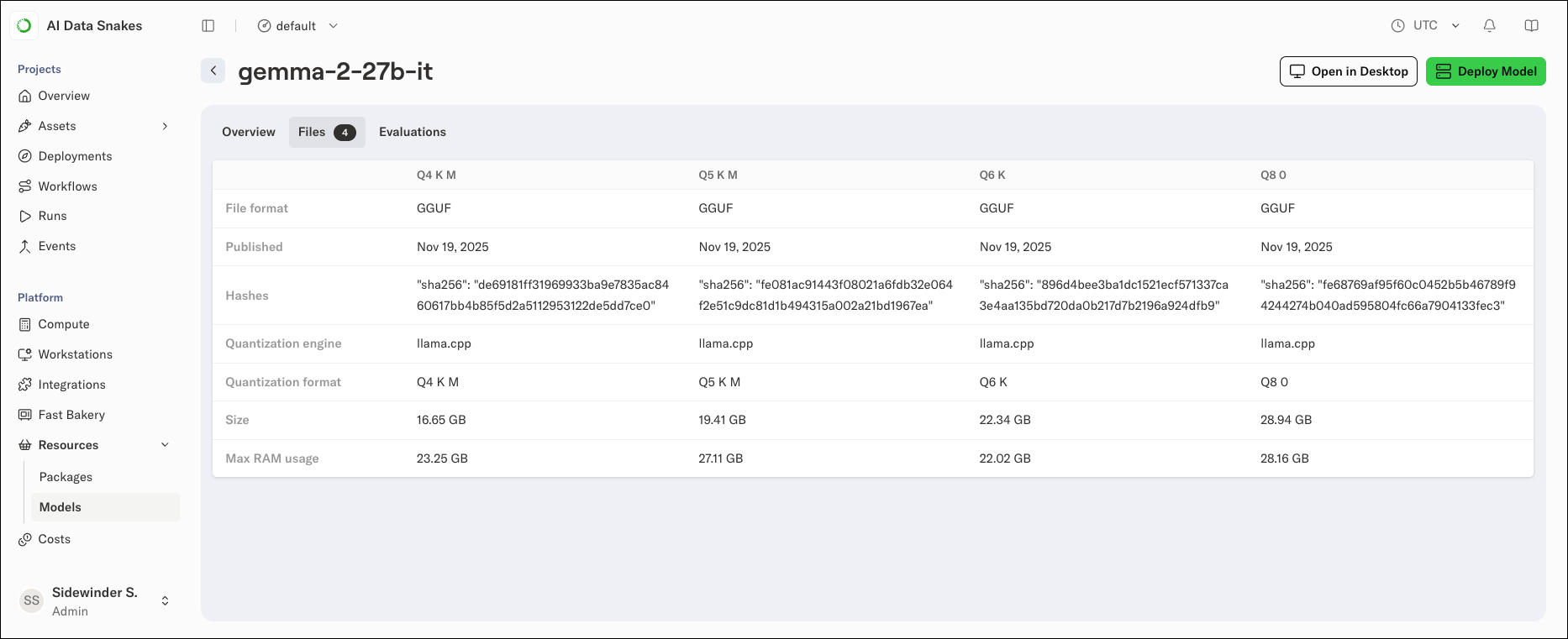
 * **Files**: Compares the model's available file variants side by side, so you can pick the one that fits your hardware before downloading. Each variant lists its file format, publish date, SHA-256 hash, quantization engine, file size, and expected max RAM usage.
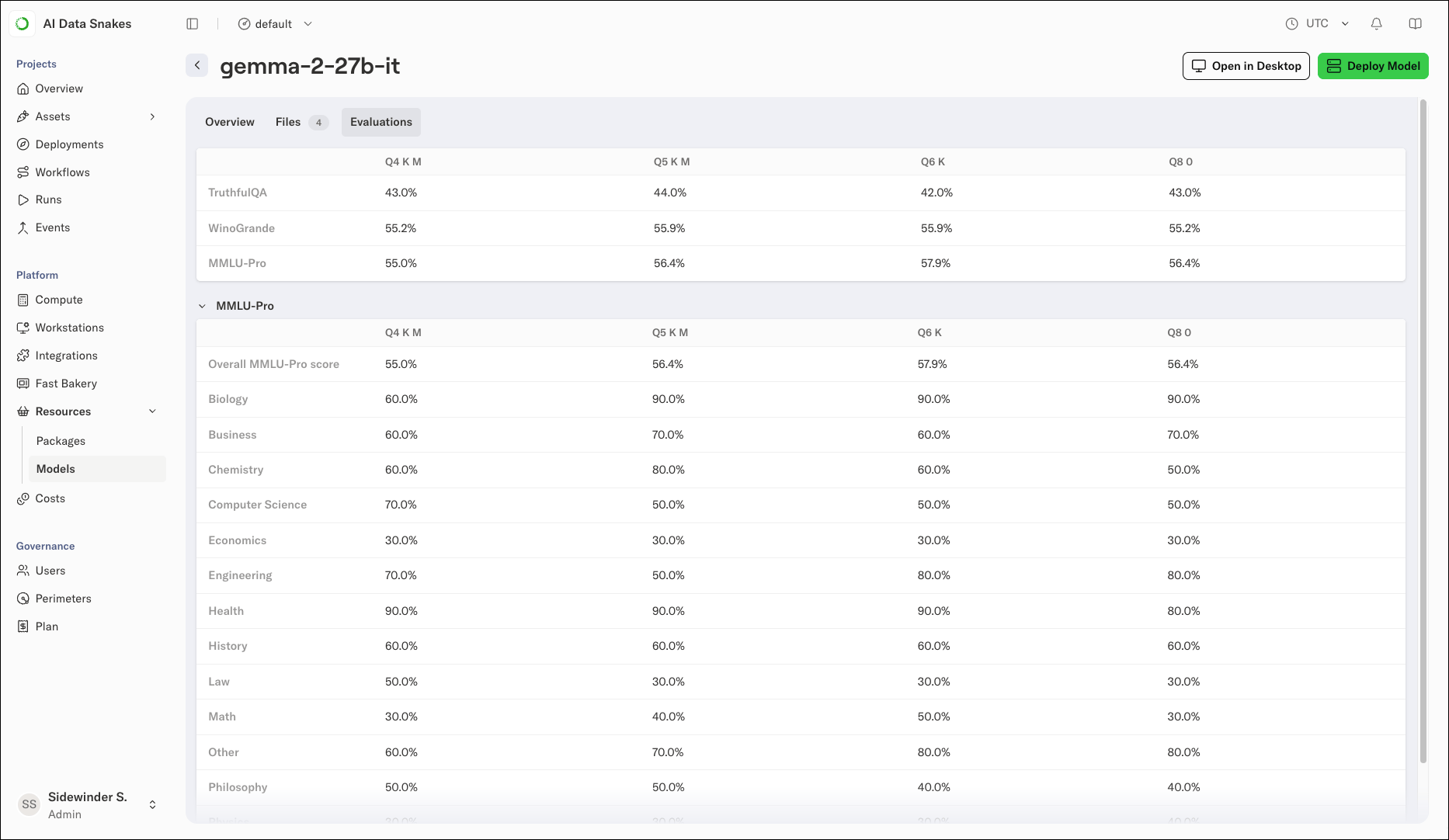
 * **Evaluations**: The model's benchmark results. A summary table compares scores across benchmarks, such as TruthfulQA, WinoGrande, and MMLU-Pro, for each file variant. Expand a benchmark to see per-subject scores.
 ## Using a model
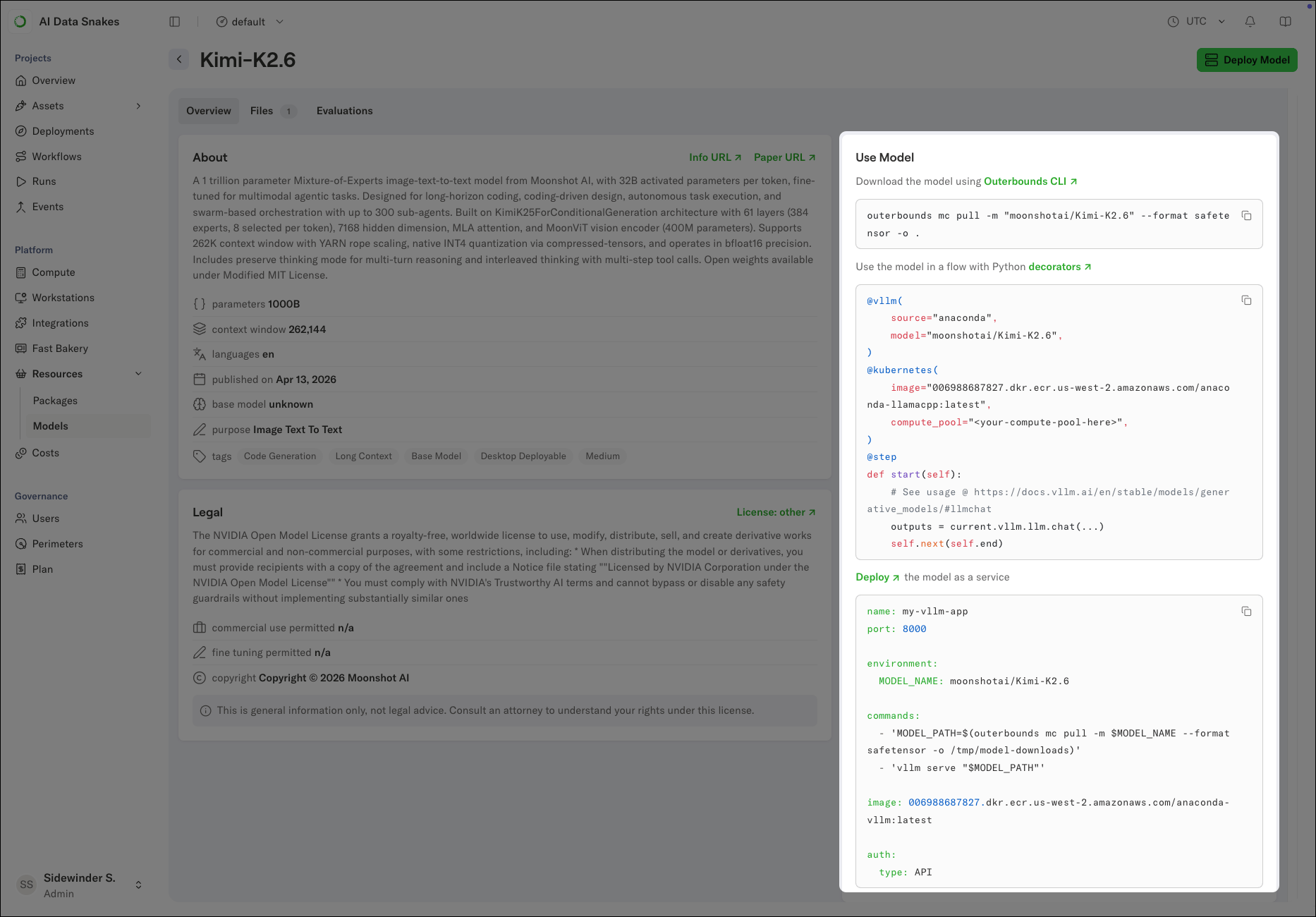
The **Use Model** panel on the details page provides ready-to-copy starting points for working with the model, including a command for downloading the model with the `outerbounds` CLI, a Python snippet for using the model in a flow, and a starter configuration for deploying the model as a service.
## Using a model
The **Use Model** panel on the details page provides ready-to-copy starting points for working with the model, including a command for downloading the model with the `outerbounds` CLI, a Python snippet for using the model in a flow, and a starter configuration for deploying the model as a service.
 For the full deployment guide, see [Deploy a model from the model catalog](/docs/platform/guides/inference/deploy-model-from-catalog).
Some models require an administrator to accept the model's license before anyone in the deployment can download them. For more information, see [Reviewing model licenses](#reviewing-and-accepting-model-licenses).
## Reviewing and accepting model licenses
Admin only
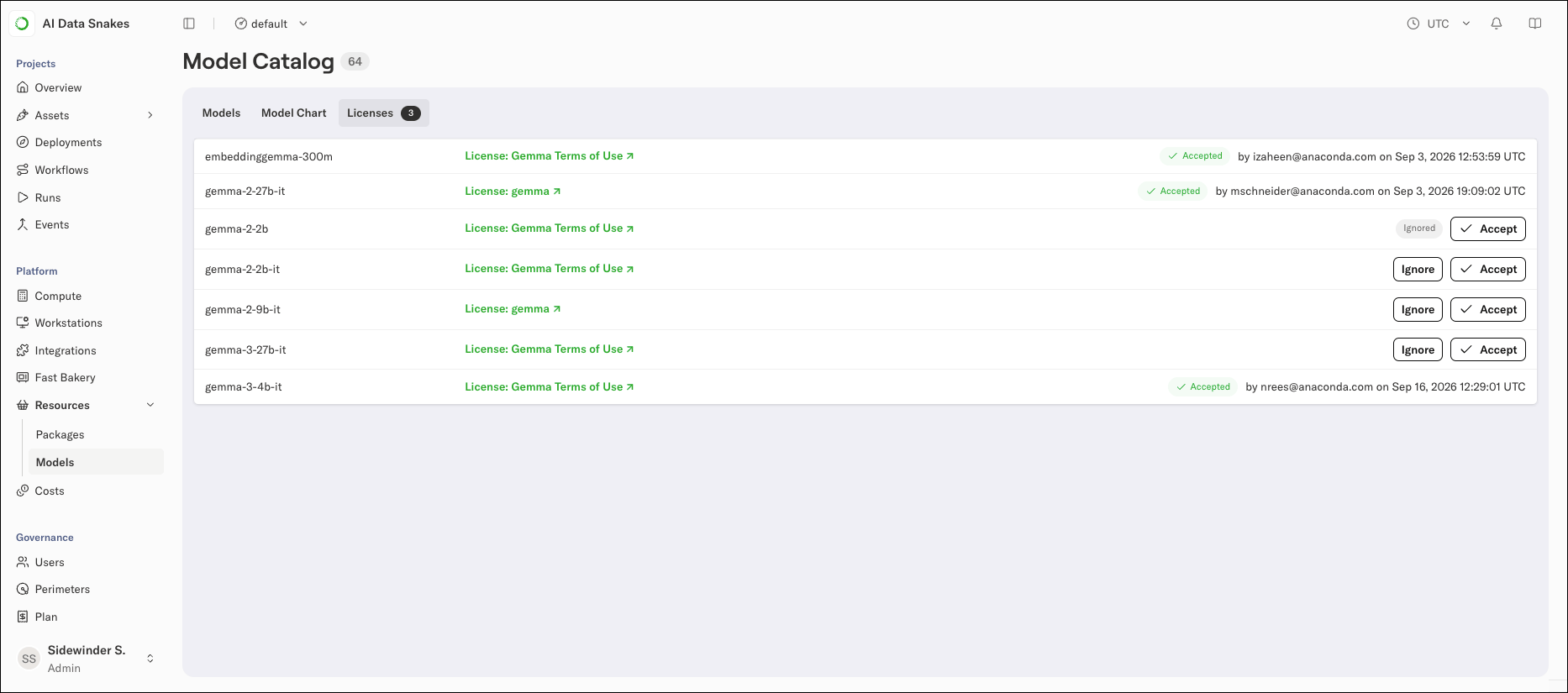
The **Licenses** tab lists the models that require license acceptance, with a badge on the tab showing how many are waiting for review.
To review a model's license:
1. Select **Resources** > **Models** in the left-hand navigation and select the **Licenses** tab.
2. Review the license terms using the model's license link and the Acceptable Use Policy.
3. Click **Accept** to make the model available for download, or **Ignore** to dismiss it. Ignored models remain unavailable for download.
For the full deployment guide, see [Deploy a model from the model catalog](/docs/platform/guides/inference/deploy-model-from-catalog).
Some models require an administrator to accept the model's license before anyone in the deployment can download them. For more information, see [Reviewing model licenses](#reviewing-and-accepting-model-licenses).
## Reviewing and accepting model licenses
Admin only
The **Licenses** tab lists the models that require license acceptance, with a badge on the tab showing how many are waiting for review.
To review a model's license:
1. Select **Resources** > **Models** in the left-hand navigation and select the **Licenses** tab.
2. Review the license terms using the model's license link and the Acceptable Use Policy.
3. Click **Accept** to make the model available for download, or **Ignore** to dismiss it. Ignored models remain unavailable for download.
 Administrators control which models a perimeter can access. For more information, see [Model governance](/docs/platform/guides/governance/model-governance). For background on the catalog, see [What is the model catalog?](/docs/platform/concepts/what-is-the-model-catalog)