> ## Documentation Index
> Fetch the complete documentation index at: https://anaconda.com/docs/llms.txt
> Use this file to discover all available pages before exploring further.
# Model governance
export const GCell = ({children, className}) =>
{children}
;
export const GTH = ({children, className}) =>
{children}
;
export const GRow = ({children}) => {children}
;
export const GBody = ({children}) => {children}
;
export const GHead = ({children}) => {children}
;
export const GTable = ({children, className, cols}) =>
{children}
;
Admin only
Model governance is how you control which models your teams can browse and download. As an administrator, you set a model access policy on each perimeter so your teams work only with models that meet your organization's requirements.
## Setting a model access policy
To set a model access policy for a perimeter:
1. Select **Perimeters** in the left-hand navigation.
2. Select the perimeter where you want to set the policy.
3. Select the **Models** tab.
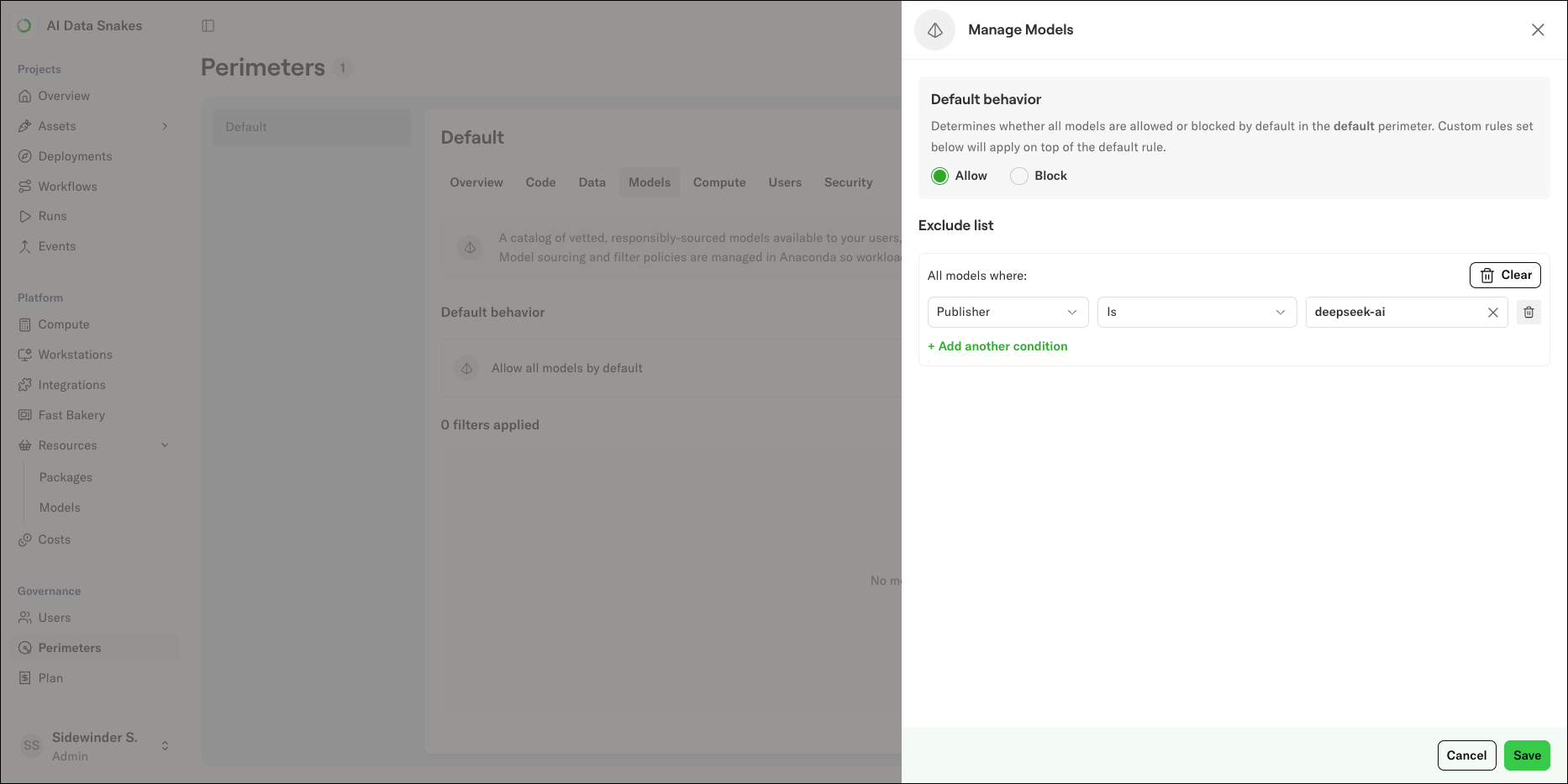
4. Click **Manage** to open the Manage Models panel.
5. Set the **Default behavior** to **Allow** or **Block**.
* **Allow** means all models are available unless they match a rule in the exclude list.
* **Block** means all models are blocked unless they match a rule in the include list.
6. Add rules to the list. For each rule, select a field, an operator, and a value. See [condition fields](#condition-fields) for the available fields.
7. Once you are satisfied with the model policy, click **Save**.
 ### Condition fields
Field
Description
Model name (glob)
Glob match on the model name. Case-insensitive, supports `*`, `?`, and `[...]` character classes; `**` is not supported
Publisher
The model's publisher or source group
License
The model's license
Purpose
What the model is designed for
Tags
Capability and domain tags
Country of Origin
The country where the model was produced
Parameters
The model's parameter count, in billions (for example, 70 is 70 billion parameters)
Expected VRAM
Expected VRAM usage, in GB
### Condition fields
Field
Description
Model name (glob)
Glob match on the model name. Case-insensitive, supports `*`, `?`, and `[...]` character classes; `**` is not supported
Publisher
The model's publisher or source group
License
The model's license
Purpose
What the model is designed for
Tags
Capability and domain tags
Country of Origin
The country where the model was produced
Parameters
The model's parameter count, in billions (for example, 70 is 70 billion parameters)
Expected VRAM
Expected VRAM usage, in GB