> ## Documentation Index
> Fetch the complete documentation index at: https://anaconda.com/docs/llms.txt
> Use this file to discover all available pages before exploring further.
# Configuring channels and mirrors
Data Science & AI Workbench enables you to distribute software through the use of *channels* and *packages*. Channels represent locations of repositories where Workbench looks for packages. Packages are used to bundle software files and information about the software—such as its name, specific version and description—into a single file that can be easily installed and managed.
Workbench supports the use of both conda and pip packages in its repository.
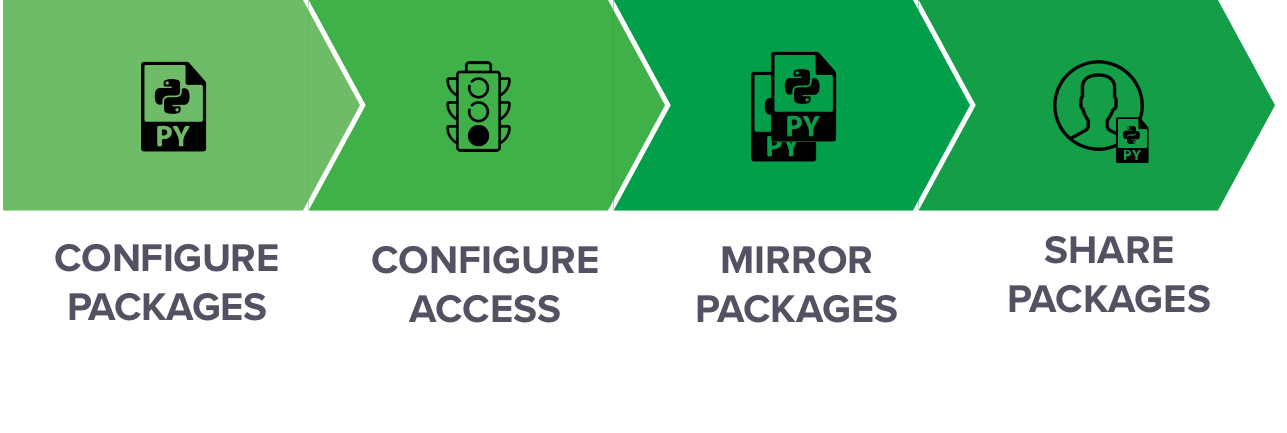
The process for distributing packages within an organization resembles the following:
1. Configure access to a cloud-based repository or a private location on a remote or local repository that you or your organization created. See [Accessing remote package repositories](./config-repo-access) for more information.
2. Mirror [the entire Anaconda repository](./mirror#mirroring-the-anaconda-repository) or [specific packages](./mirror#mirroring-specific-packages). You can also mirror packages in a repository [in an airgapped environment without internet access](./mirror#mirroring-in-an-air-gapped-environment).
3. Share channels with specific users or groups to give them access to the packages within the channel. You can copy packages from one channel into another, customize each channel by including different versions of packages, and delete channels when they are no longer needed. See [Managing channels and packages](./manage) for more information.
Your organization can also optionally configure Workbench to [point conda to an on-premises repository](./condarc), or [use a proxy for conda packages](./proxy).