> ## Documentation Index
> Fetch the complete documentation index at: https://anaconda.com/docs/llms.txt
> Use this file to discover all available pages before exploring further.
# Configuring Operations Center Admins using Google OIDC
If you prefer to use OpenID Connect (OIDC) to authorize Admin users to manage cluster resources, you’ll need to use the Data Science & AI Workbench Operation Center to configure an Auth Connector.
**Before you begin:** You’ll need to [setup a project page and credentials](https://console.developers.google.com/apis/credentials).
**To configure an OIDC Auth Connector:**
1. Log in to Workbench, select **Menu** in the top right corner and click the **Administrative Console** link displayed at the bottom of the slide out window.
2. Click **Manage Resources**.
3. Login to the Operations Center using the Administrator credentials [configured after installation](../../install/config.html).
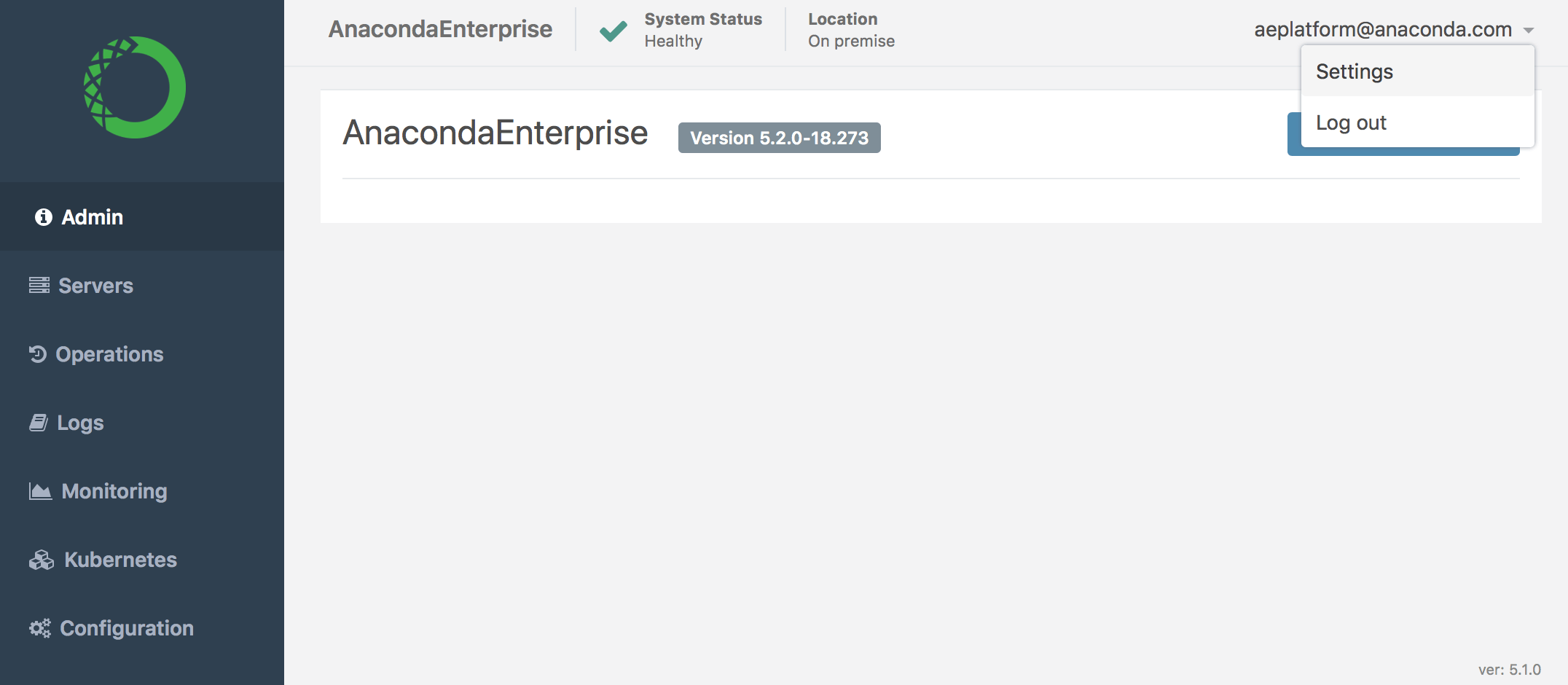
4. Select **Settings** in the login menu in the upper-right corner.
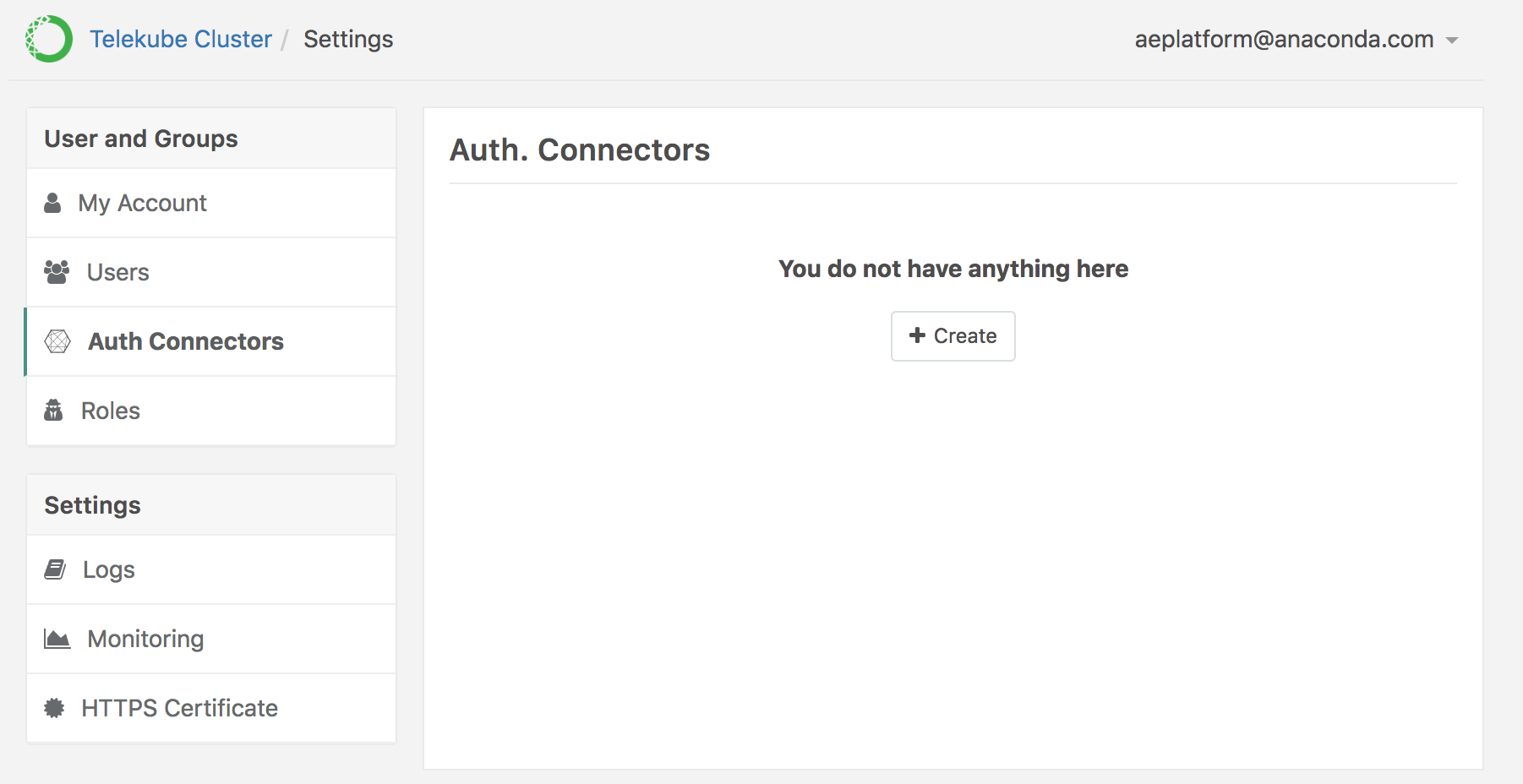
 5. In the left menu, select **Auth Connectors**, then click **+ Create** (if this is your first Auth Connector) or **+ New Connector** in the bottom-left, if other connectors have been configured.
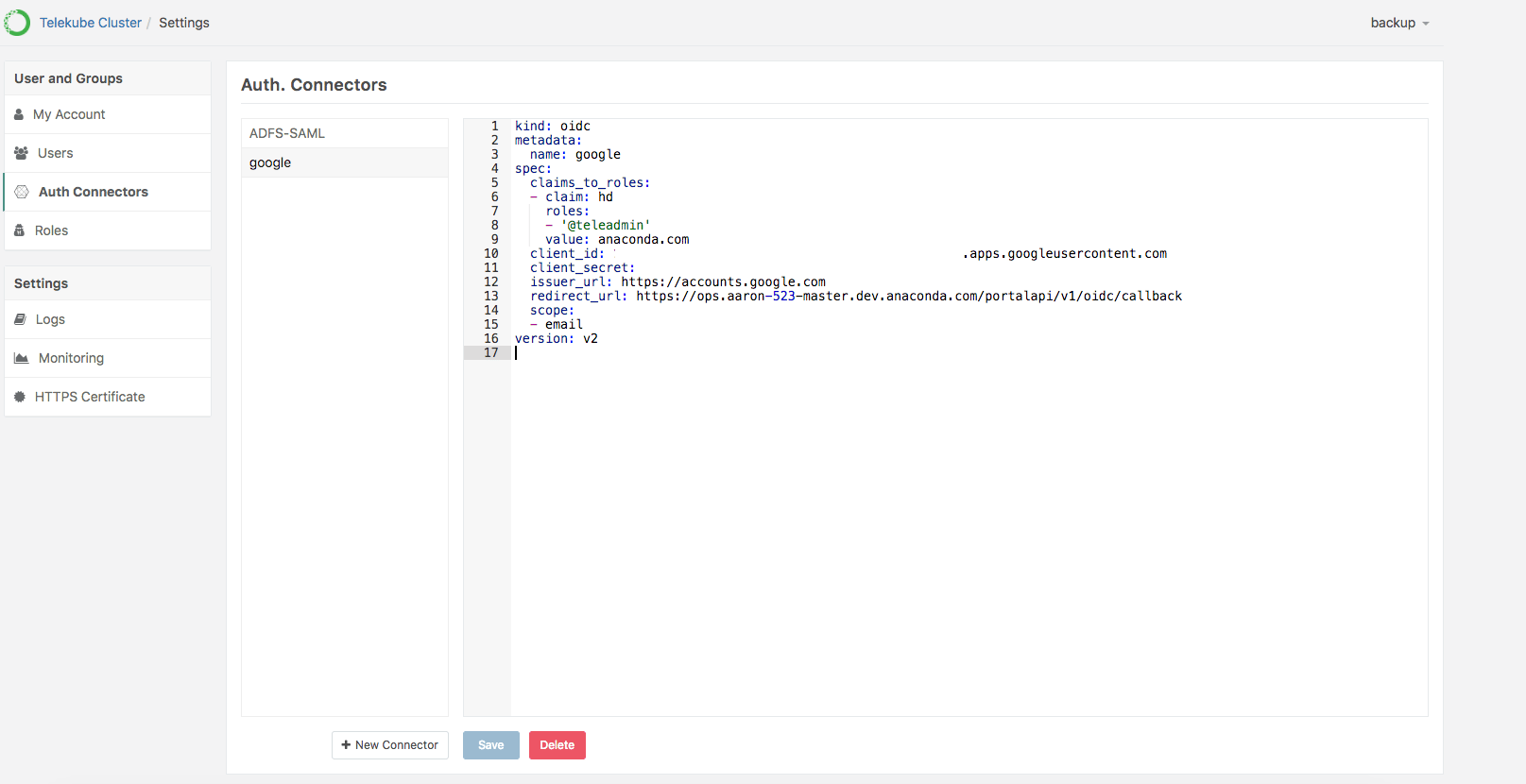
 6. Provide the information required to connect to OIDC—including the client credentials—using the following format:
```
kind: oidc
metadata:
name: google
spec:
claims_to_roles:
- {claim: "hd", value: "domain.com", roles: ["@teleadmin"]}
client_id:
client_secret:
issuer_url: https://accounts.google.com
redirect_url: "https://ops.domain/portalapi/v1/oidc/callback"
scope: [email]
version: v2
```
**NOTE:** Using the above settings, all accounts belonging to `domain.com` will be a member of `@teleadmin` (making them superadmins).
EXAMPLE:
6. Provide the information required to connect to OIDC—including the client credentials—using the following format:
```
kind: oidc
metadata:
name: google
spec:
claims_to_roles:
- {claim: "hd", value: "domain.com", roles: ["@teleadmin"]}
client_id:
client_secret:
issuer_url: https://accounts.google.com
redirect_url: "https://ops.domain/portalapi/v1/oidc/callback"
scope: [email]
version: v2
```
**NOTE:** Using the above settings, all accounts belonging to `domain.com` will be a member of `@teleadmin` (making them superadmins).
EXAMPLE:
 7. Click **Save** to update Workbench to use this new connector. If the account already exists, you’ll get an error.