> ## Documentation Index
> Fetch the complete documentation index at: https://anaconda.com/docs/llms.txt
> Use this file to discover all available pages before exploring further.
# Administering Anaconda Enterprise
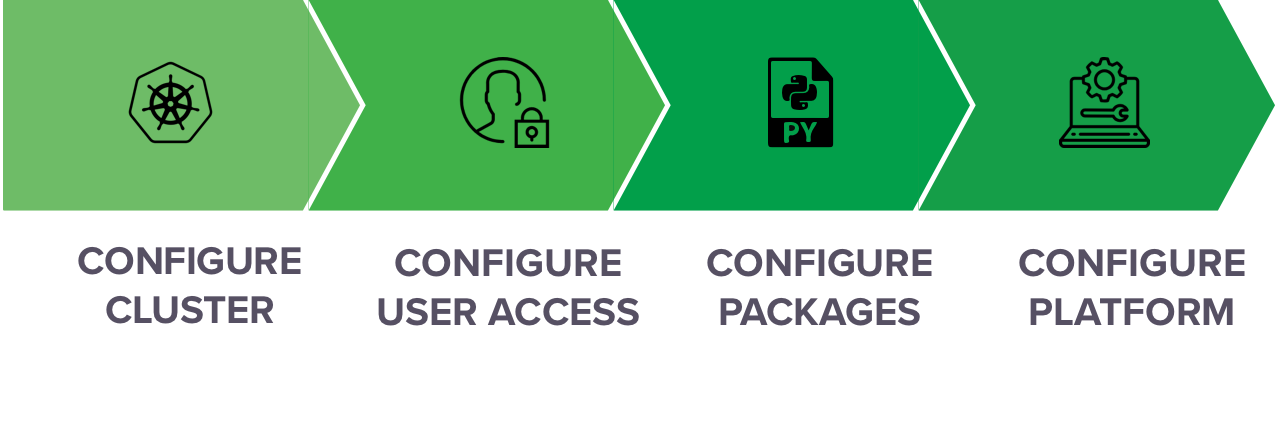
There are several aspects of Anaconda Enterprise that can be configured to meet your organization’s specific requirements, including the following:
* Configuring and monitoring the utilization of [cluster resources](./resources/main).
* Configuring [user access](./user-mgmt/main) to the platform and its resources.
* Configuring [channels](./chan-pkg/main) of packages, plus [environments and custom installers](./custom-installer) to distribute software.
* Configuring [advanced platform settings](./advanced/main), including [configuring Livy server for Hadoop Spark access](./advanced/config-livy-server), [configuring external version control](./advanced/config-repo), and [mounting NFS shares](./advanced/nfs).
Administrators use [different consoles](./consoles) to perform tasks in each of these areas, **with credentials required to access each console**. This gives enterprises the flexibility they need to choose whether to grant the permissions required to access a particular console to a single Admin, or different individuals, based on their area(s) of expertise within the organization.
Some configuration options fall outside of these general categories—and you may not necessarily follow this linear process—however, the following offers a high-level overview of the configuration workflow you’re likely to follow: