> ## Documentation Index
> Fetch the complete documentation index at: https://anaconda.com/docs/llms.txt
> Use this file to discover all available pages before exploring further.
# Searching Anaconda.org
export const DefinitionDescription = ({children}) => {children};
export const DefinitionTerm = ({children}) => {children};
export const DefinitionList = ({children}) => {children}
;
Anaconda.org hosts thousands of open-source packages, pre-built environments Beta, and curated AI models. Search for any of these by name using the search bar, use the artifact tabs to switch between result types, and apply filters to narrow your results. Select any result card to open its [detail page](/docs/anaconda-org/artifact-details). Searching does not require an account.
An Anaconda account and a token with appropriate permissions are required to access other users' private packages. For more information, see [Tokens](/docs/anaconda-org/admin-guide/tokens).
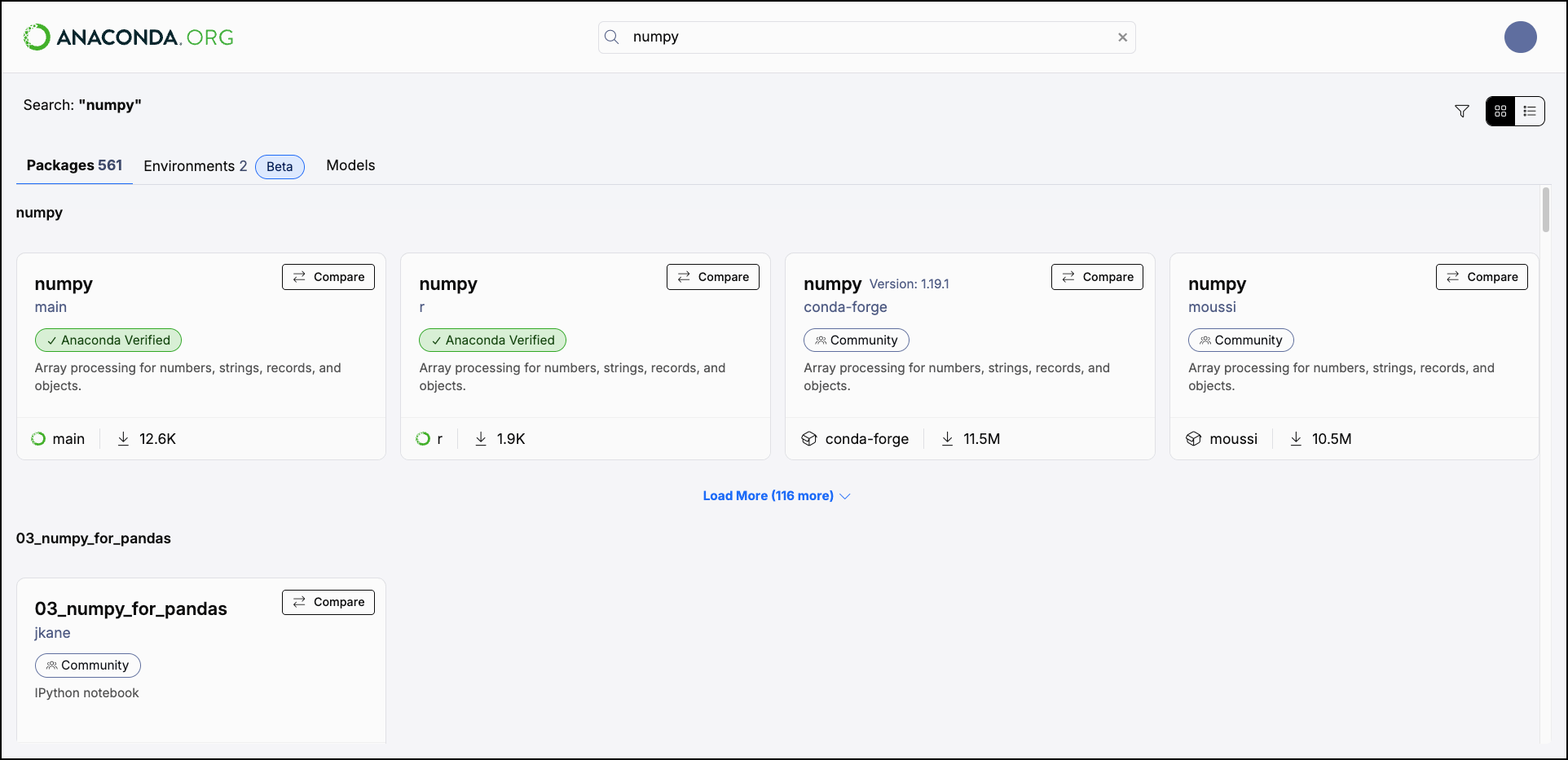 Select the filter icon to open the **All Filters** menu. The available filters vary depending on whether you are searching for packages, environments, or models.
Access
Whether the package is public or private. You need a specific token to view other users' private packages. For more information, see [Tokens](/docs/anaconda-org/admin-guide/tokens).
Channel
The channel that contains the package. This list contains Anaconda channels, as well as conda-forge and other community and user channels.
License
The license applied to the package.
Platform
The platform or system architecture (for example, `linux-64`, `osx-arm64`, `win-64`). "Noarch" packages are built to work on all platforms.
Type
The package type.
Platform
The platform or system architecture (for example, `linux-64`, `osx-arm64`, `win-64`).
Source
Filter for environments curated by Anaconda or created by the community.
Community-created environments are coming soon.
Tag
Descriptive tags such as `Deep Learning`, `Data Science`, `Finance`, or `Starter`.
Model type
The model's training objective and architecture, such as `text-generation` or `code-generation`.
Publishers
The organization that built the model.
Size
The model's file size on disk.
Tag
Descriptive tags such as `Tool Calling`, `Code Generation`, or `Embedding`.
Select the filter icon to open the **All Filters** menu. The available filters vary depending on whether you are searching for packages, environments, or models.
Access
Whether the package is public or private. You need a specific token to view other users' private packages. For more information, see [Tokens](/docs/anaconda-org/admin-guide/tokens).
Channel
The channel that contains the package. This list contains Anaconda channels, as well as conda-forge and other community and user channels.
License
The license applied to the package.
Platform
The platform or system architecture (for example, `linux-64`, `osx-arm64`, `win-64`). "Noarch" packages are built to work on all platforms.
Type
The package type.
Platform
The platform or system architecture (for example, `linux-64`, `osx-arm64`, `win-64`).
Source
Filter for environments curated by Anaconda or created by the community.
Community-created environments are coming soon.
Tag
Descriptive tags such as `Deep Learning`, `Data Science`, `Finance`, or `Starter`.
Model type
The model's training objective and architecture, such as `text-generation` or `code-generation`.
Publishers
The organization that built the model.
Size
The model's file size on disk.
Tag
Descriptive tags such as `Tool Calling`, `Code Generation`, or `Embedding`.