> ## Documentation Index
> Fetch the complete documentation index at: https://anaconda.com/docs/llms.txt
> Use this file to discover all available pages before exploring further.
# Comparing packages
Anaconda.org's package comparison tool lets you evaluate up to five packages side by side, making it easier to choose the right one for your project.
## Adding packages to a comparison
Enter Compare mode by clicking **Compare** in the search results page or on a package's details page.
Once you are in Compare mode, you can add up to five packages to the comparison.
* If you entered Compare mode from a package details page, that package will be added to the comparison automatically.
* If you entered Compare mode from the search results page, you can add more packages by clicking **Compare** on each package card.
You can continue to navigate Anaconda.org normally without exiting Compare mode. Search for new packages and select their checkboxes to add them to the comparison, or navigate to a package's details page and click **Add to comparison**.
Any packages added to the comparison are visible at the bottom of the page in the comparison queue. Click the beside a package to remove it from the comparison.
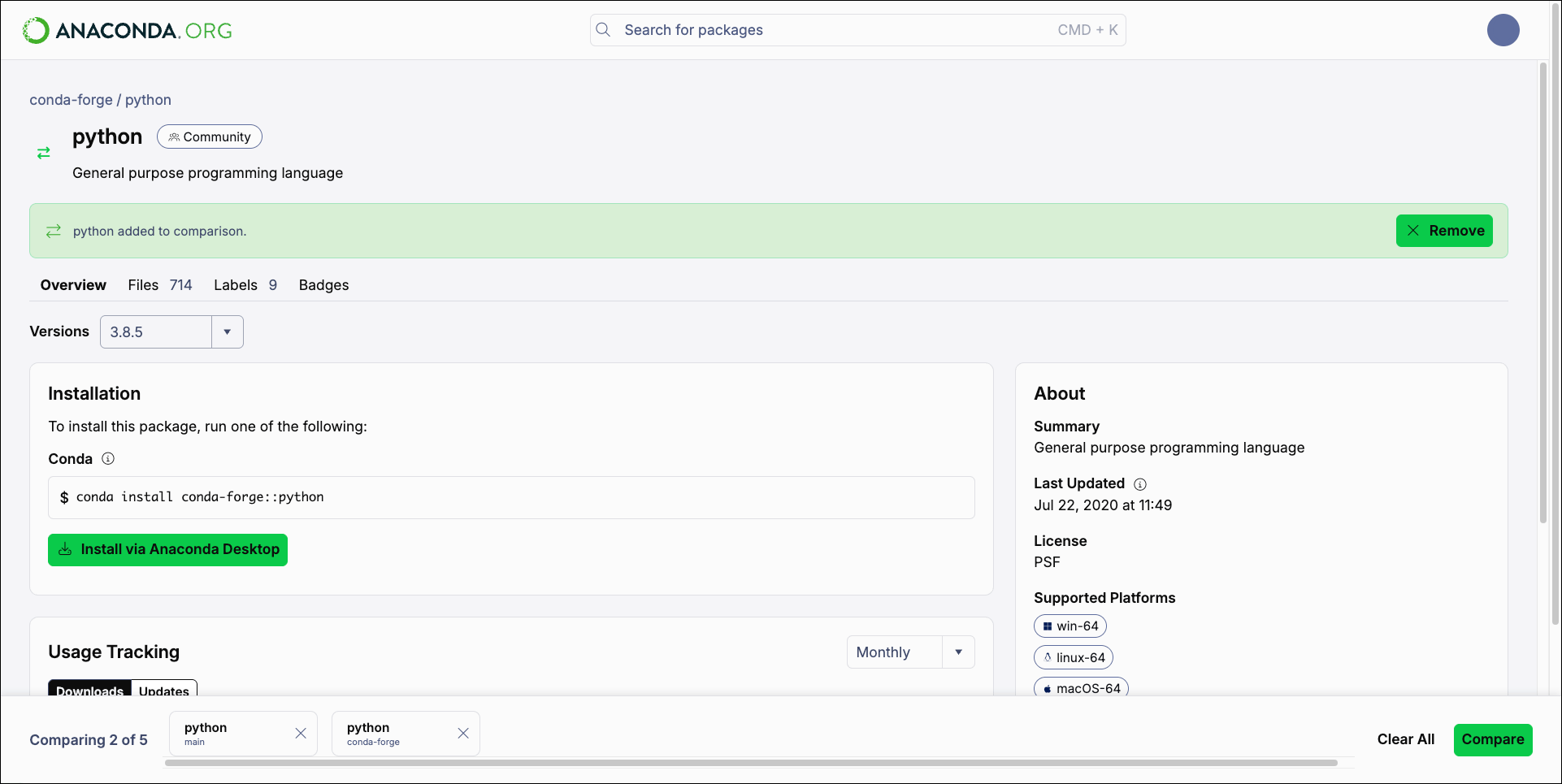 ## Comparing packages
Once you are satisfied with your package comparison selections, click **Compare** to see the comparison results.
## Comparing packages
Once you are satisfied with your package comparison selections, click **Compare** to see the comparison results.
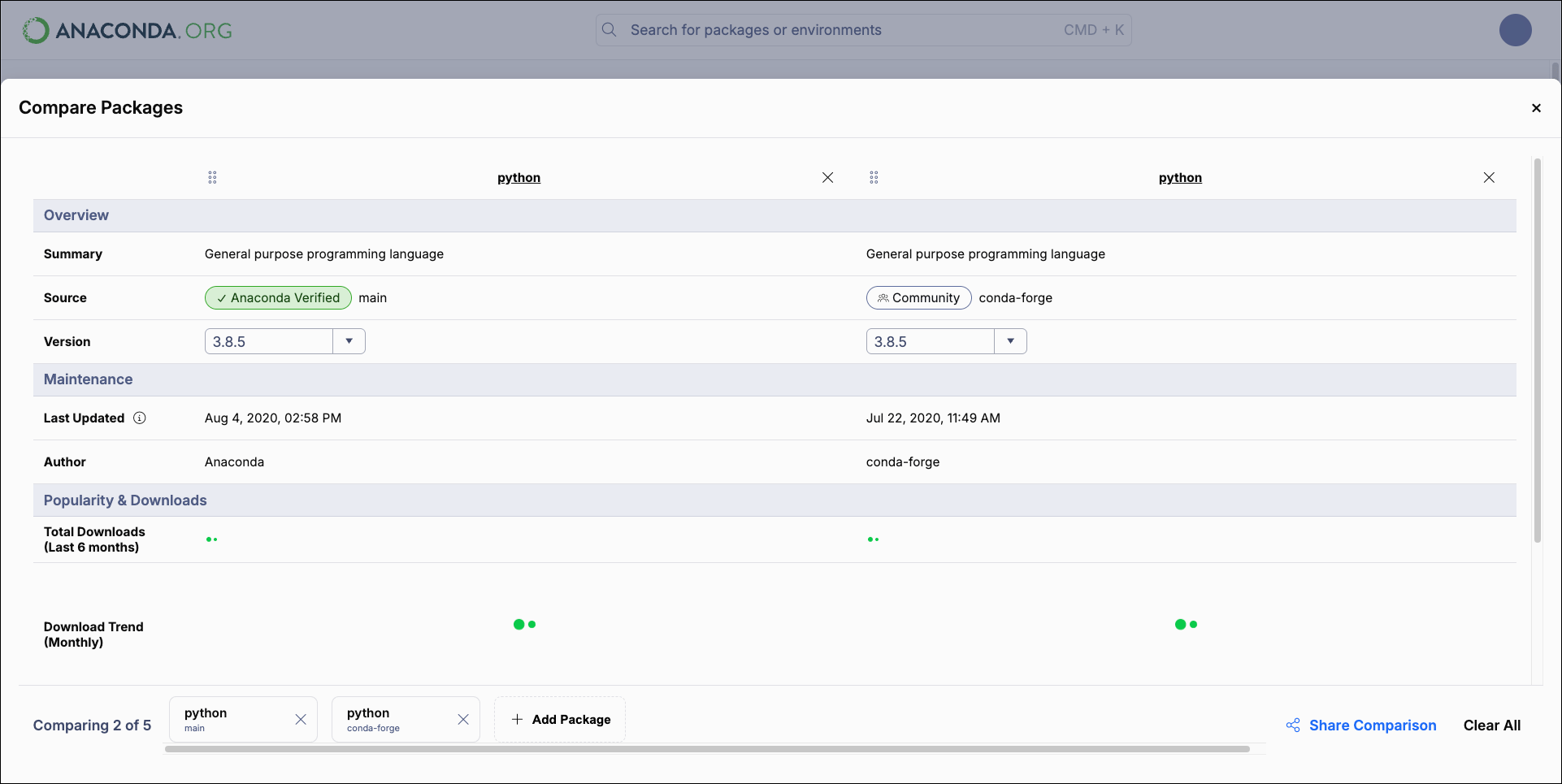 The Compare Packages page compares up to five packages by criteria such as channel source, date last updated, total downloads, license, and compatible platforms.
Click the package name to open the package details page for that package.
Click and drag the move handle to reorder your comparisons.
Select other versions of any of the packages you are comparing using their **Version** dropdowns.
Click **Add Package** to exit the Compare Packages page and search for other packages to add to the comparison queue.
Click **Share Comparison** to copy a link to your comparison to share with others.
Click **Clear All** to clear your comparison selections and exit Compare mode.
The Compare Packages page compares up to five packages by criteria such as channel source, date last updated, total downloads, license, and compatible platforms.
Click the package name to open the package details page for that package.
Click and drag the move handle to reorder your comparisons.
Select other versions of any of the packages you are comparing using their **Version** dropdowns.
Click **Add Package** to exit the Compare Packages page and search for other packages to add to the comparison queue.
Click **Share Comparison** to copy a link to your comparison to share with others.
Click **Clear All** to clear your comparison selections and exit Compare mode.