> ## Documentation Index
> Fetch the complete documentation index at: https://anaconda.com/docs/llms.txt
> Use this file to discover all available pages before exploring further.
# Viewing channel information
There are several ways to view a channel's homepage:
* Select the channel from a package's details page.
* Use the **List view** for your search results, then select a channel from the **Channel** column.
* Navigate to `anaconda.org/channels/`, where `` is the name of the channel. This can be an organization or user channel.
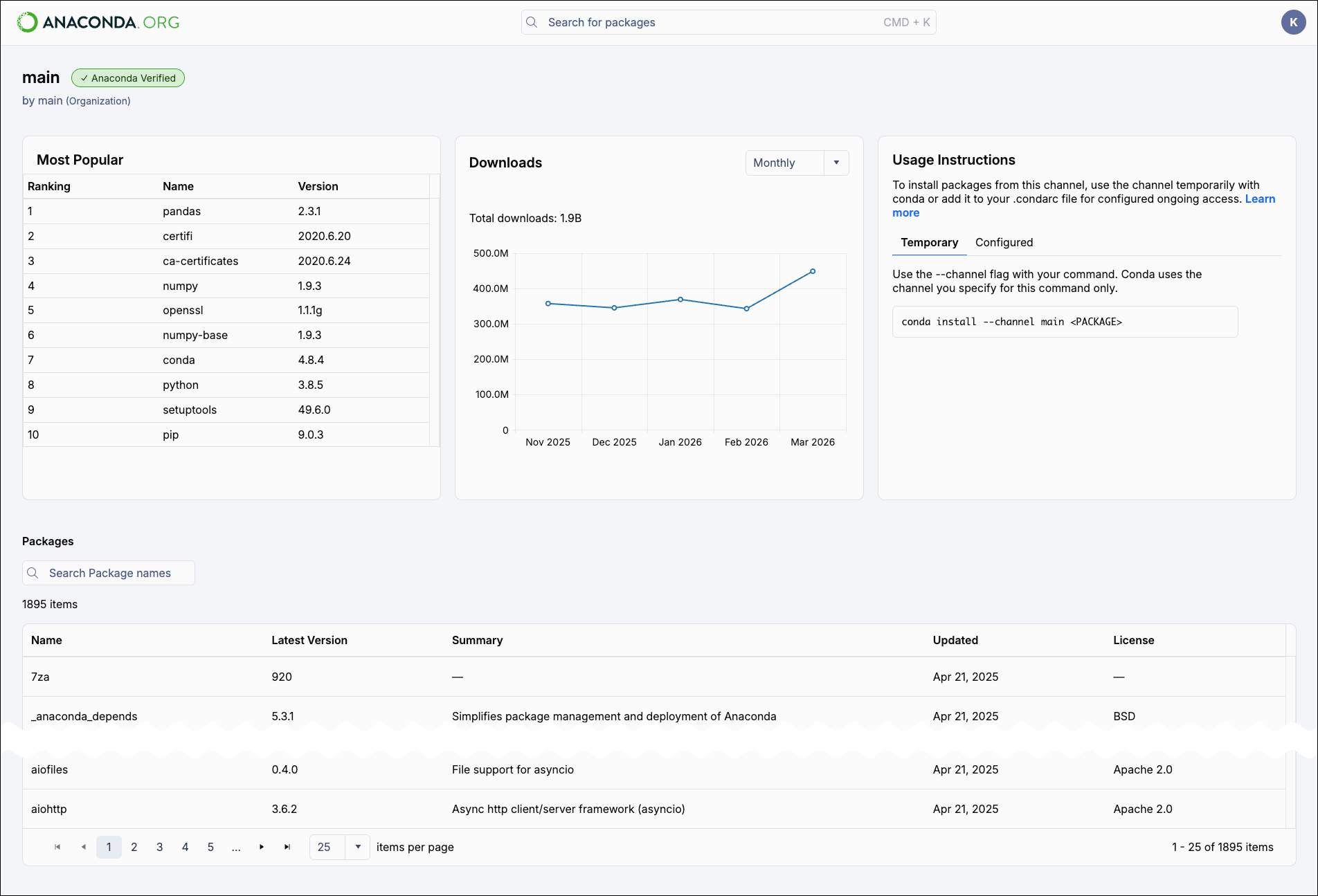
The channel's homepage displays the most popular packages in the channel, a set of download statistics for the channel (by month or week), channel usage instructions, and a searchable list of all packages available in the channel.